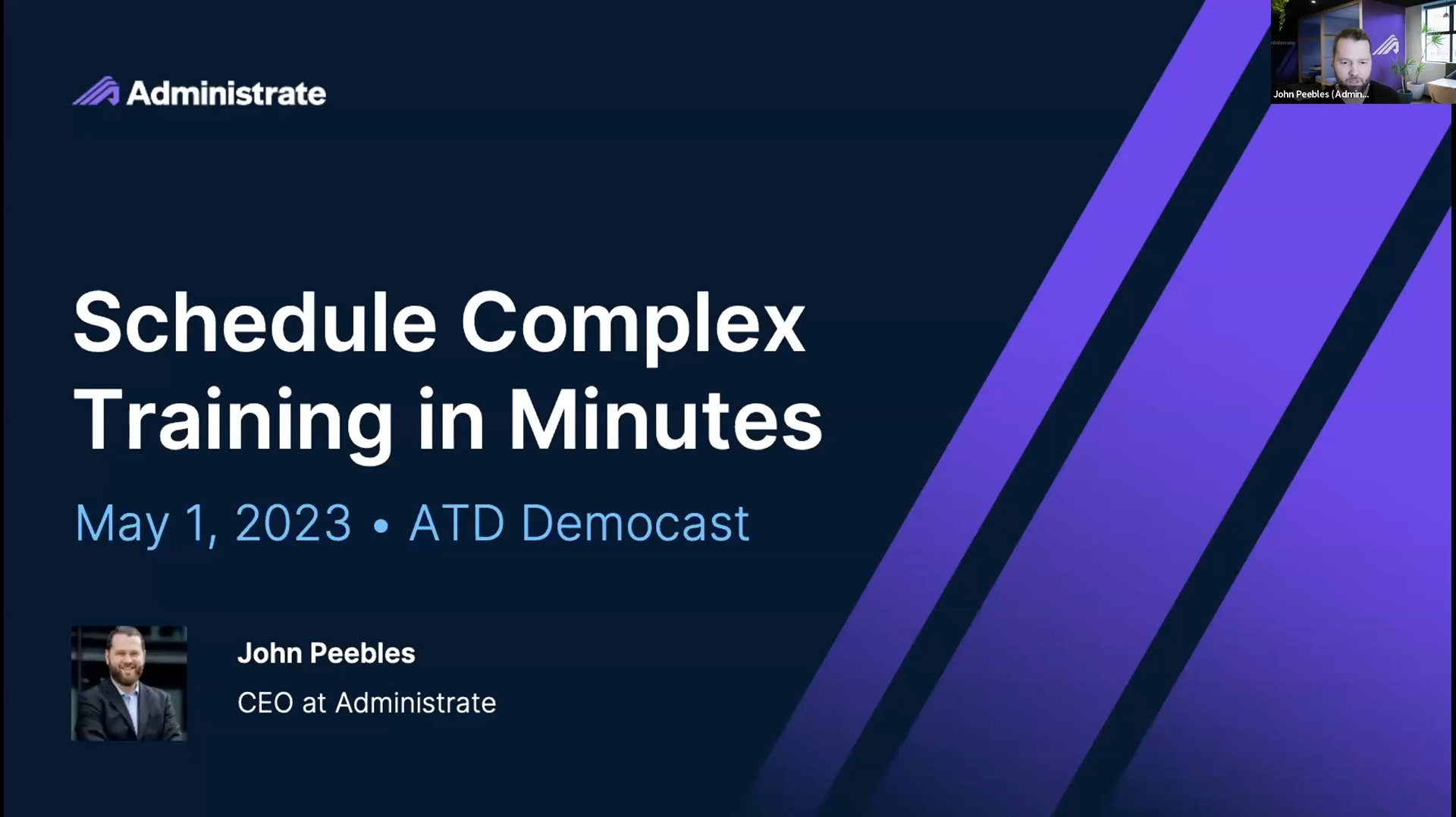
We join ATD to demonstrate how Administrate schedules complex live training in minutes. The democast focuses on Scheduler, the Administrate AI-powered planning and scheduling tool that uses data in course templates to rapidly find the most optimized schedule for any number of live events. This saves enterprise training teams hundreds of hours every quarter. The demo features John using Scheduler to solve a multi-month plan across flight-safety courses, simulators and instructors, with dependent sessions, instructors and equipment moving together on a drag-and-drop canvas.
34:12 watch · 6,081-word transcript
Auto-generated transcript — may contain errors. Tap a timestamp to
jump the video.
And thanks for joining today's demo: Schedule. Complex Training in Minutes. I'd like to thank today's sponsor Administrate. Administrate provides the comprehensive training management solution for enterprise training departments and training companies. Maximize training resources and demonstrate business results with Administrate. I'm Alexandria Craft, the Content Manager for Learning Technologies and Sciences at ATD, and I will be your moderator today. Before we get started, I wanted to share that ATD is celebrating our 80th anniversary this year. For 80 years ATD's been supporting the training and development field by offering a variety of resources, education courses, certifications, and serving a worldwide membership that spans more than 100 countries.
So you're invited to celebrate with us at L&D's premier International Conference and Expo taking place in San Diego. Come join thousands of your peers and take advantage of unbeatable resources, unlimited connections and career development opportunities. We hope to see you there in a few weeks. And now let's get to today's demo. Our speaker plans to keep you engaged throughout our session. So if you'd like to interact with him and your fellow participants throughout the session, be sure to select everyone in the chat box and we will save some time for Q&A at the end of the demo, so we'll save any newer unanswered questions to be addressed then. And now I'm very pleased to introduce today's speaker. John Peebles is the CEO of Administrate and we are looking forward to learning more about scheduling and complex training in just a few minutes.
So without further ado, I'm going to pass it over to John to take it away for us today. All right, Thanks, Alexandria. And I'm really excited to be able to be with you all today. I am actually dialing in from our headquarters here in Scotland, although a lot of our business is conducted in North America, which means I'm on a plane quite a bit today. I'm dialing in from Edinburgh. And as somebody said earlier, you know, if you've got questions or comments, whatever, let's make this informal. That picture of me in a suit is probably the last time of worn a suit. A few years back. And so just keep it casual and the questions and comments flowing. Always appreciate that. I'm going to share my screen here and I want what do we want to do today is basically talk about scheduling and specifically scheduling classroom training.
And in order to do that, I want to set up the situation and kind of the way that we think about this problem with a few slides and then we'll jump into a demo, come back to a couple more slides and like I mention, keep the questions and comments rolling and I'll monitor chat as we do so. But first, when we talk about training infrastructure or enterprise training infrastructure, some of you might be scratching your heads and this is essentially what we are trying to do here in Administrate is provide training infrastructure for large, complex multinational organizations or organizations that are doing lots and lots of training. And the reason that we think that this is an important thing to invest in is we kind of see there are four different ways that folks get value out of training infrastructure, like Administrate, and they're kind of layered on top of each other.
And today we're going to talk basically about the first three layers. But ultimately, what we are trying to do here is provide a foundation so that you as training leaders and folks that are involved in the training delivery within your organization can show return on investment of the training dollars that you're spending all day, every day. And these layers are basically when we come in and we want to get infrastructure installed and up and running and an organization. The first goal is to really automate a lot of workflow that is repetitive or error prone. We want to streamline those things that we can't fully automate and we want to help get all of your operational components organized. And I'll talk a little bit more about what those components are and and give you some examples.
And then once that is done and believe it or not, we see this quite, quite a bit with customers that join us as partners. But basically even just maybe simple things like getting a list of all the courses that are being delivered at scale around the world today can be very difficult for some of our customers. So if you're sitting there thinking, Wow, this, this getting organized thing could seem like an impossible task, don't worry, we've seen all that before, and that's actually fairly common. But once you get everything organized, now it's try it's time to integrate with other tools and learning investments that you've made. And I'll give you some examples of what that looks like. But that could be everything from a CRM system that the rest of your organization uses to if you're a manufacturer, maybe it's your MRP system or things that are a little bit more common that we might use every day like Zoom or teams and so forth.
And so that integration piece is really, really important. We won't necessarily go into the details of how those things integrate, but there's a bunch of different ways that we do that for everything from we've seen it all, for everything from, you know, automating integrations with door locks to manufacturing, you know, systems to kind of the tools that maybe we're a bit more familiar with, like a survey tool and so forth. And then once we have everything organized and we've got everything integrated now, we can start to support decision-making. And the decision-making example that we're talking about today is scheduling. But there's a lot of different ways that you can think about this. And so, you know, if you're kind of interested in, hey, what about that? You know, we'd love to talk to you and get in touch with us. And all of this is kind of came out of one simple fact which often is still surprising to folks, although the more people tend to think about it, the more they kind of start shaking their heads and agreeing.
And that is 80% of corporate training in North America is still delivered via a classroom setting. Now, that doesn't mean it's always done in a classroom. You know, there's plenty of blended learning examples out there, and it doesn't mean it necessarily is a physical classroom. We've seen a lot of virtual classroom movement, particularly during the pandemic, but even post-pandemic when you would have thought that classroom training was gone for good. It's still alive and kicking today. And maybe even more importantly than this percentage, it's the high-value training. So things like how to do your job, how to train somebody on a new process, or maybe you've made an acquisition in. You need to train your sales force on a new product to sell that type of very high value training that is directly related to your organization's success is typically done within a classroom, and we have seen that unchanged over the last few years.
There's a lot of hype and a lot of talk about e-learning, and we love e-learning here at Administrate as well. But we're really focused today on this classroom training, whether it's delivered in a classroom or a virtual classroom, synchronous training that is the bulk of that high-value education that is still done predominantly or across the board today. And when we think about the learning landscape, how does Administrate and our learning infrastructure fit in? This is probably a good slide to kind of whip through, just in case you're sitting there still scratching your head of what is it exactly that we do. But you can see some some examples of various categories of products out there. So up in the upper right, you know, most organizations that have some sort of Customer Relationship Management software and HRIS where there's employee details and so forth.
And then in terms of learner-facing or learner experience, you know, almost every one of our customers and everyone we talk to has a learning management system. Often they'll have multiple Learning Management Systems that's super common and that's not necessarily a good or bad thing. We kind of believe that, you know, there could be more than one LMS required to deliver a great learner experience. And also maybe some of you online today have a learning experience platform to kind of give it that unified port of call for your learners. And that's pretty typical, right? Our customers tend to be multinational organizations. They tend to be doing a lot of training of larger workforces, usually thousand employees up and this is the the normal posture that you'll see with the learning technology and where Administrate really starts to get involved is on this bit down here with our logo.
And, you know, when we think of what is it that we do, we're talking about that platform piece right there that's linked to a rich data model. And what I mean by data model is a place to store data that is really required to deliver training data about instructors, data about resources, data about your learners and what they've done and so forth. And that data usually is customized for for organizations. So we have kind of our initial foundational pieces of data that you want to store about things, things that rarely change, but almost every customer in every business and every organization will have customizations and tweaks to that data model that they'll want to make. And when you've got that data model now, you can we can focus on things like sales or commercial activity.
Even if you're not selling your training, maybe you have a complex onboarding process where people need to go through and get approved and so forth. Operational support, there's a whole bunch of things that will do around task management and making sure that things are done the same way every time reporting and analytics and business intelligence. So if you've struggle with that, that's one of the things that we really excel at. And then what we're talking about today, which is this AI scheduling piece and resource planning. And so when when we think when we look out on the market today, a lot of these things are not really addressed by a traditional learning product. And so what we believe is that if you get this infrastructure in place, you can get this stuff out of spreadsheets, out of people's heads, off whiteboards and and really transform the way that training is delivered at scale.
Looks like we've got a few questions coming in. Tracey's saying, how do you make the transfer from classroom learning to a successful e-learning environment? It's a great question. Probably one that we won't be able to answer today. But you know, what we have seen is that in some cases those transitions make sense and they can be really transformative and powerful. But in many cases they can't necessarily be made to an entirely online or e-learning environment. So, for example, customers of ours, you have to learn how to fiberglass a boat hull, for example, or you have to learn how to manufacture specific piece on an assembly line for a specific automobile that type of training, of course, you can do pre and post work on an e-learning environment, but often you just there's no substitute for that hands-on style of training.
And so we see that a lot. And yeah, it looks like Janice is saying, you know, hybrid online and in-person trainings are often a good strategy. And I think it's one of those things where we encourage people to experiment. And that's another thing. If you've got the right infrastructure in place, you can make these experiments and kind of make these bets and see how they pay out. Okay. So kind of diving into some details, I want to show you two things here that hopefully you'll leave with an understanding of. And one of them is probably a little bit unusual and we'll spend a couple minutes talking about this. And that is the idea of Course Templates. Okay. So many of you have seen the course card like on the right, that's kind of a a shot from one of our portals. And in almost every Learning Management System has some sort of way of describing a course.
But when you think about classroom courses, right, there's a whole bunch of things that goes into the make up of a classroom training that a traditional LMS won't contemplate. And I'll get to that in just a second. The goal with Course Templates here is to help you save time. So we want to make sure that you can get these things up and running as quickly as possible. We also want to help you standardize. So many of us have probably come to this problem where you know, West Coast, the US, East Coast, the US, and then, you know, Northern Africa and East Asia and Australia. You want these classes to be run the same way every time, no matter what language they're in, no matter what location they're at, and no matter which team is delivering these classes.
And that can be very, very difficult. It can be difficult in a whole bunch of ways. You know what's required, who, what, when, where, why. It can be difficult to make changes once you've rolled that type of thing out globally. And even if you don't have a large global operation, you often will have different teams responsible for different things at different places. And you want that standardization. It's really, really important. And and lastly, the understanding around what is required to deliver a class. So unlike an e-learning class or a course on a traditional learning management system, you kind of build out the e-learning course and then students start to register on it and maybe update it once a month or once a quarter or once a year.
But it's kind of fire and forget, right? With a classroom training operation and you will basically run the class. And that will require things like instructors and locations and classroom resources and so forth. And once you get done, you have to do all over again. If you want to run that same class again, it's not a fire and forget operation. And so without Course Templates, this is usually the scenario that a lot of customers of ours are living in until they come to Administrate. You've got to specify everything every time. Now, let's just assume for a minute that your Learning Management System has a spot to record all this data, which most of them don't. And that's okay because that's not what they're supposed to be good at. They're supposed to be good at this e-learning piece.
But you got to do all this. You've got to specify all this stuff every time that you want to run a class. So things like titles and categorization information, so you know what categories and what tags and what taxonomies, the actual content. Maybe there's PDFs of things that you need to distribute out there. Maybe there's a little bit of e-learning as well that all has to be specified every single time that you run a classroom training business rules like cancellation rules or waiting lists, or are you selling this or not? Those things need to be thought through every single time. How many students can be allowed in this class, and is that dependent on the size of the classroom or the numbers of resources or things that you have at your disposal that has to be thought through pricing, as we mentioned, modality, are we doing a blended and so forth, or is it just classroom only?
And then maybe there's different locations where a course is being held, Maybe it's, you know, in a lecture lecture hall for the first part of the class and maybe it's in a swimming pool for the second part, if there's some sort of practical component, this stuff has to be thought through and then dates, right? Not only the start and the end date of the course, but many of the courses that our customers run will run over weeks or a month or two, particularly like employee onboarding and things like that or certification courses. And they'll all have sessions that have to have start and end times. And this stuff's important because if folks don't get there in the right time, then they're going to miss the class. Unlike e-learning instructors who can teach this class, who's available to teach this class, that needs to be thought through. And any necessary resources. Resources could be anything from pencils and paper, although that's not usually what we're talking about to things like specific classrooms, simulators, maybe a piece of high-value equipment.
We have one customer that, you know, has to make sure that fire engines are available because they're doing fire engine training. And so the things that I have bolded here that have the asterisks on the slide must also be checked on, because you might decide that Tom is going to teach this class. But you have to make sure not only that Tom can teach this class and you specify that when you're when you're making the planning step, but you also have to check Tom's calendar and make sure that they're available. And so that is and same thing with locations is the room available and the resource is it available, is there a conflict and so forth. And so these are things that we find take up a lot of time. They can waste a lot of effort and they can be very, very difficult to deliver, particularly at scale when you have to do this maybe hundreds of times a week.
And so with Course Templates, we only need to specify three things and I'll show you how this works in just a second. But basically we want to see where we want to run this class, what's the start date and who's going to be teaching it and really, when we think about it and top of this, we actually go to create a course. A bunch of things will happen, right? We're going to, actually Administrate is going to go through and check this schedule and availability of the resources of the instructors of the classrooms. It's going to track things like global holidays that it knows about because your company might be closed on Christmas or maybe a Ramadan. It's going to see whether any instructor PTO has been booked in and it's going to basically look for all the required resources and get the right instructors.
And it's going to boil all that down and spit out a schedule for that class. That makes sense. That means that you don't have to think about all these details every single time. Okay. So I'm going to give you a quick example of what this looks like. I stopped sharing my screen here and switch over to my demo copy of Administrate, and hopefully you can see here, spring that chap and go back up. You can see here a list, of Course Templates that we were just talking about. And there's a whole bunch in here, various demo things. I think we've got some emergency landing procedures that ones always good in the live demo and so forth. But basically I'm going to filter down and I'm going to look for pilot training.
Right. One of our Sales Engineers is an aspiring pilot and and so they built out this this group of courses. And really, if I click in on flight safety, for example, now we're in the guts of a Course Templates and you can see things here like titles and shortcodes and categorizations and a whole bunch of metadata. And by the way, you can add all kinds of custom fields. So we were talking about that data model. And so some of this stuff will be stock fields within Administrate and some of it will be things that you could add to fit your business. But what we're doing here is we're describing what this course is, and this information might bubble up outside on a website somewhere or a booking portal. Right now we're in the back office piece of Administrate. This is the piece that the training team would use.
Learners would never see this, and we're setting up a course. And if I click over onto personnel, there's things like workflow groups. These are basically lists of tasks that need to be done on certain offset timeframes. We're not going to get into that today, but basically when you go to actually schedule a course, the system will lay out all the things you have to do, like maybe set up the room in advance or order the meals and things like that. We've got improved instructors here that have been set up. Often when you've got tens or hundreds of instructors, it can be difficult to understand who's available, who is certified and qualified to teach this and who should be teaching this class. You can store that stuff in ministry and get it out of your head Content right here. We've got a little bit of e-learning content.
We've also got a flight safety instructor checklist which will be distributed to students who are taking this class. And we move over to the scheduling piece and you can see that actually we have a five session make up here and these sessions are start and end at the same time every day. But they don't have to do that. This screen can look a little complicated. If you're not familiar with it, don't worry. We'll train you on that if you if you come on board. But basically, it's a way to set up the pattern of sessions. Now, we are not actually scheduling anything right now. We're simply setting up a template and then we will go to schedule. And so the template means that the computer now knows that there are five sessions. They are in sequential days, they're one, two, three, four and five, and they will go from 9:00 to 5:00 each day.
All right, resources. So whenever I run this flight safety course, I'm going to need two things, right? I'm going to need rooms. I'm going to need graphical flight deck simulators. And in fact, I'm going to need three of them and I'm going to need them for every single session. Right now, that's not always the case. Maybe I'll just need a room for the first couple and a flight deck simulator for the last three doesn't really matter. And by the way, these resources are things that you can specify. So the things you care about. So like I mentioned, some customers track things like fire engines and some like in this example, are flight deck simulators and rooms and so forth. If you're selling your training, you can put in the rules there. And if you want to confer a certificate and an achievement when you complete the training, you can do that there.
But basically what this means now is I've typed in all this stuff once and if I go back and actually tried to schedule an event, I would come up here, go to my event, list these are all the things that are actually running that are lived in. In my demo instance, I can go up here, I can hit create event, I can pick my flight safety course template, right? And you can see already it's starting to fill in things. So I don't have to retype this. I can always override it if I wanted to, but I'm not going to do that and I'm going to say, Well, I want this to start on Monday. I want this to be in Boston. And it fills in a whole bunch more things. And if I hit this create button right there, that's all I have to do. And it will put in the resources, It will assign the instructors and we're at the point where we're ready to go.
And for years this has been pretty much the way that our customers have been able to go through and schedule events. And it's been really, really powerful. So go back to the presentation real quickly. The impact of this can be huge, right? It reduces prep time massively. We've got consistency now because everything's templated, eliminating errors, and ultimately this means that we can increase the quality of the training because this stuff is all set up and ready to go. And so, you know, huge, huge value there. We normally see at this stage an 85% reduction on the time spent on administering classroom training. And that can be really material in addition to the quality improvements that we normally see.
So that's been great and it's been great for a number of years. But what about scheduling en masse? That's a that's a French word that I had to learn the other day. And basically if that's great that we can go and schedule courses one by one. But the more we talked and observed to our customers, the more that we saw situations where that's great and all to schedule one class and saves a lot of time. But we need to think about the next six months or the next year and really get to the point where we can think about that because that's an even bigger scheduling problem than making sure that things are consistent on a course by course basis. And so really what we are looking at is how do we look through all the same constraints, things like who's available and what's required and so forth for multiple different courses, how do we break them down into a scheduler and then come out with something like a one year schedule or a three monthly schedule or a six monthly schedule, whatever it is that you think about in scheduling your classroom training in advance, that's what we want to be able to support.
Okay. And this is an actually a much more difficult problem, and it's a pretty typical scenario when you look at something like this. Right. Ally needs to schedule a series of pilot training courses of the next month in Boston, they require specific instructors and specialized equipment like we just saw. But she needs to ensure that there's no instructor scheduling conflicts and that the equipment is available for all the sessions. Right. And again, this is a pretty, pretty simple example. We're talking five flights, safety courses for instrument navigation courses and three emergency landing courses, and they require these three things over here flight simulators, reality headsets and instructors. Right. So now this is a very small example. Many of our customers have this time at 100, right?
Tens of thousands of learners, hundreds of different courses, thousands of different instructors all over the world. But we're going to just show you a simple example today. So if I go over to the scheduler demo, I'm going to share my screen again and bring my browser and I'm going to flip over to a tab where we see our scheduler. Now, this is an AI powered Scheduler. Don't worry, it's not ChatGPT. Basically it's a solver that will run many, many different permutations and come out with an optimized plan. Okay? And the way that this works is you can see I have a bunch of different plans out here, but I would go in and say, You know what, we want to create a new plan.
So maybe it's flight safety training, fall or autumn, as we would say here in Scotland. And let's say that that starts in the 1st of September and finishes at the end of the year. Okay. And I'm going to do it in Boston because that was my example. And I'm saying basically all these days a week are available. I'm going to go in and hit, create a schedule. And then what happens is I'm dumped into this blank canvas, right? And this is a way for me to start working through what I want. And so I think what we said was we said we wanted five flight safety courses. And I'm already forgetting what I said before.
We want to see five instrument, I believe. Yes, instrument only navigation. We were in four of those and we wanted three. What did we want? We wanted. I'm going back to my list. We wanted well, we'll just leave it there. Right. And as you see, I'm adding this. These are like my flight safety courses. They're grouped up for here. Instrument five flight here. It's warning me that we need an improved instructor. And so what I'm going to do is I'm going to go in here and add some resources. Right? So. Well, first thing we do, instructors, and I'm going to make sure that they are the ones that can teach flight safety, adding them all in and it's adding them on to my worksheet.
You can see here that we're not actually saying that Hal and Ben and Jason, Johnny and Nick will teach these courses. We're just telling the computer that they're available to teach. And then what the computer is going to do, is this going to go through and check all their schedules? Because Ben, Hal, Jason, Johnny and Nick have actually exposed their calendars, a calendar feed from their outlook to Administrate. And so we can know up to the minute information as to where they are, if they're available and if they're going to the dentist that day. I also need to add in some resources. So I'm basically going to say we're going to add in both the air headsets and the flight simulators, and then those get added down to my worksheet. Oh, and I do need some rooms. So we're going to add some rooms, add some of those.
And again, we're not saying that these will be used. We're just saying that they can be used. And then what happens is I sit here and now I can manually drag through and drop in some of this stuff if I wanted, but I'm going to just go ahead and hit the solve button. And what Administrate is doing now is it's going through and running thousands of different scenarios every second and is trying to get solutions that will work right. But it's also trying to find the most optimized solution. So if it gets a solution, it will try to optimize it, it'll optimize it against different things at different customers care about. What I'm going to do is this can sometimes take a couple of minutes. I'm going to flip over to an already solved example here. So same thing, flight safety and instrument landing procedures, right? I can collapse these up or spread them out and you can see here we've got the sessions lined up and so forth and we're ready to go.
And I can come in here and say, Yeah, this looks good, but actually I want to move this session. Right? And if I start doing that, what you'll see is down underneath here, Howell who is the instructor for this class, he is moving with me. And so if I were to move this session to class, both how the instructor and the flight simulator, the flight deck simulator and the yeah, the flight deck simulators would move with it. And what that is, is that's Administrate making sure that I can't do anything that would mess up the schedule. Now in this example, it's not actually letting me move this because these have to be done in the same sequence. I could potentially move this out here. Right. And basically this is just a way that I can get more control and it can be off can be off and running.
And that's that's super, super powerful. Right. And so what this means is and then once I'm done with this and I've and I've maybe distributed it out to stakeholders and said, hey, check this out and how comes back and says, oh, they forgot to put in their holidays and so forth, I can go up here and I can hit, create events and book. And then at that point administrator will actually concrete this schedule and turn it into something that we can use. So all that to say, and I know we've whipped through a lot of stuff here, but basically coming back into the impact piece of this, what is this impact? Well, we can eliminate multiple inaccurate spreadsheets, things like resource sources and so forth. We also eliminate being having to check multiple different calendars. We can save time.
The scheduling and planning process. There's one central spot to look at this. You can quickly visualize what the proposed schedule would look like. You can communicate that out. You can save time just one click by actually creating the events in bulk. Once we are, we're happy with the plan and if we need to, we can easily re plan if something goes wrong. And so typical impact that we see. This is one example of a large multinational customer of ours. They had thousands of courses every year and it took more than 40 people working about 4 to 6 weeks to get a schedule for the following year. That would work for everybody, including all the back and forth. After using the Scheduler that got reduced to just one or two people iteratively working for over a week. So basically work.
They'd send out the schedule or the plan to to folks to get comments back and they work a little bit more. And it was just a much better way of working. The training team then was more focused on content and delivery and didn't have to waste all this time on scheduling and ultimately the quality of training improved. So hopefully that that made sense to everyone. If you want to learn more about it, we'd love to get in touch with you. Looks like there's a couple of questions have been answered. And yes, a great question from Tamara: can they be scheduled by the hour and not by the day? Absolutely. So many times there are multiple sessions will be half day or in the afternoon only and so forth. And that's that's absolutely no problem. I was just showing you a simpler example.
Let's pause for just a minute if there's any other questions. But I think we're almost at time and yeah, very much appreciated being able to show you and as always, happy that nothing blew up during a live demo because, you know, that's always exciting. Well, thank you so much, John. That was really cool to see. And it looks like we were able to answer most of the questions throughout the demo. And if folks have questions they want to follow up with your team or learn more about Administrate, you will have access to recording and contact info after this session. Thank you all for participating and your great engagement. Thank you to Administrate for sponsoring the demo. Thanks again to John and we hope to see you all at future webinars and demos.
Have a great Monday everyone. And this concludes today's webinar. Thank you all for attending. The recording will be available at webcast.td.org and we will send our registrants an email tomorrow. With that link, please visit our event calendar to sign up for future webinars at webcast.td.org/events. Have a great day, guys.
AI is transforming training, but it is not the most important technology emerging in L&D. Explore how headless architectures are the engines that feed AI.
Administrate’s Scheduler feature provides a powerful tool for busy training professionals.
Scheduling training events and managing the resources and logistics involved is an enormous drain on most training teams’ time. Administrate’s deeply-integrated data model enables an AI-powered generative tool like Scheduler to create optimized training schedules in just a few clicks.
To learn more about Scheduler, or request a demo for yourself, visit our Scheduler page.