

Get started
Get in touch to learn more about how a TMS can help you
Training Management Systems make ILT easy.
Demo: See how Administrate Automator brings powerful automations to training, no IT resources or coding needed.
John Peebles, CEO, and product manager Hisham Arnaout introduce Administrate Automator, a drag and drop automation engine built into Administrate. Designed for non-technical people, Automator allows you to build training focused applications, solutions, integrations, and automations without IT help. This is a foundational feature within Administrate, and allows enterprise teams to build what they need, right now, with fewer resources and manage it all from within Administrate.
We show you how Automator works, walk through detailed examples, and show you how some of our clients are using it now to change how they manage training.
50:48 watch · 9,302-word transcript
Auto-generated transcript — may contain errors. Tap a timestamp to jump the video.
Alright. Welcome, everybody. We are really excited today to show you a brand new feature of our platform here at Administrate, which we are calling Automator. It is an absolutely disgusting day here in Scotland. The weather is terrible, but this is this lines up with what we're gonna show you today because this feature is super sick.
See what I did there? Anyway, what is Administrate Automator? Well, Automator is basically a feature of our platform that we have had years of requests coming in from customers to help facilitate. But they didn't come in saying we want the automator, did they? They came in in bits and pieces through sales calls and through customer visits and so forth. And basically, it's this idea that our customers who are looking for a training management platform are running some of the biggest, most complicated training operations in the world. And they're running them all over the world. And they have all kinds of custom business logic, custom workflows, things that need to be done that are unique to them, that are really important, that are pretty mind numbing in many cases to do, very manual.
And even when you have a training management platform like Administrate that handles ninety percent of your admin work, that ten percent can still be a big problem at scale. And so we are delighted to roll out Administrate Automator, which has been in beta testing for about six to seven months now. And Hisham and I are going to kind of walk through what is it, why it might be useful for you and your organization today, and why it's so important for the future and how we think about even topics like AI and how to integrate that into your training operations. So Hisham, you've got some slides to take us through. I'm excited for this. Thanks for the introduction, John. Yeah. I'm really excited to show Automator and what it does and and how customers are using it. So, as John was saying, Automator really automates your work, helps you build your workflow and automations within Administrate.
So just a little bit of maybe introduction about what Automator is and and and how it's built. So we use a white label 'n8n', which is a kind of like a drag and drop flow that you could build integrations and automations, whether you wanna build automations within Administrate so that workflows talk to each other. You know, maybe you have a manual process that you wanna automate or make faster. In addition to that, you could also integrate other tools and soft systems with with Administrate. So kinda like, hey. I'm gonna build this automation. When this is completed, I wanna send an email, you know, or or or or a message in Slack or Teams or I wanna hook up hook up some calendars or maybe hook up to to a resource management system or a homegrown system they wanna connect it to.
Yeah. Because all of those logos in that slide right there, they they are not Administrate, are they? Those are other applications that you might be using deliver training within your environment. Yes. And it can be everything from a product like HubSpot to a database. Like in that example, we've got Postgres to what, hundreds of various things. And this platform that we've white labeled is called N8N. N. So the letter n, the number eight, the letter n. You can Google it and browse the hundreds of different systems that have built connectors that can hook up to this. Yes. Really, n eight n is great. It's built within Administrate, so you're not, like, logging into a different system. So within the Administrate instance, you'll be able to say, you're on events. They're like, hey. I I wanna automate some things there. Like, when I send an email, this needs to happen.
We can walk through the examples in the next slides. And then from within that screen, you're connected to an eight n. You start building your workflows, hit save, and then it's there. You could start working. Again, what we've built here with an eight n is that you don't need to be a developer to start building automations, But with be having some developing skills, it will definitely boost that, but you don't it's not required. And then you could start connecting to all the different systems. Right. So, Automator solves a lot of these problems. And, talking a little bit more about the problems that we're looking at is that right now, teams are spending a lot of time doing these manual work, whether they're, like, need to check and validate an invoice, market, and then this needs to head up a pipeline to spin up the training and so on and so forth.
This takes a lot of clicks. This takes a lot of time. You have to have a to do task to check-in and basically babysit those tasks to do them. And a lot of times these are things that are similar to what every one of our customers is doing, but it'll just be slightly different in a way that is difficult for us as a product company to service, right? We hear this all the time. It's can we do X, Y, and Z to process an invoice or to double check a registration? Or how do you think about a wait list? All of these types of things, every training company does these things, but many of them just do them slightly differently or would like to do them slightly differently. And so this is where kind of Automator comes in because Administrate will get you to that starting point, and then you can basically build out that custom workflow exactly how you like it.
It's very clear where the customization begins and ends, and then you can solve these problems that might be still annoying today. Exactly. Yeah. And we're going to see how, like, in administrate, we will provide a lot of, like, quick start guides and workflows that you can get to start up running. However, having these workflow built out, then your team can then extend that logic. So kinda like this waitlist example that you just gave, it works differently for different customers. We will have, like, a waitlist configured already within Administrate, but then you can start by adding workflows, changing workflows according to your needs. So that's exactly the problems that we're solving is to automate, make things go faster, and then the manual boring work gets eliminated, and then you get to focus on actually, building and enhancing your your training.
We also like to think too that this opens up a whole lot of choice. So we have our integrations that we have built within Administrate, and they talk to big systems that are commonly used like Salesforce or Cornerstone or Docebo or whatnot. We've talked a lot about these things. But there are plenty of products out there that don't have the market share and yet are really great or they're new. Maybe it's an AI product that you want to try or some sort of niche product that you knew about in a previous life that you brought to this company or whatever. And it's like, N8N allows you to hook up these other systems, which us as Administrate could not justify investing the time and effort to build those things, but you as a customer can take advantage of them.
Yeah. Right. And consider this. Let's say you you you have an automation built or an integration built and then it works great, but then at some point, wanted to say like, hey. Okay. After this workflow, I need to send notifications or emails to the, you know, to the team and send the scheduled report, whatever, or or do something with that integration. But then you'd have to wait for IT resources or developer resources in your company or, like, administrate if they're gonna support that niche kind of request. So without Automator, you you're you're you're waiting and spending, you know, all this time. With with Automator, then it's very simple to configure and modify what need, and we're going to see that in an example here in the next bits. And and just some skepticism here. Right? You're saying it's simple, but, you know, and I like to think that I'm a former programmer and Hisham said the other day that he's very technical, which, you know, we had a little debate, about.
But, you know, Hashem and I are fairly technical people. When you say simple, if I don't have that technical background, just how simple is it? You're gonna show us. Right? Some of this. Yeah. We're gonna go through that examples of how like, okay, I wanna send an email via Gmail, then you add a note, like a workflow, and then click your Gmail account Right. And hit save. Big big promise. Can't wait to see it. Right. Alright. So, let's talk a little bit about the components of the automator. So, we consider these are four. The it's a powerful workflow engine as we've spoken a little bit before. We use n eight n, which is really, really powerful. It's integrated within Administrate, right, that's component two, which means you are not going to another system. Because what we're trying to do in administrate is also eliminate or decrease as much as possible the jumping in between different systems, especially when we talk about LMS integrations, for example, HRIS, or any of the booking flows in addition to the integrations here.
And and one key point here too is that we are running this infrastructure on your behalf. Right? So we are running an n eight n within our own data centers. That means that you don't have to sign another agreement with another vendor. There is no subprocessor because we are still processing your data. So all of it is staying within our secure boundaries. All of it is covered by our SOC two and ISO twenty seven thousand and one policies and procedures. So even though the software is open source and we are deploying it, it's all being run by us within our data centers and you don't have to worry about it's just like any other part of our platform that And then we we get that questions like, okay. But we have, you know, we have an iPass already and we use it and so on and so forth.
We have MuleSoft, Jitterbit, and so on. So how how can we use an AN? And the answer here is really is really simple. It's it's yes if you do have that, but you still are relying to your organizational IT development resource, and you have to wait for them when the you know, if if if the priority comes in to to accept your request and and do the changes to help you automate your training. With any and it's all in your hands now, and you could build and modify all your automations and and and and build these workflows. Yeah. And that's a common theme that we see, right, with customers, which is almost a hundred percent of our customers will have something like a Boomi or a MuleSoft or Workato. There's a whole bunch of these.
I think you mentioned Jitterbit. And the problem is, is that the training teams are often not permitted by IT to access them, or they're only able to access them in very specific ways. And then there's still a little bit of hookup work that's involved to get those systems to talk to administrate. And so what we've done is we made sure, which is the second piece, which is this very tightly integrated with Administrate, and you don't have to do anything. You don't have to call IT or anything like that. You can get up and running because a lot of times customers just need relatively simple things. And we had one customer So had field. Yeah, totally. We had one customer that was like, Look, we have to have a special sequencing rule for our ID numbers, right?
Because they had some government contracts or something. And it's like, we're never going to build that into administrate, right? It's just too specific. And so they were forced to either manually do this, they could get Automator program at one time and it sits there and does whirs away all day every day. Yeah. And we'll see how also modifying this, how simple it is. Yeah. You mentioned all, like, it is unique to businesses, and some of these examples are, like, in a booking flow, for example, It goes through all these different steps and stages and, like, if if it lands here, requires approval, it needs to contact this person. They need to provide, you know, this this this form. So all of this could be then automated and notify, you know, the the the respective person.
So talking about component number three and four are really what it provides. One, automatic automations, meaning, you know, if I publish this Say that say that three times really fast. Automatic automation. Twist your tongue. Yeah. Yeah. So for automatic automate oh, now now now I I can see it. So so for automatic automations, you get to, like, trigger things when things happen automatically and make things happen elsewhere, all of this, like and you'll be able to see that in your logs. So so these are things that I don't have to think about that get triggered by something. They're constantly running in the background and doing what they do, and I can check up on them, but I don't have to do anything.
Right. Right. And if things happen, you know, you could check the logs and it will pay warning or something. But yes. So for these automatic automations, we could hook it up to anything in Administrate because we support all these different, you know, triggers and webhooks. And so when you create an event, publish an event, you need things to happen like, hey. Generate a public URL or, I don't know, check the maintenance of this resource and make sure that this machine is operating in addition to its availability. If you don't have a calendar hooked up, you can you could do a lot of this. And then at the end of the day, you go to the your dashboard and see if there's anything wrong, and then you're like, okay. I'll tackle this thing. The other type of automation is, like, user invoked or on demand, and we see a lot of these kinda like, hey.
I wanna, you know, spin up an ID for people to when they go to their training, they could just, like, scan it and enter the training room. You could And these are things that you would wanna do not every time or always automatically, but, you know, there's it's a certain point in time. You want a human in the loop and you want them to be able to control when this runs. Right? Exactly. Right. So I guess let's see let's before we jump into the examples, this is kind of like what what we wanna show here is one of the examples in health care, what we see in trending, like, from the past and up until the twenty twenties. We see at the milestones when they introduce different kind of compliances or bills that health care needs to adapt and start to work to make sure that they are compliant, we notice here we see the yellow is the spending in the health care and how it relates to the admin growth as opposed to the physicians' growth who are actually doing the health care work, we see most of that spending is on admin work.
Because when you introduce kind of like, you know, HIPAA or or a SOC two compliance and whatnot, you have all your team working. It's all manual. It's it takes a lot of work to make sure that you're on time to make you know, to to be compliant. And a lot of this can be easily automated. It can be automated. And instead of that spending goes into admin, it would go into the actual health care work, you know, training physicians, you know, getting more physicians and and and really growing there. And we see a very similar trend in the training organizations in the l and d world. Yeah. I think it was, what, a couple years ago, Training Magazine came out with a report that sixty to seventy percent of all spend in our industry goes to salaries of people delivering that training.
And it's very similar to this. We've talked about this a lot, but there's kind of this almost perverse reality, which is as more technology has been incorporated into corporate training delivery, there's more silos and there's more systems that you have to hook up and there's more complexity and it costs more and organizations can't always afford to invest in that area. And so then spreadsheets are born, right? And they are carried or, you know, not maybe physically carried, but they're moved by people and this becomes very time consuming, very expensive, and it's almost like things get worse with more tech. Yeah. And there's a lot of studies out there that have shown that. So So to kind of make me remember, one one of the examples I wanna wanna speak about is imagine this, and we've seen this a lot where customers even who have already systems that they work to manage their training and so on and so forth have to always keep something on the back of their mind or report that they need to check, you know, weekly or something.
It's like, okay. How many courses I haven't updated in the past, I don't know, year to make sure they're up to date with with the requirements and the information and so on and so forth? Or, you know, I log in to administrate, and then I immediately see is like, hey. You know, your forklift training is at max capacity, and it's way back way way till August. And you have fifty visitors a day trying to find training, and they couldn't find it. And then, you know, you could probably schedule more training. Right? And and you have the capacity. You have the instructor's resources. How about you you consider five additional events in in in August? And right now to pull that information requires, you know, various reports, analyzing these reports, you know, and and and coming up with a strategy around it and so on and so forth.
So with automations, with things like insights, which we're gonna speak maybe in the next video, and some of the AI related technology that we're using, you could have that immediately. You log in to the dashboard. You get all this information, and then you say, like, yeah. I wanna create, and it will find the instructors and so on and so forth, publish to your website, all automated. So things that could take you weeks will take you just like a click away when you log in. Right. So let's talk about examples.
One of the examples that we wanna show here is the what we call instructor jumble. Maybe, John, you you wanna give a Well, I just learned that Hisham also played basketball, but, you know, I'm a big basketball fan, college basketball fan. And this doesn't go over so well in Europe because far less people play basketball here. But basically, we have had this question for years at Administrate, which is I have a population of instructors, maybe half of them I employ, maybe half of them are contractors, and those ratios will vary. But I want to schedule a class and I want to be able to proactively send out some sort of message to this population of instructors and say, Hey, there's a new class that's being scheduled, and who's interested in this?
Now, we have heard this problem articulated for literally ten plus years. And the problem with it is that almost every customer thinks about it in slightly different ways, So in that example, some folks say, you know what? They want to give the opportunity to take that class or to teach that class to their employed instructors first, because that's who they employ to do this and their contractors are overflowing, maybe more expensive or maybe less quality. Some customers say actually it's the opposite. We do employ instructors, but they have other jobs that they should be doing. We'd like to outsource that first. Some customers say we want to do it evenly and they want to do a round robin type of distribution.
Some customers say actually they'd like to get the most popular instructors and give them a couple of days to respond and then open it up to a broader pool. And so these are the types of things that we see all the time where just a simple send a message out to people who wants to teach this just doesn't really work from a product perspective. So instead what we've done is we have invested in Automator and we can let customers basically take a standard recipe, build their own logic and tweak it to to how they want. Yeah. So what we're gonna go through here today is the standard recipe, which we will provide all our customers, and then they get to tweak it according to, you know, their distinct distinct needs.
So what we're looking at here is kinda like a screenshots from the Automator workflow builder, and it's really just a simple drag and drop notes. And that's it? It's three boxes on the screen? So three boxes on the screen to show a web page to the instructor because you're sending an email out to instructors to say like, hey, are you available to teach this training? And then they click on their email click to see, like, to respond, and then they see a web page to say, hey. Are you available? Yes or no. And then they respond with whatever answer, and then it gets into the logic. So this is the first bit, is to display a web page and accept a response. It's Okay. Exactly three nodes. Okay. So And a node is kind of like a thing, an action point or a thing that happens? Yes. So basically, the first node is a webhook listener so that when instructors click on something, they go to a URL.
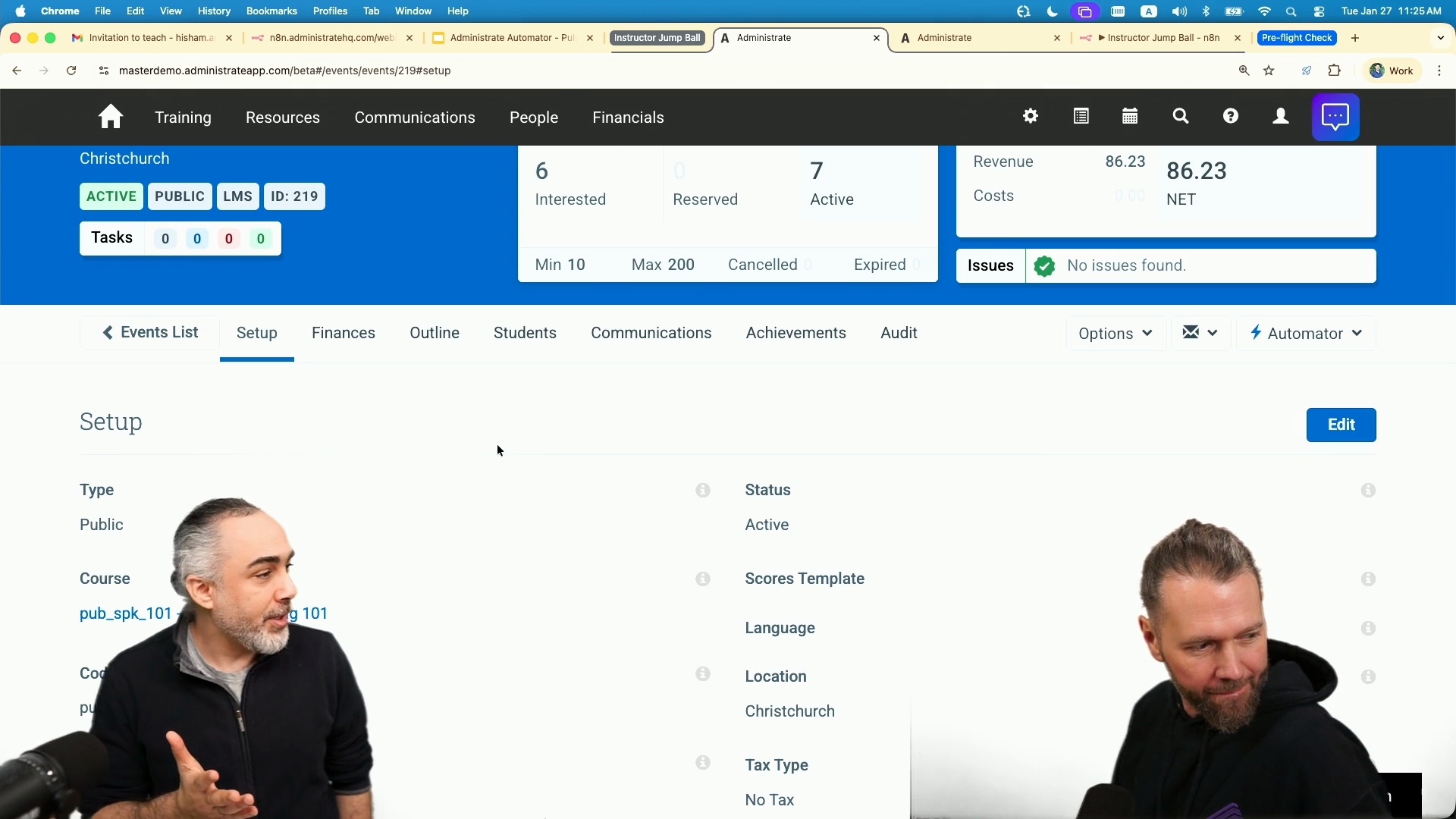
This is the webhook that accepts that URL. It's like, okay. If they go to, I don't know, acme dot com slash instructor response, it will land here. And then the next note is to get the event information. Right? From administrate. From administrate and display it. And the last one is to display an HTML form. Okay. So really these are the steps, like get the URL, get the event information, display the web page to the instructor. And let's see that in action. So I'm gonna go here to an administrator instance. Here, I'm on an event. Right? So I'm planning the event and putting all the different informations and resources. And now I'm at a a a stage where I wanna send the invite to instructor to see who can teach this. So from administrator, from the ad hoc emailer here, I'm gonna email to contacts.
And, you know, you have various search tools to send it to all instructors or, you know, the the highest rated or whatever, but I'm gonna send it to myself for now and Sean. And then, you know, we built a template, but you could really build a fancy template if you'd like using our template builder. And this is like the link that I got from from NA ten, and then I'll I'll send the email. And so that was like two clicks. Two clicks. Yeah. Yeah. And then I already done that before so that we don't and then the instructor will receive such an email like this or fancy. Right? And then are you available to teach this? Click here to respond, and then the instructor will click here, and they will get all the information about the event.
Right? It's simple here. And now this this web page, do I have to find a web server or call IT or all built n eight n and we could see how in a moment. And then, you know, when the instructor, let's say, yes, I can. And the basic example that we have here is just the standard where the the first one to respond will get it. Okay. Right? So some customers don't want that. Right? They want more complicated things like they wanna see who responded and they wanna pick the they wanna have the final say or whatever. So this will all be kind of They can specify that. Right? So in when they go to the automator, they can view all automations and they would see instructor jumble. They will then click launch workflow, and then they're in their workflow.
That's where they can, you know, add a node. You know, maybe maybe I wanna send an email after this happens, after the instructor responds. I could say Gmail or or actually, let's send email. And then click and then may maybe it's Gmail. Right? So maybe I'm using Gmail as as my service or Gmail. What do I wanna do? Send a message. And then you'll put your account or sign in or whatever and make it work. It's as so back to that, how simple it is. It is as simple as that. Okay. So take me back though to the screen in administrate. You clicked a button there, and what is what are we seeing right here? So what we're seeing here is the list of automations that I have configured for the event object in Administrate.
Because in value screens in the accounts, contacts, bookings, and so on, you'll find this automator dropdown list with automation specific to the object that I'm looking at. Now these are manual, meaning I don't have any automatic automations here, but we're gonna see an example where we have automatic automations. And then this is what I see. So these manual ones, when I click them, like, when I click run event preflight checks, it will go and do some stuff based on whatever is is there. Right? And or, like, process cancellation business rules. It will do and then send some things and refund or whatever. You have set these things up, then we have linked them to pieces of Administrate, and my normal users can go in, see this.
They don't even need to know that Automator is a thing, Right? They could just think this is part of Administrate because it and they just do their workflow and live their lives like normal. So that's what we're saying. That's one of the big differences. Yes. Okay. Right. So so So what happened here? Right? So we sent an email to instructors. Somebody responded. What happens? In the basic template that we've built, which you could extend and modify, you know, customers could do whatever they want, we'll, let me see. Hit refresh. So what I see is let's go here. I see a note that Hisham has accepted on date time and so on and so forth, and they're added to the event. Right? So it's automatically have magically happened. Right?
You could have your rules where, no, I need to go to a wait list or or a pending state before I approve it, and you could totally have that. You could build that yourself. And the standard workflow, this is what we keep we we wanna show you is that you could automate all that process. But so this instructor, in one click, saying yes, well two clicks, they click their email, then they say yes, then they're automatically booked onto the event, so I don't have to think about it. We've made a note of that fact, and there's all kinds of other things that could happen, like, you know, I could get emailed as the administrator saying that Hisham is accepted, and I don't have to worry about this anymore. And and not only that. Right? So the instructor now is on the event.
What that means is the instructor's calendar is booked if you have calendar synced turned on. That's right. Right? So they're they're booked now. Their availability is blocked. They also received all the emails, information about the event, you know, the the join the the students list, attendees, and everything that is already within administrator has already run. And there's probably an issue that was logged on our dashboard, which has now been cleared because Exactly. Instructors assigned. Exactly. So everything's just happened. Right. Things happened, and you are aware that they happened. So less clicks for you, more time to look at other things. So how did this all happen? So back to the workflow that we've built. Right? We said three steps, which we added another, send in Gmail.
The other step here that we have built workflow is really is the response management. Is okay. Now they responded with this, and then it checks a couple of things. This is where you could start changing the logic. For example, what we have here is if they accepted, it will do this, like put them on the event, put a note, when what did they accept and so on. If they rejected, it just doesn't and it just logs it. This is where you can start adding nodes and start adding logic to it. So you've branched out and said not only do the normal thing, but do a whole new Exactly. Bunch of things in a row. Right. This is where you could say, and maybe you could hook up to an, you know, AI to get like a logical score or rating or whatever. And then this is where you could say, okay.
I wanna do another, I don't know, HTTP request and then call Administrate to get more information to then, you know, play around it or use it in in my decision. Right. So So that could be used for something like, you know, on the confirmation email, maybe because Hisham was accepted, I could then look up what your rate is, send you a confirmation and say, thanks. You'll be paid your normal hourly rate, which is two dollars an hour. Yeah. Yeah. I like that. You you know what? You don't seem to like that too much. Yeah. But but things like that. Right? So you can go out and look up other stuff and then and then incorporate it. Exactly. Exactly. And it's all in the workflow builder. And, you know, once you hit save here, done. Right? It's there. It's working.
You could obviously do some testing and so on before, but it's their administrate. You don't have to call anybody and wait months for them to respond and then, like, yeah, we'll do the change and wait more months for it to be implemented. You're saving all that time. Yeah. Really powerful. Instructor jump ball. Oops. Let me do a You know, we actually never explained what the jump ball was. Yeah. I was waiting for you to Okay. So in the game of basketball, right, every now and then, there will be a situation where maybe two players grab the ball at the same time or the ball goes out of bounds and the referee can't make up their mind as to who it went off of, it's too close to call. In that case, you will have a jump ball. And what that is is the referee comes in between two players, throws the ball straight up, and whoever can jump the highest gets it.
Now, Hasham has assured me that he can dunk a basketball, and I'm thrilled to see that. But basically, it's this same concept. Right? We throw the ball up. We say there's a vent that is needing an instructor, and whoever can jump the highest or respond the fastest gets it. Yeah. Yep.
Yeah. This is the second workflow that we explained within NA ten, but we can go through it maybe in in in in detail here. So right. So the first node, instructor clicks, accept or decline. It checks the instructor's response. It's really just like, did they say yes, no, and then you expand on it. If decline, do this. If accept, do that, and then you could branch it out as you'd like. And and what we get questions all the time, which is like, yeah, but, you know, that in that example, the instructor didn't have to log in. Right? Well, that's because the customer has said, look, we know it's their email. We've sent a token out, whatever. But you can always say, first, make them log in. Exactly. There's all kinds of things that you can add to this, and it's it's really just up to you to figure out how you want it. Right.
One one of the examples that is similar to this that also one of our customers implemented is an kind of an a registration process for learners. What they do what they do is they send an email out to, for example, all all their, I don't know, instructors or or their forklift operators or whatnot. So, like, hey. Who's interested in this training? Or you need to get to this training. They'll receive an email link to say, like, register now. When they click, they get everything's prepared for them. They just click yes. This is the student. This is the student. Right. They don't have to go to the, you know, company website or LMS and then find the training, find the event that they'd like and so on. It's just So one shot, one click. Done. And they're they're in the training.
Yeah. Though that that is super powerful. And I mean, hell, as somebody who attends trainings from time to time, I would like that. Right? Just to be able to one click book onto something. That sounds amazing. Yeah. Really interesting. And then now we showed an example. Before I jump into the, you know, various different examples, I do wanna show another example that we have hooked up here on the preflight check. Now how many examples of these do you have, Hisham? Dozens. Dozens. Right? There are many. Yeah. Because what what we've seen happen is people get the automator. They will start playing with it. They'll implement one of these standard kind of recipes that we have out there. They might attend office hours because every week we have office hours where customers come together on a Zoom call and ask questions.
And sometimes other customers are answering those questions. It's a very, like It's a community where, like, they share each like, yeah, we we do have a community for the automaker where customers would share, like, hey. I solved this problem with this automation. It's like, the other customers, like, can we have you shared you it's easy to share. Yeah. Give away the recipe or share yeah. Yeah. And and it it's like rabbits. Right? All of a sudden, you go from five automations to fifty to Yes. We've got Something we've got one customer that I think has well over a hundred fifty now, that's been the last four or five months. It's saving them a lot. It is addicting in a sense where you get the satisfaction of, like, look at the all the time I saved and the problems I solved. You start thinking about all the different manual stuff you've been doing all your time, and now you wanna automate.
Yeah. So it's really, really cool. We kinda see now an example where we have an, kind of like an automatic automation with the instructor jumble, just like manually send the email. Here, it's purely automatic based on whatever you do in the event. And if I expand the automator drop down list, I could see, you know, the manual stuff and then the automatic automation. You know, the green check mark is really to see when was it last, you know, processed. You get to know what's what's going on. Now in this example, what I wanna show is when, you know, working on an event and then at a certain stage, wanna say, like, this is ready to be committed. It's ready to be published. It's not published yet. It's just ready so that we need to make sure that all the stuff is in place, everything's looking good, and you're safe to go, and you wanna hit that publish button.
Right? So we have an automation based on, like, a custom field to say, like, it's ready. Right? We wanna hit it. And, also, it checks if it's if it's publicly available or not, and then it will generate a public URL, a QR code that you could just print out, maybe put on a website, maybe hang over the training room where people just, like, click and register and and and go in, And we're going to see how that works. Okay. So it's a combination of workflow, I. E. We think this event is ready to go. But also it's things like communications. It's potentially tools that, like that QR code that need to be generated based on the event that I can't necessarily do in advance. And all of this would take me tons of time. Have to go to a website and I'd have to put in an email and I'd to mail it out.
Yeah. So consider this. One of the problems that we also see is instructor travel. Right? So I wanna go from this event to that event. Can they make it in time? Do they have to fly somewhere? And so on and so forth. Now this is a basic example. Right? But we wanna show you the potential. And this is also an example where it seems like every customer thinks of it in a different way, right? So we have, you know, we're here in Scotland. For us, taking the train forty minutes to Glasgow is no big deal, right? But maybe flying to London, that's a bigger deal and it costs more. And we have customers that think in terms of, well, actually a twenty minute drive is no problem, but we've got people in other cities and we don't want to send people too much further. And We have customers that say, actually a five hour drive is no problem.
And so it's these nuances and these details about how customers visualize their world and how they operate. And it may even be different because European branches of your organization may think and travel in a much different way than Americans do. Anything over thirty minutes is a super long drive for a European, for example, right? So these are the things that you can now control with automating this. Show us a pretty cool exam. And not only that. I wanna add because as part of the example is also you're hooking to resources, and your resources are, like, for high value training. Like, could be big machines. Maybe resource are tied to the to the to the room itself. And then it's not just the availability of the resource. It's the is it maintained? Is it you know, can you operate it?
Does it require, I don't know, something? Yeah. We have some customers that have certain resources need certain certifications in order to be able to be used to support the learner winning that certification. So this type of complexity and interoperability and that and that kind of, that detail is really important. Yes. And then to add to that is also resources, their availability and so on and so forth could be tied to different systems. Right? So you might have your resources linked to your, you know, Google Calendar or Microsoft Calendar, which you could sync with Administrate. Great. And those are normally things like meeting rooms, right, that are maybe shared with the rest of the business or maybe the training team controls it all. But, you know, that's a classic example of a meeting room will have a calendar that Administrate can host. Exactly. Yes.
There's also the, oh, but we don't control that meeting room. We don't have access to the calendar or, you know, to know that if it's operatable or, you know, not under maintenance, it's connected to another system and so on and so forth. So classic example of that would be maybe you're either using equipment and you're sharing it with the sales team because they're using it to do customer demos, but you're using it to do training, but maybe somebody else is using it to do training of dealers or whatever. And so these kind of three or four teams might be sharing these resources and really need to understand what's available when, why Yes. Etcetera. Yes. So what we've done here actually, I wanna show the workflow before I run this example.
Okay. So if I go to view automations, I could see the preflight check p, which I already have off intentionally so that we can turn it on and see how that works. So I'm gonna launch that workflow, and let me zoom here a little bit. So what we have here also, consider all the complexities as a as a simple workflow is when an event is updated, meaning I'm changing stuff on the event, it's gonna always listen to see if, you know, is it available for public? Yes. Let's generate a QR code and mark it, and then you'll have a public URL for it. And then it checks, is like, there's a condition to check. Do do you wanna check travel, you know, travel time? It will do that, connect to Google distance matrix and so on and so forth, and it will get that information back.
And then the last check is is it ready to be published? Because, right, we talked about this one step before actual publishing to make sure that everything works. It's gonna connect to Airtable, for example. This is to show you that you could connect to, you know, very well known systems and any any system. Here, it has all the connectors. You're not actually building an Airtable integration. It's already there. You're just adding that Airtable node and then looking at whatever resource you wanna look at and so on and so forth. And then it's gonna check the resources if they're operational or not, book the resource if it's it's already there, and then, you know or notify back to the admin telling them like, hey, it's under maintenance. You cannot do anything there. So let's enable this.
And this is a this is a question I literally got from a prospect a couple of weeks ago, which is that's great that Administrate has a calendar integration, and it is great, and that handles instructors and meeting rooms. But they're like, we've got this huge air table spreadsheet Globally that we're sharing, and we need a way to be able to check it. And right now, well, first it was manual, and then somebody spent quite a lot of time writing an integration, a developer. And they said it breaks all the time because they have to change things all the time. They have to maintain it. And they have to maintain it. And so this is a real example, and you had this up and running in, you know, minutes. Yeah. So So let's see what what happens here.
So I'm gonna add the events in draft, but I wanna go ahead and say, okay. It's available to public. Now I expect here a public URL to be generated with a QR code and and whatnot, and then I'm gonna make it from preplanning to ready to commit. Again, this is the step just before the publishing to make sure I've got everything in place, and then I'm gonna hit okay. Now what I expect is then this will automatically call out the preflight check here, and then it would go through all this workflow and then update my event. Now I'd say it usually takes maybe less than a minute, but let's see if it took less, even less. So I hit refresh to go and see here.
So I have a public URL, right, and it's processed now. So, basically, if I copy the public URL, I'm just gonna show you what, you know, we have here built. So and, you know, just information about the event. You know, you could click to register or just scan the QR or print it, you know, on the door on So I can just take my phone, right? And you know, scan that, do that, and then That will take you to the registration form. Alright. Cool. And you know, that could be used for a sign in sheet or any sort of stuff that I just wanna collect. Yeah. Whatever. Yeah. Right. And then and then and then that's all automated, that can come back into Administrate. Yes. It all connects to Administrate so you don't have to, you know, do things manually. So the other part of the workflow are or one, travel distance time checking.
Right? And two, the the resources checking in Airtable. So just quickly to scan through. So we have James Bell, the instructor on the event. So we can see that the automation, it automatically calculated their location to the location of the event and then gave an estimate travel time, on on on the event notes. And that data could be used in an email to them to just say, hey. We we know based on your location, you're not that far away. And how did you calculate that that distance? So when we look at the workflow management here, we see that it will go to a node here that checks with Google matrix APIs. Okay. You know, get the location, location of the event, and Google just sends, like, this is the distance, and then you do some kind of format, and and that's it.
Okay. Great. So yeah. So all of this is built, and and, again, it's like workflow, drag and drop, simple to to work with. The other bit that it checked, and it left me a note here so that I don't have to check manually, but I could verify, is it noticed that since I have these resources assigned, we have the FS Aura, we have the classroom seven one seven, all assigned to this event. It went on and checked. Let's go back to the setup, and let's see what it told me here. So it said the following resources were not available probably through maintenance because that's where it's being checked in Airtable, and it gave me, like, this is under maintenance, this is in use, and so on and so forth.
And if I go to Airtable here, I would then see that, yes, it is in use and test is unavailable, and it just, like, got me all that information with that one click. And and this is just a dummy resources spreadsheet that you mocked up to kinda show how this could work, and then we unblocked a bunch of customers and Yeah. Yeah. So, yeah, it It is to showcase the possibility of, like, yeah, you you have your resources of it. It could be your resource availability within Administrate or, again, as we talked before, sync to your calendar or whatnot. But at the same time, you could also check up any other system if you need to get that information from elsewhere when we talk about shared resources, and it's as simple as adding an Airtable node, really. And then you could do the logic of whatever you wanna do and send emails or notifications or update Administrate itself with that information.
Alright. Alright. Do we have any more examples? So walking through here, we can talk a lot more about all the examples that we that we have. So this is stuff that we've heard about or, you know, maybe we have some things working with with our other team members, but you could automate really any of your workflows. Like, here, we're talking about an example of, you know, you're hiring people from your different HR systems. You hire a new developer or a new, you know, forklift training, and then you wanna assign them automatically onto the right training so that they can get the right certifications to either train or register onto their next training if it's a prerequisite or something. So you could automate all that.
And before Automator, it's a manual process. Right? So you hire these. You need to check their roles, check what training are available or goals are available for these roles, enroll them, and basically, it's a click by click, step by step, and make sure that you're on track of it all. Yeah. And again, like, we've for years, we've had basic rules. Right? I. E. If my job title matches this rule, put me on this path of learning, whatever. But we just had customer after customer saying, I want some more nuance. I want some more control. If a job title doesn't match, I want it to go into an exception handling phase. And if I've got half of my certifications, but not all of them, I want to do something else. And so it's just these nuance areas that customers are really getting excited about, the devil's in the details, and this is how Automator can just break you out of that manual kind of jail.
Yeah. And and it could change. Like, you know, one of your team have changed roles. Right? It happens in, I don't know, HubSpot, for example, or Salesforce, or they change their role or Workday. They change their roles, and then things need to kick off. Right? That's where you could start building Decisions might need to be made, and it may not be that you're going on that plan of learning, but at least a review needs to have something. Right. Okay. What are some other examples? So other examples could be approval workflows. Right? You you get a new booking. There's some kind of, like, policies that you need to check to make sure to progress that, where you need to create an invoice, which is automatic administrate. But then on the invoice, there's a couple of, like, more decisions to be made before it's dropped to the next step to require further approval and then to roll out that booking. All of this are distinct between customers.
They have different workflows, different rules, different approval workflows. All of this can then be logically built into Administrate as per your rules, and then you save your tank tons of time having to check them manually. Right. Great. What else? You know, the standard integrations that you've built, we support a lot range out of the box and administrate. Right? But with this, then you could expand that logic furthermore. So all your HRIS integrations, sales integrations, LMS integrations, so on and so on and so forth, you could have really a a niche kind of And many of our customers have multiple HRIS systems, multiple LMSs, and often there's the LMS that they're investing in for the future, and there's some legacy systems that they're trying to get rid of, and they don't want to spend money to And so you can get all of these systems kind of hooked in Yes.
And and manage it as as you're as according to your corporate strategy for your IT, right, in in your systems. Right. And I can't stress enough, not only the building part is what is important, it's the maintaining and updating. Because you can have your integration built, great, but updating this as time goes on gets cumbersome when you are relying to other teams and other parties and so on and so forth, which takes tons of time and tons of money. Yep. So there's so much more. We talked about the waitlist. You mentioned them. We talked about the legacy systems and and and a lot more. And one thing I would like to mention is we have a community. What we're building here is a community where we build some stuff, customers build their stuff, and then we share and then you get to use them.
It's very easy to take on a workflow, you know, add it to your automator and within Administrate, get to change things and get it working. So this is this is the power this is the power from Automator. We've shown a lot of specific examples here today of how Automator works with Administrate, how Automator works with other systems, how Automator can knit a whole bunch of things together. And I guess the question that we often get asked, and we actually got asked this internally by our own team, which is, okay, so how do we decide what to build into Administrate versus what to put into automated. And it's one of those decisions that can change over time. But the way that we think about this is we want to build the standard product and platform primitives that all customers will use.
Things like wait lists, and things like resources, and things like instructors, these commonalities that every customer shares. Where we want to not build into our platform or product are the nuances or the customizations or configurations that customers may want to explore. So things like the jump ball. Yes, jump ball's a thing, but everybody thinks about it slightly Waitlist is a thing, but everybody kind of thinks about it or wants to think about it slightly differently. That doesn't mean though that as we explore what customers are doing with this, as we observe the community that's being built around this, as we launch new recipes and put out new ideas, if we start seeing, hey, actually, you know, there's fifty or a hundred of these customers that are all using the same recipe and all kind of the same way, then we may choose to build that into the platform, So this is a great way for us to explore with our customers how to think about the world and their challenges.
And it's been a big learning experience for us, but, I can't stress enough how exciting it is to witness what customers have built, how much time, how much money they're saving. It's hundreds and hundreds of hours sometimes just for one customer. Yeah.