
Get started
Administrate Automator: Deep Dive


Demo: See how Administrate Automator brings powerful automations to training, no IT resources or coding needed.
Administrate is packed with powerful automations for email and SMS communications. See how these work, and how training teams use them today.
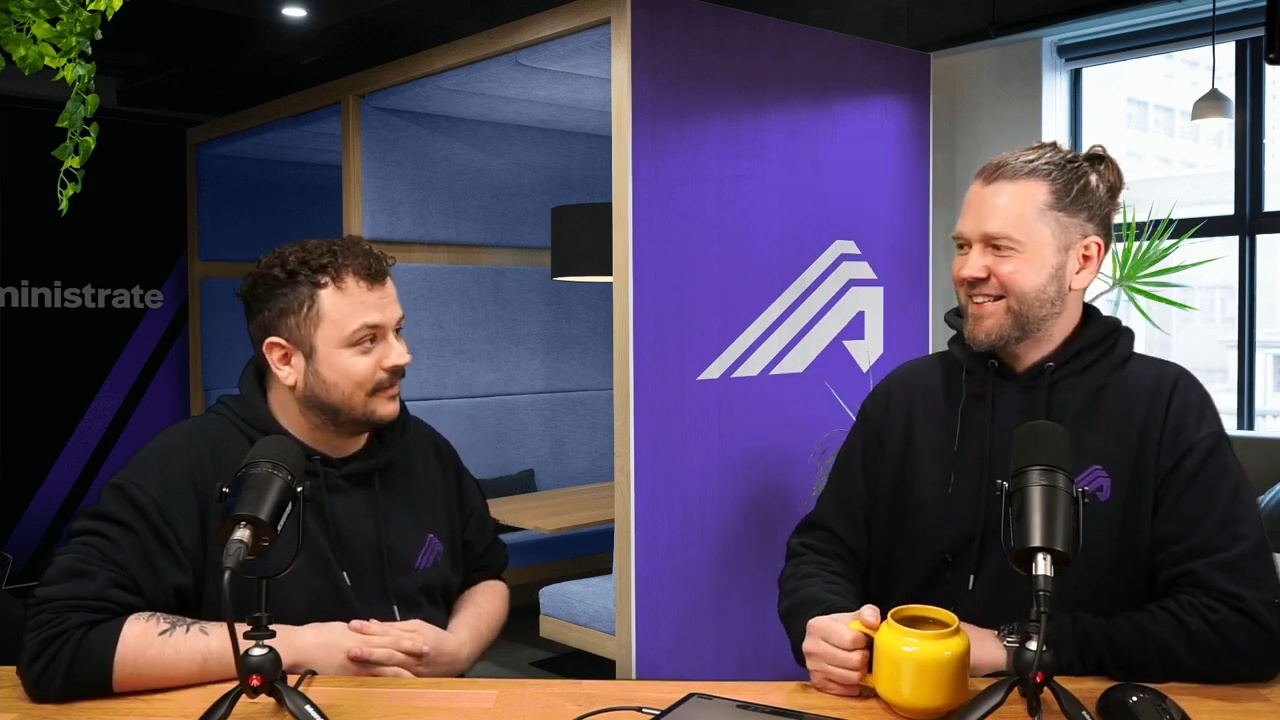
In this deep-dive, John Peebles, CEO, and product designer JJ, give a detailed walkthrough of Administrate's communications engine. This isn’t just a tech demo, but a chance to explain our philosophy around automated communications. Administrate approaches communication with five clear goals: personalization, full automation, timely, reliable, and fully configurable.
The demo covers triggers: choosing a trigger point on a course or event, picking the audience, and sending by email or SMS, plus scheduled reports that reach stakeholders who never log in. You will see how we implement templates, powered by Jinja, that give you extreme control over your communications. Finally, we walk through the approvals processes, to keep humans in the loop (as needed).
45:31 watch · 8,331-word transcript
Auto-generated transcript — may contain errors. Tap a timestamp to jump the video.
Alright. Welcome, everybody, to another LinkedIn live. It is Wednesday. My name is John. I'm here with JJ as we were, what is it, two weeks ago? It was two weeks. Yeah. It was two weeks ago broadcasting from our intergalactic headquarters in Edinburgh, Scotland on a very what's the Scottish term for the day today? Well, there's a number of different Scottish terms because we have many words for when it rains because it rains a lot in Scotland. But the the the word I used before was dour. It's very dour outside. Right. And that means what? It's wet. It's gloomy. It's gray. Gotcha. Standard. It's also March Madness, and well, we're now into April, but we are in the season of March Madness. We're very excited about this weekend's games. Why, JJ? Because why John, I think you're excited to be a fan of North Carolina State University.
And there's gonna be a tie in here, I promise, to training and managing things and so forth, which is one of the things that causes the most madness with training coordination of live events and so forth is communications. You see It is. Yeah. It was a great time. Yeah. I thought so. Okay. What are we gonna talk about today? Let's pull up our fancy agenda and, JJ's in the way a little bit. But we wanted to talk about the role that communications plays not only with learner engagement, because that's what the event is titled. We talked about learner engagement on the, LinkedIn post, but also just why communications are so important to the whole kind of framework and the whole, life cycle of training delivery.
Okay? And so this is what we're gonna talk through. You know, we wanna talk about why this is important, why this is so hard. We wanna talk a little bit about the goals that we believe are really important for communication, then kind of give you some examples of how we think about communications at administrate and talk a little bit about our product and so forth. And then, ultimately, what is this impact and why is this so important? So I think, when we think about communications and training, why is this so important? Thoughts. Well, I mean, you there's a number of different things that you need to think about. Your learners, your students need to know a lot of information before being able to attend the training, that you're delivering for them. Not only might they need some preparation, they might need some, welcome packs or various pieces of information to get them started before coming on to your training.
They need to know where to go to get that training. They need to know information about the course, and, it's so do your instructors. Your instructors need to know information about who's gonna be on that training and also where it is. So there's a number of different things that you need to think about, for for that. Yeah. And one of the things that we hear over and over again, and there's a lot of research that's backed us up, is that great administration, is one of the key drivers to the perception of that learners have over the quality of the training that they receive. Yep. It's not necessarily the grades they get. It's not necessarily, you know, how the instructor made them feel or whatever. It's just the ease of getting on to a course and so forth. And it kinda reminds me of a particularly infuriating thing that I had to go through this morning, which was, I've been a subscriber to The Economist for quite some time.
And they decided to raise their prices, and I decided to not read their magazine anymore. And I tried to cancel, and that process of canceling involving a phone call and live chat that crashed and whatever Yeah. Was so infuriating that it's like, I don't think I'll be subscribing again. And Right. If you think about the student experience that we all want, we want something that is really, really smooth and very, very informative. We don't have to You wanna always be in the know about what's happening and where you're needed and what's going to and what did happen. Because even after your training, the communication hasn't ended. Right? You still want to then get feedback, from your learners. And maybe your particular style of training also relies on you or your learners having to take that training again in six months or a year or whatever it might be. And so being able to configure your communications so that you can have this sort of machine this communication machine that's working in the background automatically on behalf of you is really powerful.
And so if this is so important, why is this so hard? Why is it so hard? Well, I think the thing is there's there's a number of different systems out there already that can have, in various ways, help you do that. However, what they don't have is what we have, which is all of the data about the training, all of the data about the learner. And, you know, trying to schedule all of that information yourself, doing it manually, is such a long task. Can you imagine send I mean, many people do before they come to administrate. Many people do do this manually. Sending it, you these welcome emails anytime you get a new registration, Something that should be happening fairly frequently for a lot of the training across all of the training that you offer.
If you're doing that manually, that's so much admin time and it's something that really does need to be automated. That's right. And I our experience has been so just for context, we tend to sell to companies that are, like, medtech, software, large multinational enterprises that are doing lots and lots of classroom training, synchronous training, whether it's Zoom, you know, Teams, whatever, or in classrooms, or a hybrid of of the both. Yep. And, it's not elearning. Right? There are great systems out there that handle that stuff. And, really, when you think about this, most of our customers have the elearning portion nailed. Right? You you get a link. You get a, you know Sure. Some instructions, username, login, whatever. The classroom training is where it becomes really, really different and really, really difficult because not only do we have to figure out how to communicate with students, if they miss a communication, it's not just about going back in their inbox and finding that link.
Right. It's about, oh my goodness. I need to be somewhere at some place at some time. Yeah. So that's kind of one audience that's very difficult to, to manage. The second is you've got a whole another group of people that needs, corralling, cajoling, charring. Yeah. I don't know. Whatever adjective you might, choose depends on maybe the the day you've had, which are your instructors. Right? The people that are teaching these courses. Mhmm. And instructors will change based on the content and where they are in the class and all that type of thing. So that's important. And then a lot of companies today are selling this training to their customers to maybe their it's required for vendors or partners. Mhmm. And so even as people are moving through that sales process or that onboarding process Yep.
To get to the point where they're going to join the training, those communications can be really, really important and difficult to do. Absolutely. And I I think there's there's one other group, that we're missing out there, which is you're you're sort of, what you want to be able to do is update your team, your managers, you know, the sort of, the the leadership on progress and how things are going within the the organization. How is your training operation running? And that's something that you can automate as well. You can combine the sort of power of being able to report on all of your information and set this up as a scheduled communication that you can send out to your team so that you don't have to go through this sort of task of manually compiling all of that information to share with the team for your monthly report or whatever it might be.
And so it's quite versatile then because there's lots of different ways that you can utilize a system like that. Absolutely. So let's talk about goals. Right? What are the goals that we feel are important here? I've written down some that, I think you were hiding. Covering. So this will be, even more fun We can talk about it. As as we as we reveal them one by one. I think goal number one is we want this stuff to be personalized, for a whole bunch of reasons. One, it's more effective. People are gonna react better and so forth. Yep. It also enhances that perception of the quality and and so forth. Absolutely. And so personalization is really key, and and it's not just like, you know, we've all had that, hi, first name.
You know? It's not necessarily about that. It's more about making sure that these communications are very specifically tailored. Mhmm. Because a lot of times when you're in a classroom training, that can span multiple days or it's over a long weekend or even months and months of, kind of progress, you need to get this stuff reinforced and and where you need to go needs to be updated and timely. Well, absolutely. And I mean the language that you use is different for your learners that you use for your instructors and for your internal team. And so that comes into the personalize being able to have, you know, these templates set up to have different language for your different audiences, plus all of the usual suspects that you would expect, which is like being able to brand these emails and have the, you know, personalized in that way in terms of how it's being presented, and in terms of the information that's being included from the system itself.
So there's there's lots of different ways that this can be personalized. And kinda right about here, when we talk about this with most folks, we're like, yeah, personalization is really important. That's when we lose everybody. Right? Because they're like, well, that just made it way, way harder. You know? Making sure that this stuff is tailored to the audiences and the time and the the right place and all that stuff Right. Is is where the complexity just explodes. That's right. So automation is the next real key goal here that, we believe is super important for training administration. It's gotta be automated. If it's not automated, it's gonna be inaccurate. It's going to be out of date. You're gonna make a mistake. You're gonna fat finger. Mhmm. I think I'm reminded of, this must have been four or five years ago.
Do you remember this? We, we sent out a newsletter, and, it was like, you know, it was it was a great title. Right? It's like the most important thing that training administrators need to focus on or something. This is like we did a really good job on it. And I was like, oh, cool. And I was in a meeting. I clicked on it, and we went to a cat video on YouTube. And we just made a mistake. Right? We just pasted in the wrong link, and it, you know, it was an honest mistake or whatever, but I remember various people reacted in various different ways. Sure they did. And we had to send out, you know, an apology thing. And, actually, to to the credit, the the person that, had done that did put a lot of puns in and so forth around cats and, you know, all this stuff. Anyway, it's gotta be automated. Otherwise, this stuff will happen. Right. Well and and the the other side of that sort of automation is that you can forget to do it, you know, we're busy we're doing several different tasks at once all the time.
So you know when a learner calls up or emails in that, you know, they need to cancel their registration for training, and you can do that, great, but now, you know, someone else is calling you to do another task. Did you remember to send them that email that they canceled just to confirm their cancellation went through? Well, if it's automated, you don't need to worry about that. And I think that's really important because you can forget about the sort of maybe more menial tasks of having to remember to do all of this stuff because you have it set up in the system. Yes. Timeliness is our third kind of key factor here. Mhmm. We talked about this a little bit. We've already danced around it, but it's this idea that you want the communication to come at the appropriate time Right. Where it's gonna be most effective. And this usually means a little closer to the event. Like Right. I'm flying tomorrow, to go to March Madness.
So if you stay tuned next week, we'll be broadcasting, hopefully, after we've won the championship game. It's on a Tuesday. Right? So we've we've got a remote studio ready to go. And, you know, I'm flying tomorrow. And what that means is that I'll look at the flight details Mhmm. Probably tonight. Mhmm. You know, maybe When is most relevant to you? When I when I wake up, I kind of know it's around lunchtime. Yeah. I but the actual time and whatever, I it's and and that's just me. Right? But but students are are like that. Right? Yeah. And they they got busy lives. Instructors are the same way. So we want it to be timely, usually as close as possible to the event, and then that means you you can really open yourself up to mistakes and Yeah.
Right. Problems if it's not automated. Absolutely. Absolutely. I mean, I because I think, you know, what we need to understand is that not every learner will register onto the training at the same time. You know, you could have, depending on how far your training is up to be available to be registered onto, you might have someone that's registered three months prior to the start date, and they'll immediately receive the sort of you've been registered onto this training, here's the information. Now three months is a fair amount of time before the event actually happens. So they're gonna need that reminder, that little prompt, and you could put one in a month before. You could put one in two weeks before. You can do both of those and remind them the day before so that there's absolutely no way that they can, you know, forget, hopefully, still. So it's it that's the sort of timeliness that's that's quite important here.
Yeah. Factor number four is we've got reliability down here. Now we've been talking a lot about automation and not making mistakes, but there's a key aspect here that is really, really critical, which is, okay. Let's assume that everything's been personalized. It's all automated. It's all gone out at the right time. How do we know that the communication actually was received? Mhmm. So somebody years ago said this, I've never forgotten, which is communication is message sent, message received. Right? Right. And so how do we know that this stuff went out, that it was received, and so forth? And so being able to track the status of those emails, or text messages or whatnot surface any problems, that is super critical for peace of mind because what we don't wanna have is maybe a mistake was made, maybe not even by the training team.
Right? Somebody just fills out a form wrong with the wrong email address, and all of a sudden things are bouncing and they don't know. And we got a very unhappy, potential learner, and and it's just throwing sand into the gears. Absolutely. Well and I think because what's really important about that is often when we think about automation, there's sometimes a little bit of hesitancy of, well, that releases my control from it. And the reality is you are still in control of that because you're alerted to any time there is a potential issue. So it's not that you've forgotten about it, and you'll never know if that person, you know, received the email that you intended because you'd be alerted to that information and you'd be able to then step in and fix it and then immediately resend that communication back to them without, you know, any delay really.
Yeah. Yep. And the final, goal that we have is, configurable. Now it we've been talking a lot about configuration, but, what I what I really meant by this and what we were talking about in the prep is the idea that you don't have to be locked into a certain way of doing things or thinking about the world or or whatnot. A lot of times as folks get more comfortable with the the kind of power that they have Mhmm. They start to to pick and choose and and figure out what they like and don't like. And, one of the things that we'd love to see when this all comes together is that by increasing the frequency and the quality and the personalization, all the stuff of the communications, it massively improves your product.
And Yeah. And so your product gets better. And if if you if you think about this from a kind of a just a very basic repeat scenario, You want people to come back and do more training whether they're paying for it or, you know, they're required to do it. You don't want them to leave the last minute, all that stuff. This all just helps. Yeah. And and I think another thing to add on to that idea of this configurability is you may have the sort of, standard, here's a registration confirmation email, or here is the class information email. And maybe that's fine for the majority of your training, but then maybe you have some very specific training that you need additional communications that are sent out for that, and you can configure that to be the case. You can set it up so that particular training receives these particular types of communication, and that sort of configurability becomes really powerful when you can additionally filter it by things like the type of training, where the training is happening, you know, the type of training in terms of if it's a private training that you're delivering for a particular customer or if it's public training for everyone.
And that sort of configurability just gives you so much power and flexibility in how you communicate to all of these all of these people. One hundred percent. So okay. We have talked about the goals, why it's important, and so forth. Right. We've talked some nonsense about college basketball and and and whatnot. Now I think what we'd love to do is take this opportunity and kinda dive in to administrate and concrete some of this stuff. Yep. And, I'll be driving, so, you know, that'll be fun. JJ will be, you know, stepping in to correct me when I go wrong and so forth. We wanted to take you through and just really show you some pieces of the system. So in order to do that, I'm gonna log in to a demo instance, And, there we go.
I think oh, we can both be here, can't we? Yes. How cool is that? If we don't block. That is very cool. How cool is that? Okay. Yeah. And so we're just in the control panel of administrate. Right? And administrate, again, is designed for multinational enterprises that were running hundreds and hundreds of courses to manage their whole operation with their classroom training. So synchronous classroom training. Okay? Every one of our customers has an LMS. They do a great job with elearning. That's not what we're talking about today. We're talking about stuff. There you have to have people, be in a place at a time, and so forth. And we've got these concepts that were kind of dueling concepts, which are triggers over here on the the right, and then we've got templates. Mhmm. Okay. And I think it's probably best to go through the triggers to start I think so.
Conceptually. And you can see here, I'm just loading up. There's a list of kind of all these different triggers. I'm gonna go through, and I'm gonna just add one. But before I do that, I wanted to point out, something that's right up there Mhmm. Above my add button, which is we support two different types of communications. Yep. SMS or text message. Mhmm. Do you have a green bubble or blue bubble? A green bubble or blue bubble? So you must be Oh, blue bubble. A blue bubble. Alright. Yes. That threw me. We that was that was risky. So, yeah, text messages. Right? And and the the it works the same for both. We just kind of say, look. Choose the best medium or mechanism for for Right. Your audience. Yep. We have found that companies that are operating a lot in Asia in particular, Middle East, Asia Pac, the they really prefer to to work with text messages.
Mhmm. That we found that Western kind of you you more North American corporates and European tend to prefer email. Yeah. I don't know why, but it's just one of those things. Well and it can be both. Right? It's it's here's the emails, emails, day before, send a text. You can do that. And, you know, we get in here and we start doing, you know, building out a trigger, whatever. Yep. One of the things I wanted to do, I'm gonna hide you actually real quickly. It's nothing personal. There we go. The power of, of tech. Absolutely. What what we're gonna go here is we're gonna pick a trigger point. Right? And this is a key concept, right, which is, events is a class in our terminology, but you might have a course, which is kind of a pattern of classes and so forth.
We've talked about that actually last week, course templates. And there's things like opportunities. So, you know, we talked a little bit about if you're selling your training, you may want to, have a sales process and administrator can help you manage that. And and so and each of these kind of global concepts will then have trigger points that you can attach within that. And, basically, what it is is we'll say things like, well, let's talk about a, I don't know, single event. Is that a good one? And oh, no. I don't wanna do that actually, do I? I would rather go for a course. Yeah. And, what I can do is I can start adding courses, and I can say whenever I run algebra, right, I want certain things to happen. Right?
I want to trigger before and you can see all these different kind of attachment points. Right? So whenever I'm running algebra before the start or when it ends or maybe when a student's registered Mhmm. Or the classroom starts because you could also have an e learning component and a new classroom component. If I, you know, pass, if I fail, if I get an achievement, which is like a certification Yep. You got all these different options. And the key thing, probably the easiest one to conceptualize is before the events start, I can say, look. You know, I want to run this two days before the events start. Right? And then the audience is that thing that we were talking about previously, which is, okay, who am I gonna send this to? I could send it to students. I could send it to staff. I could send it to administrators.
These are different concepts in the system. You can set this stuff up. Maybe just instructors. Maybe it's the booking contact. A lot of folks want all the communications for a group of people to go to a specific booker. Right? And this stuff, again, just that that idea of, like, hey. I'm I've I've called up and I've I've bought fifty places because I'm a a large customer or, you know, we've got a department that really needs to get this sales training done, and they got a hundred people that need to get through it. And, but I don't want all the communications to go to them. I just want them to come to me. Right? That is a very, very difficult administrative headache for people to solve manually. Okay? And so you get the idea. Right? I'm gonna send all this stuff to students, and there's all kinds of configuration here and whatever, but that's pretty much it.
Then I would just pick my template, which we'll talk about very quickly. Yep. But effectively, hopefully, you get the idea. And I wanted to go back real quick and just talk through some of these types before JJ says whatever pithy thing that, you have. And, actually, let's put you back up on, you know, there there you go. There are more things to think about in terms of communication than just a class. Right? Mhmm. Maybe you've got a subscription. Maybe you've got a business model consideration. Maybe, you were talking about scheduled stuff. Mhmm. And maybe I'll pause there. You you've got a thought, and then we can maybe come back to that scheduled idea because you mentioned earlier. Well, yeah. I mean, I I think what I was just gonna mention there is that, you know, what you've just seen and what what John showed there, is that idea that that way that you can that's the configurability.
Right? That how you trigger, in this sense, the emails to be sent. What's the criteria for the system to be in for these emails to be sent out automatically? And that's a really powerful part of this feature, because of the flexibility that you have there. It could be the learning mode that you're changing this information on. It could be the the the region, which is like the sort of location, general location that the the training is happening in. It could be which department of yours is doing it. That's actually a really, really good point, and it's actually probably related to the next point, which I just remembered, which is, you know, people don't run their business, their global training operation the same way in every country Absolutely. In every state, in every city, however you think about the world. Right? In the UK, it's pretty common to see people think in terms of, well, there's London and then there's rest of UK and then there's or rest of England and Scotland.
Right? Right. In the US, you might think in terms of east, west, south, which is the, region that NC State just won. Is it? In in in the You haven't mentioned that today. You know, those types of things. And and you can customize these trigger points in the templates that you're sending based on those types of criteria. The second very closely related to that, peak point that I wanna make is and you'll see this in the templates, but localization Mhmm. Is Mhmm. Is super important, and, that that needs to be thought through as well. Yeah. You wanna send out emails in two languages together or, you know, Chinese to folks who speak Chinese and and so forth. Mhmm. Right? Yep. The other thing that we're gonna then talk about is this scheduled thing.
What is this, and why why is why did you how did you mention it before? Why is it So so this is this is what I was talking about before with, you know, you could be giving your teams updates in terms of, the the health of your current operation. In administrate, you can run your reports and, you know, you could have a report of what's the the events in the next month or two, how are they doing, how well are we filling those up, you know, and you want to be able to send send those to your team, to your your managers on a monthly basis, weekly basis, whatever you set. That's what the scheduled feature allows you to be able to do, which is really powerful when not everyone is in the system. So how do you get that information to those people that are not in the system but are part of your team that require these regular updates?
The scheduled sort of feature here that we have on the trigger is really powerful for enabling that. Yeah. And just to make it super clear, a lot of times, folks that are receiving so a a report is something that that a lot of customers will schedule. You know? And for a lot of different reasons. Right? It could be a Monday fill rate kind of report. It could be, you know, your monthly metrics emailing out, reports to, you know, various teams for just status updates and so forth. Whatever it is,
a lot of these users have never heard of administrate, don't care about administrate, don't wanna log in to another system. You don't want them logging into your system. And so, or their partners. Right? Their their key partners that are delivering training on your behalf around the world. Whatever it is, they get the report, and they don't need to to worry about logging in to some weird system somewhere. Exactly. Exactly. The only other thing that I thought we'd talk about this, we can jump over to templates Mhmm. Is this idea of automatic yes or no. Mhmm. Okay? Mhmm. Now we tend to recommend for a variety of reasons well, let's let's back up. You get this system in place and you've been sending these emails manually for the last five years or whatever it is.
And we come in, we say, we can solve everything. This is all singing and all dancing, product. Right? And so there's tends to be, rightly so, a little bit of skepticism here. For sure. And so we recommend that this automatic box is checked no to start with. And what this means is you can't see it down here, really, but, maybe if I hide us both. Down here, we have a log. Yep. And what that does is that gives you up to the minute, readout of every single email or communication Mhmm. That has been sent by this trigger, to date. That's right. And if this automatic is set to no, instead of you seeing what has been sent, you see a queue of what should be sent Mhmm.
And you can go in and you can actually review them one by one and then manually click okay. That's right. We're ready to fire the fire the missiles. Yeah. Absolutely. And and because these triggers can be set to the training itself, you don't have to come to this trigger itself to see that log that's waiting. You can actually just be on the training, and be looking at your students, see all the communications that are planned to be sent out to them, and you can then yourself go down if you're happy with all of those, click the button, and fire off these emails and and get them sent out. That's right. Okay. Let's get out of here and then think about templates, or oops. Not there. Or templates as we would say.
Templates? Sure. In the US. Communication templates. Okay. We've got a bunch of templates here. We're not gonna go into necessarily, all the details here, but you can see these are actually pretty decent examples of what you would find in a typical, system setup. Right? Things like reminders. I see some, kind of password reset things that are system, you know, generated. Oh, payment message. I like that one. Our CFO would love that one. You know, you've got various instructor communications, joining instructions. Right? A reschedule, that's that's a good one as well. Absolutely. Not only will these things fire if everything goes according to plan, but there's a whole bunch of things which we don't have time to talk about today Yep.
Where you can actually send out ad hoc emails. You can. And they these can be triggered based on, shoot. We have to cancel this class or, you know, somebody was sick today, fire off an email, and it makes it really easy and, again, error Really quick. Yeah. And so it's very powerful stuff. But I think what we'll do is we'll just kinda go into, I think it was It's got a registration confirmed. That's a good example. And,
we are going to kind of talk through some of this, stuff that you're seeing here. So, obviously, it's got a name. Mhmm. Audience, I can't set that again because it's already been set. Right. And what that does is you'll see in a second that kinda pulls the, the the right data model that we want to kinda grab onto. And we might we might go to our super cool digital whiteboard in just a second to kind of explain how this works. There's probably no reason to do it, but I just love it, and I think it's cool. I just wanna use it. Yeah. And, before we before we do that, we'll then come down and you see you know, we can have different translations. That's really cool and important. And you then start to find the pieces of the email that you would expect.
So, like, subject and body and whatever. And then, and there's some attachments too, which is cool. I'll hide you real quick. Oh, yes. I am in the way of the attachments. Wrong button. There we go. Attachments. There's some cool things about attachments we might talk about in a second. Yep. Anyway. Right? It's it's kinda what you'd expect, but there's these squiggly braces and these interesting things. Mhmm. And so what I wanted to talk about real quickly and go to the,
amazing, super cool, whiteboard here, digital whiteboard. This is technology. Is, imagine so this is actually there's a fairly common problem in web design, which is you've got programmers and techies that are trying that are responsible for getting data out of your database, right, or out of your application or API or whatever it is. And, you know, I I'm an engineer. I'm a programmer, former, engineer, former programmer. Some people would want to, remind me. And like most engineers and most programmers, I do not do well with, graphic design. Right? Right. That's why you have me. Yes. And JJ, is a designer. And, he doesn't do well with the programming. Right. Right?
So and so you've got this problem. Right? You got this big kind of, divide right down the middle here, which is, the line that is never crossed. Right? You've got programmers on this side. Right? And you've got designers on this side. And so the problem is how do you kind of how do you bridge this gap? Right? Mhmm. And so what what we came up with, and this has been the kind of state of the art for, I don't know, couple decades, since the late nineties, is you would have the programmers get all your pieces of data, and these could be things like, you know, names of students. It could be list of students. It could be, you know, the the course details or the class details, like date, time, location, whatever, all these pieces of data.
And they're responsible for getting that stuff corralled and and ready to go, and then they wanna be able to feed it over to the designer. Mhmm. And then the designer wants to worry about things like Photoshop or whatever hipster thing we're using these days. Right, JJ? That's right. You know, they they really wanna just focus on the design and then ultimately be responsible for getting that design into a HTML CSS template. Right? And so there they've got this template right here, and it's beautiful, and it'll be populated with stuff like have we ever seen this, the lorem ipsum stuff? I know it very well. All this placeholder text. And they want to be able to say, look, the, first name goes there. We could change colors, couldn't we? We say first name goes there, and then date goes there, and then, you know, introductory paragraph goes there.
And then maybe this is your invoice, and then these are joining this is the link to join. Right? So they're very specific about where they want all this information to go. And this is a problem that's kind of been out there on the web forever. Right? So if we go back to, our template here, you can see that we're actually using a open source templating engine called Jinja. Mhmm. And the way that this works is just like we just described. We have administrate doing the work of pulling the data like a programmer would, and we call these merge fields. Okay? And so for this template, for this audience, we have all this is basically the the full data model of administrate for this audience exposed.
And everything you see here is a field, that could be pulled in That's right. Yeah. And, and worked with. And you can see it's kinda organized. There's some relationships and so forth. And what this means is that it becomes very, very powerful. And what you see here is anything between the two, what's the technical term? Squiggly things? I think it's just squiggly brackets. Squiggly brackets. Yep.
That that is the field, name and it's where it will go. Right. Exactly. Yeah. That's it. And that and that's where we're sort of getting to with that customization, that personalization, the configurability. This these merge fields sum all of that up perfectly because you're able to pull out those pieces of information from the system, pull out information based on the contact that you're sending things to, and being able to then have this template that you can send out that is general in terms of the language that you use, but very specific when the learner or person receives it because all of these little bits in between the the squiggly brackets gets converted into that relevant piece of data. Yes.
And and there's some other clues at the power beneath this. So it's not just I want this piece of data to go in this spot. There's also things like formatters. So you can see here, we have a start date. So we have start date, and we say, basically, the delegate, which is British for student, believe it or not. That goes into, here, and then we're gonna pass it to a formatter. Now if you're not technical, you don't have to worry about this. Right? But, what we're what we're illustrating here is there's all kinds of powerful things that you can do with this Jinja templating engine Yep. That we're not taking credit for because it's open source and it's been out there Sure. For for years. But you can do things like format dates. You can do things like, you know, trim off, you you say say there's a max word count.
You know, if you've got something you wanna make sure really fits in a box, you can say max word fifty, and then it'll do the ellipsis at the end. Mhmm. You can do math. You can do all kinds of stuff. And just to give you some examples, I'll come down here and, you know, hopefully, nobody else is on the demo right now as I, mess with this. Actually, I'm gonna come down a little bit more just above your head. Okay. I'm gonna go in, click on merge field, and I'm gonna go to this thing called macros. I'm gonna say basically I want all the sessions that are gonna be in this class. And what has happened here, and I'll just make this slightly more readable, is that we've pasted in a macro that basically does some very rudimentary simple programming.
Okay? It's a looper. And what it says is, for each session that this delegate has, this student has, print out the session title. And then if it's not the last element in the list, put a comma just to make it nice and easy. But if it is, then, you know, just die and end. Right. And so, again, this is not really, not a lot of training administrators or coordinators will deal with this necessarily, but we've had lots of customers will take this, go to a web designer and say, hey. We you do you know Jinja? And if they haven't worked with Jinja specifically, they worked with, you know, there's a lot of Something similar. Very, very similar. They'll get their branding folks to go come through, give them a template, do all this work for them, put it in, and then now you get these really nice customizable emails, that really, really just gleam when they hit the inbox.
It really, really It's really powerful. Yeah. And you can do all kinds of very cool stuff. And that means too that we don't have to worry about, you you know, building a lot of these features because, you know, you've got the full power there. Absolutely. And you could just do plain text if you want. In fact, that's what you will do if it's a if it's a text message. Mhmm. But you don't you don't have to use this, but it's just something that we like to geek out about a little bit. Yeah. Should we talk quickly about attachments and maybe bring them here? Yeah. Absolutely. So I mean, because I think the most common attachment, and it's the one that we see well, we don't see because I'm blocking it. Here we go. Oh, again. There we go. So I'll just talk, but I'm not visible. But, the the most common attachment is that iCal attachment. You know, so when you're sending out this information for the training that's happening to your to your learners, to your staff, to whomever that needs to know when this event is happening, you know, you can send out those calendar invites at the same time, to go alongside that email.
And all of that is automated, and it's smart enough to know what it needs to, you know, what what information it needs to put in on that calendar invite. That's right. And we've got, the the ability to attach documents as well. Mhmm. Very, very powerful. Which is we've seen you know, we've had examples before where, people have given venue maps, you know, because in some cases, the buildings or the the the number of buildings, where a particular training organization is running their training from can be quite confusing sometimes, and maybe they need that extra instruction direction to find where they need to go. You can have some maps stored in your DMS and, you know, you can then attach those to that welcome instruction for your learners so that they they know where they're going. Yeah. And did you cover generated stuff already?
I didn't. Okay. So generate what what are what are generated documents? With generated documents are kinda similar to the way that we have with the the templates. Right? That we are able to affect the information on this document depending on the the the fields that we have on there. That's right. So you can see here we've got certificates, I e, these are all certificate templates Mhmm. That have been built. I can say attach the certificate usually probably if you've earned it and so forth. You got a lot of control here, invoices. And what happens is these are special document types that get filled in, then the PDF gets generated, again, personalized and so forth, and then it fires out. And so the other one that's, really cool is this iCal, piece, and, you know, that just makes sure that your students can add it to their calendar.
Absolutely. Yeah. I think, it it's just one of those things that, really, really, it's a simple feature, but people people really love it. But you can already see from all of that between your certificates, between your calendar invites, between the documents that you need to send, your welcome instructions, your reports to your staff members, you know, the, information about the the students that are on the event to your instructors, all of that information, all of that communication that you're sending out is a lot it's a heavy lift. It's a lot of work that you're doing, and all of that can be automated. You just need to set up a lot of this stuff once and tweak as you go when you want to make an update or make these changes. And that's massive to have that entire arm of the the function being delivered automatically, is is is a very powerful thing.
Yeah. Totally. Okay. So we've gone through a bunch of this stuff. Hopefully, it's all made sense. Definitely, you know, give us feedback, connect with us. I say us, but you're not on LinkedIn, are you? No. This is just outrageous. Connect with me. You know, we'd love to have a chat or or whatnot. I'll be on a plane tomorrow, but, you know, we'll get back to you. Connect with us, give us feedback, and so forth. But what is the impact of all of this stuff? Now I kinda think in terms of the number one impact that we're going for and that we're hoping for is that training coordinators, training administrators, folks involved in the operational aspect of delivering classroom training see a massive significant reduction in the time It's huge.
To do this stuff. Mhmm. And it's usually ninety plus percent. And well it's it's huge time safe but it's also a huge reduction in error. Right? And missed communications. And like we mentioned at the start it's also the perception that you get from the learners being held in that process of getting all the way through your training to the other side that's massive And it's it's it's really important. It's a big impact. Yeah. The other thing that we're really hoping to see is, something that is usually fairly elusive, can be very expensive, and, often feels like it could be impossible, and that is, growth. Right? So a lot of times people are like, oh, yes. Learner growth. They're like, well, yeah. We we care about learners too, and we want them to grow.
But what we really mean is growth in the volume and the quality and the efficacy of the training that you can deliver. So, a lot of times, you know, customers will grow. I think the worst we've ever seen was twenty five percent of in the volume of delivery that they could achieve Yeah. With the same team and stuff just by getting some of this infrastructure put in place Yeah. It's it's really powerful. So growth kind of can manifest itself in a whole bunch of ways and why that's important to your organization. You know, if you're in medtech, like a lot of our customers, like Siemens and Roche, they're out there, and they're trying to save lives, and they're trying to, deliver better outcomes with the equipment that they're selling and so forth, and it's it's really cool to be a part of that stuff. Definitely. If you are in a customer training organization, you know, that growth and the the volume of students that go through your program can mean that you're getting more renewals in your software.
You're selling more. There's a whole bunch of benefits, and, we're gonna have some customers on some of these live events over the next couple of months talking about the real stories Yeah. Of that. That's gonna be really good. So, you know, the impact is quality, speed, time savings, and and ultimately growth. So I think, that is probably all we have time for today. That's us. And, like like I said, we'll be broadcasting again next week on Tuesday. Most weeks, we're gonna be doing this, because it's a lot of fun for JJ and I, but also, we just we'd love to hear what topics, what guests and so forth you might, want to to hear from us Yeah.
About. And, you know, we'll we'll continue amazing technical innovations like the the digital whiteboard, which, It's great. Really It was improved. Really blew my mind. So, okay, until then, connect with us on LinkedIn, give us feedback, check out our website. We'll have resources and stuff that are related to this, coming out. And, until until next week, we're Great. We'll we'll say goodbye. Thanks, folks.


Get started
