
Get started
Administrate Automator: Deep Dive


Demo: See how Administrate Automator brings powerful automations to training, no IT resources or coding needed.
In this LinkedIn Live, we discuss how course templates in Administrate save you thousands - yes, literally thousands - of hours.
John Peebles, CEO, and JJ give a deep dive into course templates, the feature that most clearly separates a training management system from an LMS, and the reason classroom training stops being retyped from scratch every time you run it.
See how to build a course template in Administrate, how the course template connects to AI-powered scheduling and planning tools, how it powers reporting, and how enterprise teams use course templates to manage complex live training.
39:02 watch · 6,947-word transcript
Auto-generated transcript — may contain errors. Tap a timestamp to jump the video.
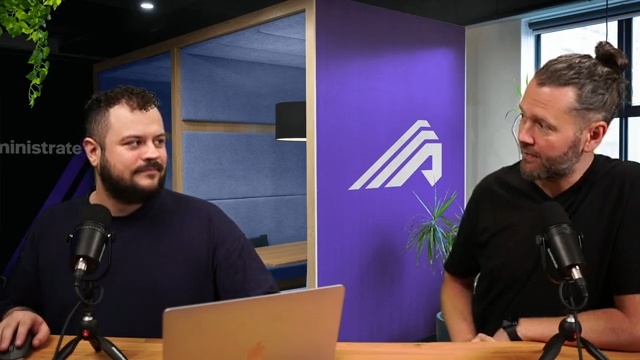
Alright. Welcome everybody. Today, I am joined by my colleague, JJ, who is gonna go through a deep dive of one of the critical features of a training management system. Now this is a feature that you probably have never heard of if you've been living in the LMS world for a long time, but it's a core mechanic that drives how a training management system saves a ton of time, helps you grow your operation and deliver a lot more training to a lot more people with the same staff, and makes your life a lot easier in the process. Yep. So course templates are kind of the topic of the day. Mhmm. We are broadcasting as always from our intergalactic headquarters in Edinburgh, Scotland. It's a beautiful crisp day outside. Not raining.
Don't believe everybody what they say about the weather. It's Well, that it's not always raining. Not that bad, you know. So I did I did just hear though actually that we are expecting a fifteen degree drop. I don't know what that is in Fahrenheit. That's Who knows? I don't know. No. Right. So we're not gonna illuminate you today on Fahrenheit versus Celsius, but we will illuminate you, on the the joys of using course templates and literally how it can save you thousands, tens of thousands of hours depending on how much training you're doing. So bring the sunshine, JJ. Absolutely. Well, yeah. I mean, it it is there's course templates are really the core of what we're talking about here because, you know, this focus on classroom, is what's most important to us, at administrate.
You know, we serve all training, but classroom is really our bread and butter. And, you know, why is it, John, that we focus so much on classroom? Why why is it what is the difference between classroom and, online or self paced training? It's a great question. And there are literally thousands of systems out there who spend all of their time thinking about the challenge of delivering quality e learning. But that's not us. No. And the reason it's not us is kind of there's a few reasons actually. The first was our origin story. A long time ago in the Highlands of Scotland, there was a training company that was delivering a lot of in person live classroom training. Some of it was done online via, like, a WebEx, I think at the time, GoToMeeting and so so forth. But this was high value training.
It was prepping folks to complete, certificates like the CPA and so forth. And they needed a system to be able to manage all the intricacies that are involved when you're running classroom training. And in their case, they were distributed company before it was cool to be remote only. And they were often parachuting into various cities and countries around Europe and doing a lot of training. Everything had to go well. Yeah. So our origin story comes from this kind of high stakes, high value classroom training. But as the software that became administrate was spun out into a separate entity and we started selling it to more and more folks that were doing a lot of classroom training, we began to learn that actually eighty percent of the high value training that is delivered in corporate America today, and this holds true globally, is still done in the classroom.
It's the best modality for retention, for rapid learning, and so forth. And if it's really critical or intricate, the training that you're trying to deliver, the thing that you're trying to get people up to speed on, class room still is king. Yep. And there just are not any tools out there really that are devoted to solving this problem. The third reason is just back to that point around value. This training is high value that's being done in the classroom. It's expensive to create. It's expensive to deliver. And unfortunately, it's very inefficient. And so that kind of gap between value and efficiency was something that we just saw tons and tons of customers and companies all over the world struggling with, and we thought this is a challenge that we would like to solve.
And little did we know that this would be a ten year decade long project, but we're really excited with the progress we made. And we, you know, just love to show these simple concepts Mhmm. That when they're properly applied can be transformational. Right. Because, yeah, that that difference between, the the classroom from the administrator's point of view, that difference between that classroom and that online content is quite vast in terms of the problem space that we're dealing with. You know, we actually have much more of a logistical problem where things have a time and place, and there are many things that need to be in the place at the right time. And that causes a lot more room for things to go wrong, whereas, you know, with our, you know, the plethora of LMS systems that are out there, a lot of the time uploading and managing your content has its own problems, but they're very different from from what we're talking about here when it comes to classroom.
Yeah. It's just different and there's a lot more stuff you need to think about. Yeah. And we've all experienced this. Right? If you show up at a time and a date and a place and things aren't smooth or your meal is not the vegetarian one that you ordered, it's just kind of a day ruiner. Yeah. And so Right. And so this stuff has to work and has to work well. Yeah. So let's have a look then at what we do in our system, to help with this problem, to to focusing on classroom, primarily for this. So we begin with our concept of course templates. Courses are the trainings that you deliver. And we have these templates that you would configure and set up in the system, that enables you really to do a lot of the repeat work that you often find yourself doing, when creating or scheduling your training.
We do you do that all up front, so that every time you then want to run that version of the training, a lot of the work's already done for you. You've you don't have to think about everything from the ground up every time, because a lot of that is predefined here in our course templates. So if we take a look at this forklift operator training, what you can see is that initially, you can set out your basic information. The information that sort of describes what this training is, and that can be as simple as going from your title, going from the min and max places that you expect on this course, your target fill rates, categories, that sort of thing, you know, through to the course descriptions, any other kind of, you know, written word that wants to go along, to describe your course.
That can all be, done once and maintained on this page here. And then we have our personnel. So what we're looking at here is who's actually approved to do this training? Who's qualified? Who are the typical, trainers that we rely on to do this particular training? And we can list them all here regardless of where they are because important to remember at this point when we're dealing with this definition of our course templates, we're not talking about something that's this point in time or that location. We're quite agnostic at this point. And we're just doing everyone that is relevant for this course can be defined here. And you can also set up, you know, some task workflows, which are a feature that we have here, that really helps reduce that burden of needing to remember what you need to do, when you're actually then building out these events and putting these out into the world.
Because we know there's lots of work to do. You you know, the course prep, the checking out, the making sure that the venue is set up. Maybe there's some things that you're doing during the course as an administrator to make sure that things are being delivered appropriately, or there's things that you're doing post course. So, you know, here is a task workflow that I've attached to this course here, and you can see we've got materials sent, you know, check with the caterer. All of these tasks that you can set up to then automatically be applied whenever you go to create an instance of that training. You you create an event. And you'll notice here as well that what we have is these are created with offsets. So you can have the due dates be relative to when the event starts or when the event ends. So you can remember that five days after the event, I need to send out the the post post event survey.
So that's how you would set up, the personnel page here for dealing with those task workflows and improvement structures. And importantly, we'll see this come together when we go into the event, and you'll see that comparison and see how these match up. So a couple of common questions that we get when we're showing this to people. First off, are these things that come standard with administrate these tasks or are these things that I can define and really have control over? You have complete control over. You can have complete control over not just the tasks, the different offsets that you can have, but also the amount of different workflows that you can create. Mhmm. So that depending on the type of course, you may require a different set of tasks as standard to go along with that.
And you can configure all of that here, and very quickly have them set up and applied to these courses. Yeah. And another thing that we tend to get commentary from when we're showing this to folks is, our demos we have six, eight, nine instructors there. But often that list could be hundreds of people long. And imagine that complexity exploding out as you're trying to do training maybe all over the world, maybe in multiple markets and so forth. Just getting that list of approved instructors is actually can be a few days or Mhmm. Weeks of work during the implementation process of dragging that out of people's heads and, you know, making sure that it's all lined up and so forth. So Yep. That's a that's another thing that we often talk about.
Let's have a look at the rest then. So, the next couple of tabs we've got here, there's a content tab because, obviously, if you are running self paced, you need a place to put that content. But I am just going to move over that because we're focusing on classroom today, but there is space for that to happen. When sessions for that event happen, how
when sessions for that event happen, how long they happen for, and then what pattern across the week. So looking at what I have set up here, you can see, that my default session start times are set as nine AM to five PM. So that's the typical day length of one of the days in, this particular training. And then I have it set up so that the days that I typically run this training on are selected, in this row here, where we have Monday, Wednesday, and Friday. So typically, I don't run this training on Tuesdays and Thursdays. That's for other things. And of course, you can make any combination of selection here for, the days, that you run this training on. And we also have here, the start day.
So I'm also saying that this training also always starts on a Monday. You know, you could have there are some of our customers that, are often flying out their learners, to various places to do the training. And instead of taking the whole week to do that, they actually bridge it over a Thursday, Friday, Monday, Tuesday. And so they're there for the whole weekend as well because they're doing other activities, alongside that. And so they're able to determine rather than assuming a default of starting on Monday, in this case, they start on Thursday. So anytime they then go to schedule that event, it will start on a Thursday when they're when they're making their selections there. And then you have various other ways that you can then describe this. So in this example, I have, six sessions that are happening, and, it's gonna happen on each of those days that I've selected.
So I can assume from that that this is gonna go Monday, Wednesday, Friday, and then into the next week, Monday, Wednesday, Friday. But of course, I could change that so that I have Monday, and then next week it's a Monday, and the following week it's a Monday. So I'm skipping whole weeks possibly. So you can configure this to be fairly complex, and and to suit your needs of the different kinds of of patterns that you that you have. And then there's a couple of little helper, sort of registration related dates that you can put in here. And I say dates, I don't actually mean that, because they're relative dates. So what we're talking about here is you can set registration deadlines for your courses. But, of course, this is also another case of being able to offset when that happens.
So I can say that for any one of the events that I plan for this training, that the registration dead deadline is always going to be five days before the classroom has started. So whenever I pick my classroom date, let's say that it's the fifth of February, I know that my registration deadline is gonna be the first of February because of that. And it's the same thing with registration opens. You can hold the opening of your registration, whether do you put the course up online. You can block registration until a certain date. That's also relative to when the class starts or ends, whatever you prefer. And then you can see the sessions laid out, as a result of the settings that I have above there. And then let's have a look at our resources.
So in our resources in the course template, what we're trying to do here is define what is required for that training to happen. In most cases, we're going to need a room, to be able to conduct this training in. And often, there's other specialized equipment that might be required for that training to happen. And we can set it up here where we are defining how many of those things are required and for what sessions. So because we know that we have six sessions here, that's just we're applying them to them all. We need, a room, and we need a couple of forklifts for this particular training. But if we were to just have a look at that, to see how that works, maybe for some reason, we also need an augmented reality headset in there. And actually, I probably am gonna need four of those.
But actually, it's just for the final session, because we're doing something different on that day. We can make those selections and and configure that all from here on the course template. And then again, you'll see that, as we get to creating our events, and seeing how that information comes across, and really helps you do the setup there. Finally, on the last two tabs here, we have various options for setting up your finances, whether or not you use them. You have your public and private pricing and other ways, like training passes for you to be able to, get those learners onto that. John. And just as a reminder, we've got an entire separate video talking about different business models.
Oh, yeah. I think we just did a deeper dive into WebLink, which is our e commerce product. So there's a bunch of resources out there to talk about how to sell training and how to do it in the best possible way and take advantage of multiple different ways of selling your training. So check it out, but we're not gonna go into that today. And so finally, just to round off our, course templates here, we also set up our achievements or certificates, whatever you might call them. And you can set up various different rules for how these get awarded, whether or not it happens automatically when the learner passes. But that's, that's that section there. So you can set up the entire course template with all of that information, and you really only need to do that once.
We we typically you would be doing minor updates here and there as your course develops over time. Maybe you're updating some of the descriptions, maybe it's some new trainers that you've got on board, or changing some of the content in the case of self paced. But usually, these stay relatively, relatively static, and require little, sort of updates beyond that. So we've got our course. Now let's actually go and create an event. And these are the things that are then running, published on the website, and the things that learners actually turn up to. So if I go into that here, and I look for my forklift operator training, take note of how this screen looks initially.
So we've got various fields out here. They're all empty. And if you can also see at the bottom of the screen, because we don't yet know what kind of course this is, it's looking at classroom and LMS. Now, of course, we set up that course template, with a classroom schedule. So when I select that, you can see that the LMS part goes away. It's left with the classroom schedule. And some of the information that we've got on the course template has already then prepopulated into this space. So a lot of that work has been done for me already. And all I need to do at this point is do the point in time and place information, because that's what's unique about this particular event. So let's put it in Boston. You'll notice that the tax and time zone has automatically been applied there also, because Boston has been set up with that in the system.
And then we have our start date that we want to fill in for the event here. And as you can see on this calendar, it's not a standard calendar. But what we have is that we've highlighted those days that you've selected from the course template in this calendar as a as a reminder of what that pattern was. And if you'll remember, we had the Monday, Wednesday, and Friday highlighted as our days of the pattern of that that course there. And we also have selected Monday as being the start day that we typically run this event on. And you can see that reflected here in the selections, and the highlights that are being made in this calendar. So I can go ahead and I know that I can safely select the twenty third. I know what's going to happen. The sessions are gonna fill out on the the Wednesday and Thursday, and it's gonna go for two weeks.
And I get some confirmation here that there are, in fact, six sessions that have been created, for this event. I can also see whilst I'm over here that the max students, the minimum, the target fill rate, all of that has been filled in already. So that's all I really need for now to be able to create that event and then add it into the system. There are, of course, still things that I need to do to make sure that this event is really ready, and has everything that I need on it. A couple of examples. One, we can see already all those tasks that we'd set up on that task workflow on the course template. Those have all automatically pulled in. And if you look at their dates, they're all relative to when the event started or when the event ends. And that comes with all of that information, and I haven't had to do anything there at all.
But I'm probably gonna want to find an instructor for that. So why don't I go in and try and find one? So first, what you can see is here are the list of available instructors, or ordered by their availability. And we can already see that Hisham down at the bottom here, I'm probably not gonna pick him because he already has various scheduling conflicts with the dates of this event. Important to note that they have all come from this personnel list, so this approved list on the event. And the eagle eyed amongst you might notice that my name is here as an improved instructor. But if we go over to the event itself, you'll notice that my name is not there.
Why might that be? Well, that's because we have this filter automatically applied that matches the instructor's workplace that we call it in the system, but their location, we match their location to whether or not they can do it, the location of that event. So if I uncheck that and apply this filter, well, now I appear. There's JJ there. His workplace is the UK. He ain't gonna be doing no event in Boston. So that's another really helpful thing that you can have set up, whereby we're not just then showing you that full list of instructors, that you've selected in the approved, instructors on the course template. But we're also filtering that by where they are located, so that that list gets condensed right down to the ones who are able to do it in that location and ordered by their availability here.
So I can go ahead and select Johnny Storm, and add them to this event. I know that they're available. And I will add them there to all of the sessions. And I can have confirmation of that within this little window there. So that's good. I've got my instructor. Then I might notice when I come up here that, oh, there's some issues on this page. And I know that they're gonna be my resource requirements that I'd set up. So we've got this helpful reminder always at the top of the page if there's anything going wrong, that I'm alerted to. So if I go over to look at my sessions, I can see, through this table that, yes, indeed, I am required to add two forklifts, to all of the sessions here and get a room, onto the sessions there for for those to meet the requirements that I'd set up in the course template.
But if I go and do that, I can go in and I can select I just need the one room. So I'll add the one room in there. And then if I go find my forklifts, I'll add a couple of those, add them to the event, and then you'll see all of that. Green lights are go. The issue has disappeared. We've got a nice big tick. I've got the things that I was required to to add to this that were set up on the course template in the first place. And so at this point, you're now beginning to fill out all of the things that are actually required, the place and time things, making sure that, you know, the the the instructors are available to be able to do this. Now you're probably getting quite ready to start getting learners on there. And you're thinking, well, there's various ways to do that as we mentioned before, you know, through our WebLink or or, you know, integrating with your website.
But what comes along with that is a lot of communications. Typically, that involves a lot of emails. Emails to the instructor, emails to those learners, emails to your team, and we have ways to help with that as well. If I take a look at our communication triggers, these are things that you can set up to automatically run. So when certain conditions are met, emails will fire. So in this case, I want to, set it up so that all of my, learners, as they get registered, will receive an email automatically. So that I don't need to be sending out emails individually when we receive those registrations, and I can do that here, with our trigger system that we have. You can target these things on many different things.
It's not just, on registration, but I could do something that's related to the end of the event, like sending out the survey that we mentioned earlier. And all of these are keyed off templates that you also create in the system. And this is a template that I have set up for when a registration comes in. We have these merge fields that then fill out the relative information. So you're not typing in exactly this template is for the forklift training. Instead, what I'm saying is that this registration is for the course that I'm sending it for, that title, which in this case is forklift training. And so all of that, gets merged when you when you send these, and they can be relative to the people and the training that they're taking.
And you can additionally attach attachments like, calendar invites and things like that to make that process much easier. Our triggers are really powerful though, aren't they, John? They are. And they're so powerful that we did, I think, a fifty plus minute deep dive into how much power you have, under the hood there. It's it's really it's really, one of those killer features. And it's not just about automating the the communications because that's important, but it's also about making sure they're highly personalized, making sure you know that the communication has been sent received, and ultimately that really highly personalized communication that is timely to students and learners Mhmm. Means that your product is dramatically improved Yep.
In the eyes of the folks that are taking to training. Absolutely. Absolutely. And and that problem really gets compounded with, you know, the more events you run, the more communications you need to send, the more big that problem is. And so that was sort of the just to recap where we are now because this has been a fair amount already, and there's still more to come on how we how we help with classroom training here. But so we have our templates. We set them up. We set up the the definition of that training, and then we can go and run versions of that. All of that information's pulled pulled forward. I'm helped as I'm setting up those events so that I don't need to recall that information. And we have these triggers, these systems that are in place for sending out all of the communications.
That's just for one event. What if, actually, I want to send out or create many events? I've got a whole quarter that I need to plan for. And well, again, this is another topic that we've covered a lot recently, but we have, our scheduler tool that helps you build out an entire quarter's worth, an entire year's worth, of training in a location, that you're delivering in. And you're able to add in all of your courses. And again, that information that we have on the the course template is respected, once more on this screen. So if I add in my forklift, training in here, just to show you as an example, I'll just add in three for now.
What we'll be able to see is, again, it's pulled through that information the the scheduling information that we'd set up on the course template. So I can see the pattern of, the days that are set out. And I can see that I've got six sessions here that I can now just move around on my Canvas here and put into the right date, that I want it to be. And, of course, assign various instructors. And importantly, it has also if I move a little bit over, to the to the side, you can see that it's also pulled in that resource requirement there, for the forklifts. So I need to add those to the schedule, and then you can begin to work with it. And so that's a really powerful tool for for building out when you're doing that bulk, planning of lots and lots of training.
And we do go in-depth, in a previous LinkedIn live, so I won't stay too much longer in there. But that's how you can then, you know, ten x your operation where we've got those individual events that you're pulling from the course template. Now you can do hundreds of them, and it's all still pulling from that course template. So everything is building off those definitions that you've put in the system, you know, when you've been implemented or when you start using the system. And then every time after that, when you're building out your training, you're saving that time every time that you're doing it. And so the the effect of that really compounds itself, and really delivers a lot of value to you over time. Now you think you have a lot of events, how am I gonna make sure that I know everything's okay with them?
You know, things go wrong once you've made your plans. You know, instructors get sick, you might have to change a venue, whatever it might be. How are you gonna know that there's something going on with your your events there? And well, we have our dashboard to help with that. Because we know if you're not hitting your target fill rate, we know if you're missing an instructor for an event, or if they have suddenly now got some conflicts with their scheduling because someone maybe booked them on their calendar. We know if you're missing those resource requirements. And we surface all of that information on the dashboard so that when you start your day, you can see here are the problems that I need to fix. Or when you're going through the sort of delivery, check that you do maybe two weeks or a month before the delivery date of the events that are upcoming, you can look through the list and go, well, we've not hit our fill rate here for this one.
We might want to cancel this, move the learners onto a different event to fill that one up, because it's not worth running that particular one. Oh, someone's forgot to put the instructor on there. They've we need to switch that out. You can manage all of that, and you're alerted to all of that here, on our dashboard. And so that's us really keeping you in the know with all of this training that you're managing. So that's the delivering, that's the management, the lead up to those events. Now let's say, you've done a whole quarter, or you've completed the month of training, and you need to now see how well you did. So you wanna look back and see how well things went, and you probably also want to send that to various people in your team. So we have our reporting engine, where you can build reports on all of the information, that is available to you, in the system.
And you can build whatever you like in these. And this is a really powerful part of our system, for building out, all of these kind of different reports. So here's an example that I have of just looking at the fill rate of the events that ran last month. And I say last month because this is a relative report, as in next month, it'll be looking at this month. So it's not looking at particularly at August, it's just looking at the previous month. And you can set this up for various different fields that are important to you. But in this case, I have it fill rate, and that's pulling all of that information through that I've already set up in the system. And a really helpful thing that you can do at this point, because it's likely that you might want to send some of these reports to other people in your team, is go back to our triggers.
If we go back to our triggers, we can set up, a scheduled trigger that happens at the start of every month. We can send that report as an attachment, to whoever it is that we need to send it to. So this is me looking at that template there. That's not that template. That's that template. We can see that the fill rate for last month Boston report is added there as an attachment. So every, at the start of every month, that report will get generated for the month previous, and then sent to my boss or whoever needs to receive it. And this is a really powerful thing, because then you can just have this system of metrics and reports running, being sent to whoever it needs to be, and you don't need to manage it.
You don't need to be pulling that manually every time. You don't need to then be sending that information. So to recap then, we have our course templates, which are the sort of foundation of that training. You build that out. You define your training. You build out that information. You can then create those individual events that pull of that pull all of that information through, remind you of what's important, and keep you right. You can then build out many of those through our scheduler, configure your triggers for communications, build out those reports for all of that information, and it really sort of starts to add up, all of these tools that you have at your disposal. Right? For being able to create that classroom training and that schedule that you need. Great stuff.
A few unsung heroes. So that was a lot of information, but there's kind of a number of unsung heroes that make a brief appearance along the way that is probably worth a call out. The first is, on the task workflows, The fact that you can have multiple task workflows and they they answer the, I was unlucky enough. Well, I was lucky enough, mom, to have my mom as a teacher for a number of years and she taught English. And one of the things that, she taught me in the course of learning how to write was there are journalistic questions that must be answered. Right? And it is who, what, when, where, and why. Sure. Right? That is those are the questions that are answered by task workflows.
Mhmm. Not only are you setting up what needs to be done and when it needs to be done relative to the event, and if you're running twenty five the same event, it can be very easy to miss Oh, yeah. Ordering a meal or clean the classroom or whatever it is. Mhmm. But they're also assigned to the people responsible. That's right. And and it's it's a one of these small tiny features that we don't spend a lot of time talking about. But imagine you go from having to do some sort of team stand up or status meeting a few times a week to you just log in, everybody logs in and you see all the things that you have to do. Mhmm. Or maybe you're sick or you're out next week or not, you can reassign all those things or you forget to do that. And your colleague can log in and see what's assigned to me and, you know, get get that stuff taken care of.
So that's kind of unsung hero number one. I think unsung hero number two, is the calendar integration feature Mhmm. Which is available in the essentials edition Yeah. Huge. Of administrate because it's essential. Yeah. And, you know, it's great to see when we're flashing this up the screen, you know, who's available and who's not. But imagine if you didn't have that Yeah. You not only have to go find a list of people who can teach this Mhmm. Which may or may not be out of date, you then need to start trolling through calendars. Mhmm. Maybe you've got access to their calendar, maybe you don't. Mhmm. Maybe you know who they are and, you know, you can find their email address and look them up very quickly in the directory. Maybe it's difficult because you might not have access to, you know, some view of another country that you're trying to help out with and so forth.
There's a lot of things that can go wrong, and that process can take potentially an hour or two. You're writing down, okay. JJ's available. Looks great. But then you kind of leaf through the entire period of the course. Mhmm. And two months down the line, JJ's on a two week holiday. Yeah. You know? So that type of stuff is really difficult, and the computer can just solve that for you and Yeah. And it's really transformational. Another unsung hero I think is around this idea of issues happening Mhmm. And they crop up. And, you know, let's not forget, you can plan out the best schedule Sure. The whole time. And two, three days after you've done that, things have gone wrong.
Oh, it's inevitable. It's it is so difficult to find out where those problems exist, unless the system is kinda helping you. Helping you. Absolutely. Yeah. Yep. So that that kind of the four pillars of training management and should be four pillars of training management systems are around planning. We wanna help you plan things as quickly and easily as possible. Scheduling, whether that's an event by event or en masse. Mhmm. There is the communication aspect not only to your students, but also to your stakeholders, IE instructors and Yep. And so forth. And then ultimately, the issue resolution. And then downstream from that, all the reporting and Of course. Automation that needs to happen. Mhmm. Another unsung hero.
So another unsung hero of this whole process is the idea that the template is there to help you as much as possible, but it's not there to put you into chains, into jail Mhmm. And say it always has to be done this way. Right. You are still in control. You can override these things. You can make decisions. You can alter the plan, whatever. And actually, that's a key thing when you're trying to deliver high quality training, which is sometimes you need to deviate from from the normal template Yeah. Standard. Some of our customers even have reports that they will run, which say, you know, how many what percentage of our training went according to the template. Mhmm. And they track that. And it's not a punitive thing. It's just a, hey, you know, how standardized have we been, and where are the rough spots, and where do we need to Yeah.
Maybe make some adjustments. Yeah. So Yeah. Sometimes I mean, sometimes you need to particularly, I think, in that sort of private training world, often you have to make adaptations and changes to suit that particular client. Or in fact, because of various scheduling conflicts that you just couldn't get around, so you need to change how the session layout happens for that particular event. You have complete control. Another key report that a lot of customers will will spend time analyzing so forth on a monthly or quarterly basis is around utilization. Resource utilization, we showed you fill rate, but also resource utilization. Do I need to get more resources? Where are my bottlenecks? Yeah. All these types of challenges that that crop up when you're trying to run a a complex classroom training operation. That's right. Maybe we should just call it a a classroom training operation because they're all complex in their own way.
Sure. And so yeah. Course templates, kind of the bedrock fundamental feature that just doesn't exist in other learning tools or products. And that's what sets a a training management system apart. So, my name is John. This is JJ. Yes. And, we've enjoyed this. If you have questions, hit us up. Hit us up on LinkedIn. Send it in the email, get in touch, or check out all the other videos that we have out there. And and really, it's it's just about here at administrate, our goal is to make the life of the training administrator much much easier Mhmm. More predictable, more, meaningful, and more focused on the real job which is delivering high quality training to students everywhere.
Yep.