

Get started
Administrate’s reporting engine makes it easy to get, and maintain, quality certifications.
Complex audits are no problem when you can answer any question about training in moments.
Administrate's reporting engine can answer any question you can imagine. This makes dealing with audits for quality certifications easy.
Dealing with Qualiopi, ACCET, or WIOA can make you question why you’re even in training, but these accreditations unlock valuable opportunities. In this video, we do a deep-dive into how Administrate handles complex accreditations.
In this video we explain how Administrate’s reporting engine makes it easy to deal with audits, show you how to build custom reports in Administrate, and demo how Administrate helps you achieve Qualiopi, ACCET, and other accreditations.
44:41 watch · 8,222-word transcript
Auto-generated transcript — may contain errors. Tap a timestamp to jump the video.
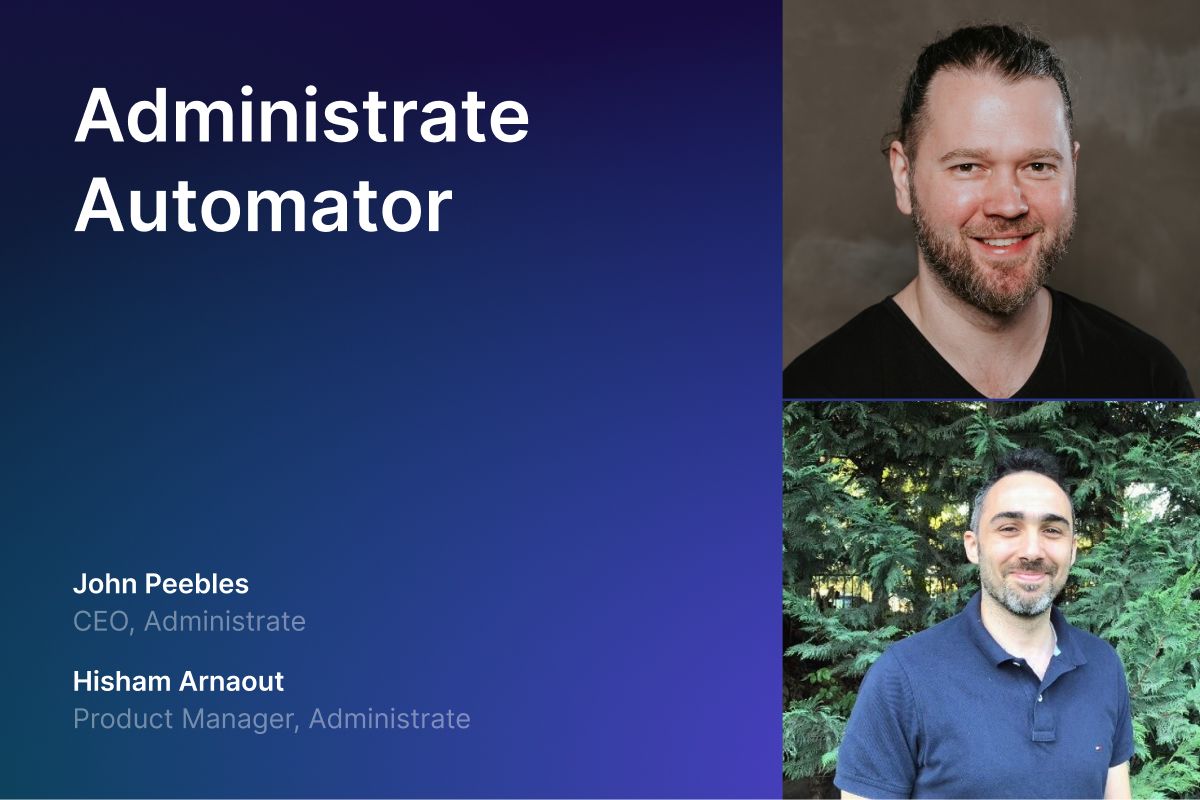
Welcome everybody. My name is John. My name is Hisham. Okay. And today we are holding glasses of wine in our hands. Why are we doing that? Because we're going to be talking about Qualiopi. Qualiopi. Now what is Qualiopi? How is it related to wine? It's one of the systems, right? That's a training organization in French, work with to get compliant and so on and so forth to get access to funds so that they could start, you know, training employees under the program, for example, over apprenticeship, you know, you have the CPF and many others in Qualiopi and in other systems as well throughout values, different countries like in South Africa, Germany, okay. So it's basically, okay. So we got a nice bottle of French wine Normally because we're headquartered in Scotland, if you've ever said hi to us at a trade show, we have bottles of whiskey and so forth, but we'll probably be celebrating various milestones on how training companies can save a lot of time and work with this Qualiopi program, right? Yes.
All right, so let's get to it. Cheers. Cheers. All right. France, Germany, South Africa, there's a couple other countries as well. All have similar programs that are designed to help companies get reimbursed for training that they provide to their employees, maybe apprenticeships, upskilling, reskilling, this type of thing, right? Correct. And we have heard a lot of customers in France ask about this, which is why we're predominantly gonna focus on the French market, but if you're in Germany, if you're in South Africa, we have customers in those countries as well that use administrate to basically demonstrate compliance and help manage the process of getting learners through these very detailed and sometimes it's very difficult to do if you don't have a system like Administrate, correct? That's correct. Yep.
So yeah, so training organization can get access to these kind of like funding from these systems like Qualiopi and some of the others where, for example, let's look at the apprenticeship program where, you know, apprentice is a new graduate, a new graduate or an employee shifting careers who will need some extra help and apprenticeship program to help them get started on the new career path or new job. And what these systems can do is provide these certain funding to these training organizations to help them get this, get started. Right. And to get access to these kinds of funds, the training organizations need to be able to report on that. So how can they maintain high quality training to that, you know, new employee? How can they track their progress throughout this program? Are there qualified instructors assigned? How can they manage that? How can they report at the end of the day? You know, what was the cost of the training involved for this particular person? And then what training did they get? What was their, you know, attendance record? Did they get certified? Are they, you know, up to the level to get into that, you know, new job and so on and so forth. And it's really it's something that's a win-win for both one for that employee to get a lot of people to the workforce, to get them, you know, certified, get them highly skilled and at the same time to promote the
training organization to look for the internal talent and spread that throughout. Right. So that not just like look at the, you know, external workforce and so on and so forth. So it's really something to encourage these training organizations to do that. Now, the problem comes in where, okay, that we're talking about one person coming into that, getting that training, but when you scale and you need to learn, you know, train hundreds, hundreds of learners or thousands of learners and you have running hundreds of events throughout the year, it gets really problematic because to be able to manage all of that to ensure the right learners getting the right training they need to get to that job or you need to find the right resources, qualified instructors, all of that is just problematic when it comes to manual work. That's where the TMS comes in and that's where the TMS can help.
Yeah. And this challenge of who, what, when, where, why, how much did it cost? What do they need to do next? This is the classic training management problem, isn't it? So it's not really any different from what a normal training organization would be doing. However, the reason, well, one, that's a huge problem, which is why folks turn to a TMS like Administrate.
And, but the, the distinct problem of these frameworks, because they all work about the same, which is there's a framework, there's funding that's available, but you have to demonstrate a whole bunch of things in order to unlock that funding. And the problem is, is the reporting requirements back to these organizations within this framework can be very detailed and they have a specific format. And so what the way that we approach this problem at Administrate is we want to do all the things and facilitate all the things that we normally do around tracking, training, helping, you know, decrease 90% of your manual effort and all that type of thing. But then we've got a superpower, which is, we'll show as our reporting engine that can match the format of the reporting that is required by any of these different governmental frameworks. And this is important because if you are a training organization that might be operating in multiple countries like France and Germany and South Africa, maybe they will all have different reporting requirements, slightly different frame, you know, formats and so forth. And so you can actually build out the reporting tailored to each framework that you are operating within. And yet the fundamentals all stay the same on your day to day. It's no different whether you're training somebody that is
outside the framework or somebody that's inside of the framework. And we're going to show you how you can use Administrate to adhere to that. Correct. Yeah. So it's going to be, we're going to show how easy it is to use the reporting engine to pull whatever data that you'd need. And another point on that is like, yeah, great. You have a great reporting engine and so on and so forth. The data is just spread out through many systems. How can we get all that information? And that's what we're going to touch on is that through Administrate, the TMS, we have a centralized repository, centralized management where you could manage all of that. So we're talking about, you know, cost and finance, because the way it goes, when training happens, you have the people leaders manage their team need to go like hit up HRs like, hey, we got five new folks that we need to hire. We need some, you know, budget for that training, HR checks with finance and so on. And so there's a whole workflow system and we're going to take a look at it next on how this flows into administration workflow system. And then you need to get all of that as manual, right? So it could be a phone call, could be an email. And we can, we're going to see that how all of that will flow through Administrate
so the fundamentals here that we're talking about are data capture, right? We got to have a place that we can put data in that will be specific to quality, quality, quality or Germany or South Africa or whatever. So you need to have the the ability to store data. There's a lot of document management, isn't there? So you have to be able to store forms and you know, they illustrate sign offs and all that type of stuff. Exactly. There's also an approval component. So there needs to be documented approvals in some cases. And then ultimately, there's all of the kind of learning results, the certifications that have been achieved and all that type of thing. And so once you have those building blocks in place, then that's already hard enough, you then have to be able to output the reporting in the right format. Over time, sometimes these programs can run for many years.
And, and, and so that's the second piece of what we'll show you today. But I think Hijam is going to start off by showing you an example of a Qualiopi report that we have created within our reporting engine. And you actually interviewed a bunch of folks that were running HR, training teams in France. So, okay, let's check it out.
what we're looking at here is a is at the end of year report that, you know, training teams or, you know, the training organizations need to submit so that they could, you know, have, you know, what kind of events run through the year, who are the learners that, you know, enrolled in these events and taking a look at that report. So let's take a look. So it's a small report that I have just for this demo. It's basically there are two classes or true training courses that ran through this year. We have introduction to cyber security, and then we have the cybersecurity fundamentals, and then it ran from date to date. And we have a learner, Mary, we have the gender as well. This is important information to capture so that they for the diversity program.
And then we have, you know, who were the instructors, how many sessions that this training ran for? What were the costs involved? You know, currency, obviously, and then how many sessions did the learner attend out of how many because there's, they have to meet a certain criteria, you know, the overall attendance, where did it happen, which training center, what certifications that the learner achieve, and you know, which industries were that training is part of. And this is just a sample of what we could, you know, provide. But again, to talk about the reporting engine, we have a separate video, where we talked about the reporting engine, the capabilities of it, the flexibility of it, I'm just gonna lightly touch on that bit. But basically, any information within Administrate platform, or if you have other systems integrated with Administrate platform, you can have that captured into the system. And you could, you know, obviously filter your conditions, I have it filtered to a certain organization.
But for example, for the outlook, for the output columns, if you need any other kind of information, it's really simple to start capturing data from all the entities within the Administrate platform. So even if you add custom fields, if you have your own typical data objects, or whatever, you can get that grab it, and then it will open the reporting engine, right? And you built this report, right? Basically on the phone with a training manager in France, who is explaining what the requirements were. We also had documentation as well, that we followed. But you built this live in just a minute or two. Yeah. And now we're now we're looking at it. That's the key thing, right? This can be tweaked, it can be exported, it can be renamed for another country and tweaked a little bit more, you know, it's it's very, very flexible.
There's no programming required. Not at all. Just you. Just Yeah, all right. That's it. Just pick the fields you want. And then boom, you get it. It sounds so easy. It is. Okay, great. And, and, and this is this is just some representative data, isn't it? It's not, you know, it there may be different formats or reports, and maybe you have to set submit one quarterly, and maybe one annual and so forth. So it's not it's not difficult to set that. Yes, like, like I have a report that sends me weekly on a Monday 9am with all the trainings that have been run, who are who are the training or who are the training centers that are funding them, which system they belong to the budgets, all of that, you can have it scheduled sent to you every week, you don't have to, you know, call people up and say like, Oh, are we are we at the budget? Or are we how far behind are we? You can get that scheduled and sent straight to your emails.
That's that's super cool. So and let's talk about the budget a little bit. There's a bunch of different ways that you could track that as well. So within Administrate, you can basically associate costs against individual trainings, individual events, classroom activities and what not. But you can also have vendors that come in and provide the training that you can then pay and keep track of invoices to and so forth. And all of that can be reported. So if you're using external resources, not only can you make sure that they get paid at the right rates, and you can raise all those invoices and do all that stuff and save a ton of time doing that. But then you can report on it very easily at the end of the year or weekly or whatever. Here's how much we spent. So exactly budget. Yeah. And you could go into a lot of granularity if you need to like the cost of the training, you know, the items that I've been used, their, you know, instructor rate, our all of that, all of that feed into the system, other than just, you know, the usual training cost, you know, classroom and things like that, you could go into really details.
Yeah. And then you can either you can choose to roll it up on the report, or you can keep them separate. Exactly. You can keep them separate. Yeah. And on that funding and forecasting, we also not only do we support, you know, the regular, you know, currency kind of costs, we could also go into a training credit, you know, kind of budgeting, where you have a roll up of, let's say you have, you know, 10,000 credit budget, and then you could because you do an upfront sales of that. So you pay upfront, you know, some kind of dollars or euros or whatever. And then you get certain credit system. And then you use these credits just that you could speed up that sales cycle. And then you can manage all that fund within the system. talk about an example where credits would be useful in a Qualiopi scenario. Okay.
Let's say I'm a very large company, Siemens, Marisk, somebody operating in France, and I've got a training team, and they know that there's funding available within this framework. But they also know that they've got offices all across France, big country, different, you know, locations and so forth. What you can do is you could actually go out and purchase hours from your vendors, load them up as credits within Administrate, and then your individual training centers or your training teams can all keep track on a credit basis. And they don't have to worry about raising invoices, finding vendors, doing all that kind of stuff, you have sorted that out, they just worry now about delivering the training. Exactly. Yeah,
So one of the topics that you mentioned, John, here's about, you know, document management system and whatnot. So why is this important? So a lot of times when you work with various different systems or training centers and whatnot, these systems have a certain, you know, requirements on like, Hey, you could get this fund, this is the agreement, this how, how, how much credit you get or what budget you have. And there's certain regulations that you need to meet. And you need to keep that agreement or you know, contract or whatever, in a centralized system so that you could see it whenever you want, having the right permissions or authorizations to do it. And that's where the document managers have come into play. And this is a huge problem if you don't have a training management system, right? Because I'm either going to save these documents in a shared drive somewhere, or and maybe have a spreadsheet or two to keep track of everything. It's a major mess. So you have to have a training management system to even start thinking about this. And then the reporting is the problem down at the line. Exactly.
Okay, so you're going to show us how how this works. So I want to start first on Okay, how can we define these organizations that we work with or suppliers or training centers and so on and so forth. So in Administrate, we have the the accounts where you can start managing all of these an account is basically anything that you trade with anyone who provide you training, for example, or you know, companies who work for or internal departments to basically build that structure hierarchy structure and demonstrate. So for example, I have here a supplier called AFDAS, you know, we have their address, the industry that you know, they they they work with and provide. And this is a training supplier, right? Yes, yes. So as so my organization to buy training from AFDAS? Yes. Okay. Yeah. And also, if you could also define what kind of funding they provide training with. So for example, oh, these AFDAS have fun training through the Opco, you know, which is the apprenticeship program. So I know that and then when I run report, okay, which training centers, you know, can provide funding through the Opco systems, like it'll give me Oh, you have these 10 training centers that you could, you know, work with and manage training. So you could pull that information without having to call people, email people or have a list somewhere that you need to pull up and look at.
Right. So I can set up all of my vendors that I'm going to purchase training services from in order to adhere to the Kelly Opie requirements. Yeah, it makes your life easier. Again, right. So one of the fundamentals that we need to hit when we work through the system is, okay, we need to meet compliance, you know, regulations so that we can maintain that certification and work through that system. You know, you have to have centralized reporting, all of that managing, you have to automate all of these to make your life easier, otherwise going to be very, very hard to keep in track, especially if you're scaling or you're planning to scale, it's going to be laborious. And then you have to keep track of your learners and progress and achievements and just keep track of it all. So with all of, when we're looking at Administrate CMS, we cover all of this, right? That's why we're like down to the suppliers that we work with, the agreements that we have, you know, contracts and everything all pull through this system. And if you work with an HRS or an RPO, whatever, we could have that integrated, right?
So the data here is like some of the sample data that we have, but obviously you're going to have your own information on data that you need to capture through the TMS. That's where custom fields come into play. Custom fields are a matter of like, oh, I want to capture, you know, an registration number. Okay, create a custom field, pick a type, how you want to store it, and then it attaches to the entity that you need, like accounts, for example. Right. It can also be ways of categorizing data as well, right? So, you know, categories or other taxonomies that you might need in order to, again, keep track of stuff at scale. Exactly. Yeah, because all of this will pull through the reporting engine and then you can just report on it quickly on the fly. So what we're looking at is your training center, you know, there's our, you know, folks who are work there so that we can contact them and so on and so forth. But what I want to go through is like under documents, this is where you can start uploading your contract, your agreements, and then on the fly, click and access it and see if you match.
question for you, Hisham. You and I, we're not French, we're speaking in English, and we are using Administrate with English. Now, has Administrate been translated or localized into other languages? Definitely. We have the French, Chinese, you could just morph into any other, and then if we could also plug in translations on the go. Yeah. So it's been fully localized, just because you and I don't speak French doesn't mean you can't flip Administrate. That's like check it out. So here's the language that's been localized in, and you could just switch in on the fly.
we talked about, you know, we got a new hire, and it may be through the apprenticeship program, right? Got a new junior developer, and they need to get through the training organization. We need to make sure that they have the training that they need to get up started and get ready for their job. So in Administrate, we have learning paths. Learning paths, basically, is like a training program or learning program or learning track, you name it, whatever you want. But it's basically a path that, hey, you need to take a bunch of these courses, maybe, you know, two courses are required, like you need to enter to cybersecurity, you need the advanced cybersecurity, then you can take programming or design, and then you can get at the end of the day, the test. So these are not just sequential things. You can also have branching, you can have decision points, and you can have multiple learning objectives along the way.
Yes. Okay. Yes, exactly. So you manage these, and you can go as detailed as you want. You can, you know, write what is required, what kind of instructor doesn't need to train that course. So all of that could then automate into this, right? So learning paths, okay, learning path, the instructors that are certified in the cybersecurity stuff, they need instructors who are within that location to give that training that's next to that, you know, training center, all of that. So you could start managing some of that. And then when you enroll a learner, actually, let's back it back away a little bit. When you hire a new employee, go through that training system and in the industry, then it will kick off in automations like, hey, junior developer, okay, attach that training to that junior developer, kick off an email to that developer's manager, like, hey, he's assigned to this thing. And then it will kick off or provision a user into the LMS, for example, let's say, Docebo, right? So provision user for that learner in Docebo or some other LMS. And then they can start kick off their training.
Right. So you've basically built a rule within Administrate that based on a job title or a workplace, and there's a few other things you can do, put that learner onto a path that you've also built out. That could be one of these frameworks or a part of one of these. Yes. Yes. So shows how that works. So I have a path here where I'm managing all the paths. So let's look at the cybersecurity fundamentals learning plan. So I have this, which is a learning plan for the, you know, cybersecurity folks. And then we can see the objectives, you know, obviously, you can write the description, what they need to meet, what is this for, and so on and so forth. But in the objectives, we have three courses, they have to take, you know, intro to cyber security, the fundamentals training, and then the advanced training. And that's where it completes. That's when then, and this is an example, right? We talked about it could be sequential, it could be good branch, it could just build it in the way that you need all the training needs.
And these could be spanning over multiple years, months, you know, long, long time if you need to. Yes. Yes. And right. And then we have the financials. This is where you can start saying, Oh, the cost of this training is this kind of like dollars or this kind of credit. We talked about the credit system, right? And then we also be a subscription based. But that's another topic. Okay, so you could manage the financials onto this training program. And then, you know, personnel, for example, here, I have after us as one of the providers for this training through the, you know, OPCO agreement, and then I could pull up the agreement and you know, see the DMS and see all the information there. And then here's where we track all the learners on it right now. So you've basically linked in the supplier of the training to this path.
That way, not only do you know that they've already been hooked up and they're ready to go one other whenever a learner joins the path or you need to run a class for it, but also you can pay them and you can keep track of everything. You can keep track of everything. Yeah, everything's now linked together. Right.
So what we're looking at here is one of the rules that we've built. Right. So we'll build an automation rule to onboard developers. And I targeted it. All developers in the workplace of New York or EMEA, we need to assign them to the cybersecurity fundamental plan. So that's a job title and a location that is driving this rule, which is really important because France cares about probably French students. But if there are people in my organization that are outside of France, we don't necessarily care. Exactly. Right. Exactly. So you could do that and you could build that automation and then it's all done. Right. So basically, whenever we hire somebody, i.e. put their details into Administrate. And by the way, this can often happen through an integration with an HR system or with Salesforce, whatever the main company CRM is. We've got native integrations for those.
But the learner shows up, then administrator says, I got a new developer job title in France or whatever, in this case, New York. And then boom, I'm on the path and I've had to do nothing. Yes. All right. Cheers to automation. Cheers to automation. And rules. Slunch, as we say in Scotland. That's great, right? Because a lot of our customers, they're hiring 10, 50, 100 people a day. And that's a huge... We've all been in training organizations where there's like an email inbox of new hire and with all this stuff, then you have to sit there and type it all. Data, enroll them in the thing. It's a major pain. Right. But not with Administrate. And another thing here is that you might say like, okay, but what about the approval flow? Like we need certain managers to approve and whatnot. And this could be tied in to our workflow system where you could move through that workflow pipeline with like, hey, it acquired approval. Somebody needs to go in, approves it, click, goes to the next step. It's basically a click.
So let's talk about that, right? There's a bunch of different ways. And I think we've got an entire other video talking about ways to register students onto training, right? To get people enrolled. So we're not going to go into all that in very much detail right now, but you can imagine that there's probably a few different avenues where students will say, "Hey, I'd like to take some training." Right? The first is from the students themselves. The second could be from you, the training coordinator, right? Or it could be from me, their manager. And all three of these avenues would maybe require approval, have some sort of workflow attached to them. And you want it to be standardized because this will be happening hundreds and hundreds of times, potentially a day all over the world.
And you're going to basically talk about how to administrate solves that problem. Yes. So, and now that you mentioned, there's also like, when, you know, these training organization work with a lot of these training centers, suppliers, and basically sometimes, or what happens right now is, you know, have the training lead or training manager goes like, okay, we have a new hire. Rob needs to take this course. Okay. We have this training center. And what Rob does goes into the training center website, sees the courses that they need to get, copy them, email them back to the HR. Like we need these courses over there, you know, grab them, enroll them. And you can see how laborious that is. I'm already losing interest. Right. That sounds like a lot of work.
Right. Yeah. So it's a whole process. And in Administrate, that's where, you know, our powerful API comes into play. We could have values to it. We could integrate. So the training centers that they provide these courses flows in. And then, you know, we could have them within the system where training managers can immediately enroll them or part of the automation rule. Right. That's one. Two, we could integrate, but learners can go directly through the training center, enroll for certain, you know, partnership with the train organization that flows into Administrate to keep that track of record. So you could have it in any way, shape, or form.
So we talked about, you know, training, enrolling people into training, automating all of that. Great. Okay. Now training, right, obviously it's tied to certifications. I get this training, I get the certification, I can do my job. Now, how can we do that in Administrate? So we have the achievement system in Administrate where we could tie in that certification piece with that training. And our word is achievements, but it's really, you know, certification, qualification. Yeah. We use the word achievements, but, you know, there's a bunch of different ways to think about that. Yes. In addition to that, the achievements here, because in Administrate, we have both options. One, to give some kind of reward for somebody completing something, not necessarily tying it to certificate, right? So you achieve this thing, right? It may not be tied to a certain certificate that acquires something to do your job or anything. So that's the achievement bit. Then we tie in the achievement to the certificate to complete a job that will give you that certification in place. And then you can do, you know.
Right. And so achievement is the record of what has happened, the qualification. And then we also have a separate certificate. We also have a separate certificate system that governs how the badge or the A4 piece of paper or the plastic card will look. Yes. Because also we can integrate with other certified platforms so that we could tie in our achievement system to that certification that's awarded by the, you know, third party, you know, entity to the system. So that's how we could tie it. And, and as part of that, sometimes it needs to be documentation that happens that is linked to that achievement and stored within Administrate. So a really common use case that happens a lot is somebody is an inspector or somebody is checking a credential, right? I've got my plastic card that says I'm allowed to do whatever. And they may call up our customer and say, Hey, I'm just checking.
John is here with this badge or certificate number 123. And we'll, and the training center will check it in the system and say, yes, that's valid. Yep. All right. And in our achievement system, you could have it, you know, manually done, right? So employee take the training, does certain kinds of tests and whatnot. And then you need to be able to monitor and say like, Hey, okay, award this achievement. So there's a manual portion, but there's also an automated portion, which is tied into, okay, did they, you know, pass the test? Did they complete the attendance that is required and so on and so forth. So you can have automation rules tied into the achievement awarding and then it kicks off. Right. And that's super powerful because then the instructor just has to worry about grading each specific class. And then if you've got the rules set up, you can automatically award the achievement and nobody has to come back and think about it. Exactly.
Exactly. And then the other piece that ties into this is communication, right? Communication is very important piece to keep everybody up to date, know what's happening, you know, get the things at the right time at the right place, all of that into it. And you don't want to just stay on and writing emails and all of that. You want the system to take care of that. Right. That's where when the achievement is issued, Administrate will automatically send an email out to the student, maybe even their manager, maybe the somebody in the training center or whatever. And we don't have to think about that. We don't have to worry about that. And it's all logged and audited and so forth. Exactly. Exactly. Okay. So we could tie that in. We've got an entire deep dive around the communication system and another video. So if you're interested, check that out.
It's about an hour of how we can do all kinds of things with communications. And it's very powerful. so we talked about the automatic communication and how that's very helpful for organizations to scale and, you know, use Administrate powerful com system. I have here set up is the triggers feature. Basically, triggers is, you know, where you set up these automatic communication. You set up a trigger based on certain rules to fire up a certain communication to certain audience, right? And this is one of the most powerful pieces of Administrate because communication is so important. There's been study after study that's shown that actually learners value really timely personalized communication almost more than they value the content of the course. So what I mean by that is, if you do a good job communicating with your learners, they will perceive the quality of that training to be much higher than if they just get one email and it's their name is misspelled or something like that.
Also, it also improves attendance when it's very timely. For example, you have a, you know, a VLT session that you need to attend. Like sometimes I, you know, register to these webinars. And I need to get information like, hey, it's going to start in like one hour. I was like, Oh, I forgot about that. Okay, let me, let me open that. So you could set up a trigger fire off one hour before the event. Boom. You get more attendance. Yeah. And we support SMS triggers too, which is really helpful for me, right? I might be in a meeting or something and I'm supposed to be at a class somewhere and boom, my phone gets hit and I may not be checking my email. Yeah. Okay. Okay. So let's, let's have a look how that works. So here I'm at the email section, right? Of the triggers. So again, triggers allows you to set up these automatic communications and I have a bunch of triggers set up right here.
For example, I have a, you know, trigger that set up to target any events that run and on registrations means like when a student registers onto that training, I want to send an email to the booking contact of that learner with some kind of comm, right? And, um, let's click add, right? So when I add a trigger, I can give it a name, right? Um, new trigger, I'm bad at names, you know, ab abbreviation and the template is where I select a communications template, right? Um, I think we have also another video about communications template. Basically you use this powerful feature to build a communications template using merge fields like deer student name and certain comms. You can attach certain sort of like, hey, attach the course information, right? You don't have to type it in. It will generate automatically and it touches it in the email. And then, you know, for example, here we have a, you know, welcome letter for when people register onto the training.
And I want to target those templates. You can use, you can reuse the template with different triggers, which is kind of a differentiator from a lot of systems that we see where you kind of are forced to, uh, repeat and, and duplicate templates all the time. You basically just build the template one time and you can reuse it for many different triggering scenarios. Yeah. Yeah. Like, uh, course welcome or course reminder or something like that. So I have here a welcome letter for students and I want to target all events. Now we have a lot of target, you can target a lot of things, right? Events, you know, single event, a certain booking, you know, based on subscriptions or, you know, a learning path. So you can pick. So here I just want to create a generic, any students who register into any event. I want to send them a welcome letter. Okay. So all events and then from, and that's where you select your from address because you have your big organization, work various locations, various teams, you can have multiple sending addresses. And I want this to be automatic. It's not disabled. And then I want to use the on registration trigger.
So we have, you know, various triggers that could be an offset from the event, start date, and so on and so forth. There's the on award achievement trigger, meaning when you award an achievement, you kick off this thing. So this is an on registration trigger. And I want to target here the students, right? The learners who register. And here's where we specify which modality that we're targeting because for example, for LMS is maybe I want it bit timely, like hourly or something like that, like one hour before the event, send them a reminder or something like that. So this is where we can target each modality. Here, I'm fine. I just want to try everything and all event types. And it's as easy as that, right? So I select the template and boom, and then hit save. Right? Okay. And done. Right. The communication will be there. Are these emails that are being sent out by Administrate logged? Yes. Okay. And then if they're logged, does that mean that I can access them via the reporting engine as well? Okay. So if I need to illustrate or demonstrate some sort of correspondence or, you know, we've emailed them 10 times and so forth as part of these frameworks, then that's a simple matter of just adding that to the report and all that information is there.
Exactly. Exactly. And also when we're looking at, you know, managing the actual training, not just from an audit or compliance perspective, even through managing that training, you can have a list of the communications log on the event. Okay, we have this event running, which learners, you know, missed their, their, you know, communication and this bubbles up back into your dashboard. The system proactively will tell you that. Yeah. That's a huge feature, isn't it? Because I can basically see, and some of our customers will run these reports daily or look at the dashboard, you know, every throughout the day and be like, oh my goodness, you know, this email or this text message to John bounced or was the wrong number. The administrator will tell you that because that's, we're monitoring those communications and send them out and then you can react to it. Exactly.
It's reassurance. Like when you are at all times know exactly what's happening at all times, you know, yeah, you're confident that, you know, it's, it's a flat establishes trust that the learners have been informed. Hey, they even opened the email, right? They got informed, they got confirmation. So when you have all that, you're confident how your training organization is running. You know, how your training organization is running. So you walk out like, how's this going? This is how it's going. And it's really good to have that, you know, you know, you know what time it is
for another cheers. Cheers. Cheers to communications, right? Timely communications that are personalized, that are auditable, that are reportable. And we know if anything goes wrong, that's something to celebrate. Exactly. All right.
All right. So one of the last topics I want to hit today is the approval workflow. Now what we see here, and we'll have a session that targets directly the approvals workflow and how we can manage all of that and see it in action. Yeah, this is a huge piece of Administrate, extremely powerful feature. We do not have time to go into it today. So it's going to be a full hour, hour and a half video probably.
But it's a killer feature. No other system on the market does this. And no other system has the configurability and the reportability that we have. And also tied into the automation bit. Right. So what we're looking at here is that workflow that we've built and this could be customized. So you could build your own workflow. It doesn't have to look like this, right? So all of the labels, all of the boxes, all the connections between the boxes, all of that can be completely configured within Administrate by a user with no programming or anything. Nothing. And then now you've got standardization and you can manage it all through the industry. Exactly. So what this is basically, you have a certain task or you're running a certain event that needs to pass through multiple approvals, right? Get a little bit more signature from the right people and it needs to pass. And then unless once finalized, it kicks off the needed, like enroll these people or send this communication to this person and so on and so forth. And throughout that cycle, we could also tie in the automated communications like, hey, when it reaches, you know, manager approval needed, send an email to that manager and inform them that I need to sign or approve this thing.
So as these learners or these requests are working their way through this workflow, we're firing off communications. We are capturing data. We are filling in information on reports. All that's happening, but I don't have to worry about it because Administrate is walking me through every step of the way. Exactly. So you just simply, for example, I'm at the first step here, right? Course interest. But again, you could change the labels, you could change the branches, everything. So I need to put certain information like name, region, because it kicks off the initial task. And then it ties in also through integrations. Like if somebody, you know, goes to the training center that we integrated with to sell training and they buy training, it can pass through the system, right? It could pass through the same system. Or if you do it, you know, from Administrate where the training manager is assigning things manually from his side, they could pass through this. Everything passes through the approval workflow, which can be automated completely without approvals or it requires approvals. If you're buying from this training center, it passes through this branch. If it goes through this internal system, it passes through this branch and so on. So very powerful, very, very powerful feature.
And then you simply, once you fill in that information, you click onto the next step that is required and then you hit save. And then it kicks off the communication to the person who's in charge or who owns this step to see it. Yep. Happy with it next. And it passes through that pipeline. Super cool. Very, very, another cheers. Yeah. Yes. Another cheers. Cheers to workflow automation. Yeah. We love that. have talked a lot about the requirement to capture documents to adhere and demonstrate compliance with these frameworks and these programs.
And you showed us previously about how we can attach documents to specific people or learners or whatever, but what if I've just got a bunch of documents that need to live somewhere? Does Administrate support that? Definitely. So we can actually take a look just now. So under resources, we have documents, right? Hit documents.
And then this is like, this is the document management system where you could manage folders, create your own, share them with the right people and so on and so forth. So they're completely embedded within the permission system as well. So it's a full file system within the Administrate. And I can then associate any of these documents with various different entities, like a learner or like an event or an instructor or an exactly. So you could have a bunch of documents that are related to certain category, for example. So I have here a folder called categories, and then I have order complete, and then I can attach a bunch of images or files. Then in the communications template, I was like, Hey, I'd like this communications, hit this category. I don't have to manually attach certain things. It was like, Hey, include all of this thing and send it to the these folks. Very cool. So again, more opportunities for automation, less, less various systems to worry about. And all these documents are also exposed to the reporting engine.
Yes. Okay. Yes, really. And cool thing about this is also supports versioning off the file. So when you upload a file, change the file and so on and so forth, you can have that track track of the various versions. All right. Okay. So we have just spent quite a bit of time talking about all the things you have to do to adhere to Qualiopi in France, but there's other programs in other countries.
But French wine is the best. So, and it's been kind of a tale of two big requirements. The first is you just have to have a training management system. There's no getting away from it. This is a lot of moving parts. There's a lot of things to do documents to manage communications structure tracking track approvals, learn all that stuff. Right. So you have to have a TMS or, or you're cooked at scale. But the second thing that you have to have is you have to have flexible reporting outputs that demonstrate that you did all of those things. And so it's really been kind of these two major requirements that administrate helps with it's the operational stuff, but it's also the reporting and the very detailed reporting requirements that these governments want to see because they're handing out huge sums of money. They want to see what's happening down to the minute in some cases. Exactly.
How many training minutes is your run? Yeah. And so with, if you can, if you can get to the point where you've got a TMS and you've got the reporting nailed, the third kind of leg in the stool, if you will, is around automation. You do not want to be doing things the way that you're doing and pen and paper. You want that to be as automated as possible. And so that's kind of the other key piece that we talked about today. If you've got any questions, if you would like more information, please get in touch. We would love to, you know, send us a sample report that you need to send to some program somewhere and we'll show you how it can be done within administrate. We're that confident. Our reporting engine is unlike anything else in the industry. And also the promise of administrate fundamentally is we're going to reduce 90% of your manual work within 90 days, because that's how long it takes to get up and running. Yes.