
Get started
Administrate Automator: Deep Dive


Demo: See how Administrate Automator brings powerful automations to training, no IT resources or coding needed.
Administrate training management system has been updated with real-time alerts to identify conflicts. This video goes into detail.
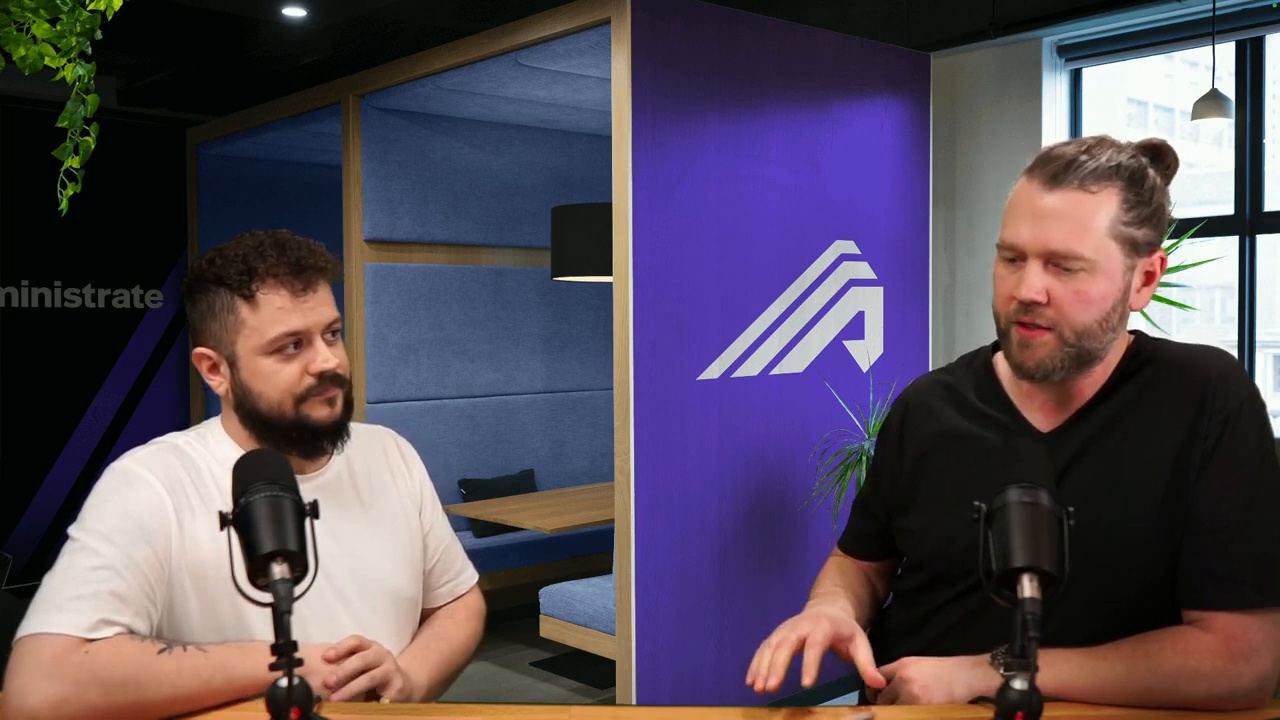
However good the plan, something has usually gone wrong by nine o'clock Monday morning. John Peebles, CEO, and JJ walk through real-time conflict alerts, the dashboard that shows what broke and what to do about it.
Administrate can show you errors, issues, and problems before they become show-stopping disasters. And even offer you some ideas on how to fix them. Our philosophy is decision support rather than automation that overrules you. This demo shows you how to use the alerts dashboard in Administrate.
25:04 watch · 4,653-word transcript
Auto-generated transcript — may contain errors. Tap a timestamp to jump the video.
Good afternoon, everybody. My name is John Peebles and we are thrilled to have you joining us today at a product update live stream here on LinkedIn. I am broadcasting to you along with my colleague, JJ. We'll introduce him in just a second from our studio here in Edinburgh, Scotland. So while it's the afternoon for us, It might be morning or some other time for you. We're happier here. Uh, this is something new for us. So very, very, uh, we, we tried this last week and, um, we had everything working. Uh, well, actually we had nothing working, but the music. And today we have everything working, but the intro music. So that's something we'll be working on. We'll get that next time. It's fine. It's not a problem. So, uh, anyway, let's kick this off. JJ, why don't you introduce yourself?
Uh, tell us kind of how long you've been in the company, what your role is here and, and what, uh, how much to blame you are for what is about to come next. Well, we don't, we don't do a blame game, but, uh, my name is JJ, uh, and I am the UX designer at Administrate, I've been here about seven, eight years now. Uh, and. Yeah. So I focus mostly on solving our customer problems and making improvements to the system, uh, identifying new features, identifying fixes, improvements, wherever they may be. Uh, and that's what I, that's what I do. And where are you from? I'm from the Scottish borders, a little town called Jebra, which is maybe also in the borders, a little town called. Peebles. A town in the back. That's right.
There we go. Fun facts about Scotland. Okay. Well, why don't we get into this? Um, what we're going to share with you today is kind of fundamental to the problem of classroom training and scheduling, which is something we're really passionate about here. If you're not familiar with Administrate, We are a training management system designed to help large enterprises manage all the resources and scheduling and logistics around classroom training. And, uh, this is a little bit different from learning management system. And you know, how, how is that? How would you summarize it? Well, it's quite a lot different. I mean, you know, we, we, We have much more than just a focus on self based learning. Uh, you know, we, um, deal with all kinds of training across the board.
Uh, and, uh, you know, we have a lot of templating in the system. We deal with real time things like resources, instructors, all of that sort of stuff. Um, and, uh, Yeah, quite a large, a large difference. And fundamentally, classroom training is different from e learning or self based training because it is happening to specific people at a specific date and a specific time. And that means a whole bunch of things have to come together. Absolutely. And so one of the key concepts of managing training in a classroom is, one, you have to have a classroom, uh, for starters. That could be It helps. A virtual Classroom like this, or it could be an actual physical building or a combination of the two. Uh, you've got to have people, students that are somehow participating, whether it's virtually or in person, uh, instructors as well.
Somebody's got to teach the class or at least be on hand to help administer. And there's a whole bunch of different ways that people think about that. Uh, and then there's things called resources and a resource could be, um, Well, yeah, I mean, I think typically when the sort of conversation first starts around resources is that people think of physical objects, easy things to understand, like your laptops and your whiteboards. But that's not really what we're talking about here. What we think about when we're thinking about resources is that sure, but it's also we're talking rooms, we're talking labs, we're talking, you know, specific simulators for, you know, bespoke training. Uh, that's absolutely, you know, um, Critical to the delivery of that training. Some of my favorite resources that I've seen customers kind of key into the system because when you're an administrate customer, you actually define your resources.
But some of my favorites were fire engines, uh, swimming pools, helicopters, uh, and specifically helicopters that would be dropped into a swimming pool after being set on fire. I love that training. Yeah. Um, things like this, right. Really high value stuff. that has to be there at a certain space, a place in time for, for folks to use, uh, in order to learn. Um, so, okay, you have your classroom training. Schedule this. We've been talking a lot about that. Send a lot of context. Uh, it's probably time to dive into what this update is, which was around our dashboard. It is. Yeah. Well, yeah, because I think with, when you're managing all of these different things, uh, the biggest problem with that is making sure that, you know, these things are available.
Uh, and when you're working in a, in a large sort of, Training team and you've got a lot of training that you're managing and you're juggling a lot of calendars. You know, we're looking at across all the different instructors, all the people managing the event and all of the resources that we've mentioned and some of these resources themselves are actually shared not just with your training department, but with the company, uh, you know, wider. Um, and so it makes it so much more important that we know when these things are available. And importantly, if someone maybe double books it. For they've just made an appointment for some room. Uh, unbeknownst to you, you need to know when that stuff has been double booked so that you don't have an issue with two sets of people turning up to the class when there should only be one. Yeah. Cause even the best laid plans, even when the system helps you schedule out a schedule that worked a month or two ago, somebody gets sick.
A resource needs to go in for maintenance. There's a whole bunch of reasons. They change as soon as you make them. Right. Yeah. So we're going to dive into the system here. Let's have a look. All right, here we go. So what we have here is our new training dashboard that we have to help support a lot of the things that we were just mentioning there and focusing on this upcoming events, events in our system, as we mentioned, there are the classrooms, the things where you're delivering the training and importantly, when an admin comes in to start their day, we want to be able to help that process of What do I need to do? Where are the fires that I need to put out? Um, what's the issues that I need to resolve?
And what's coming up in terms of the training that I need to prepare for? Because we're perpetually in this sort of prepare for training. Process that never ends. We're always checking and making sure that we can run run these events. So what we have here is a list of our upcoming events in the next 30 days. Um, and I can change this view to look at just the ones that are relevant to me, which is whether I'm an instructor or I'm an administrator managing that event. I can Get this view down to, you know, events that are just that I manage and what we can see here is that if I'm looking at my events, I can see that I've got seven upcoming events in the next 30 days on three of those events have issues.
And across those three events, there's 14 issues that I need to solve and. We're currently looking at a few different things for what we sort of define as an issue. The first, uh, that you'll see here is instructor issues. Uh, now, those come in two categories. One, you're missing an instructor. You don't even have an instructor on the event yet. Pretty important for those classroom, uh, training. And the other is what we call instructor conflict. So it's a booking conflict. It's that instructor has been double booked. They may be on another event in the system, uh, or someone may have booked a meeting with them on the personal calendar to discuss some content update that you're going to be delivering. And we admins so that they can, you know, Avoid that.
Um, the second thing that we have here is missing resources. So again, in our system, you can set up your training to have resource requirements. And that will basically tell you when you're creating the event, you need to have this kind of a room, this kind of a piece of equipment available to you and booked on the event in order for you to be able to run it. So if there's any of those missing, Then we're going to flag those to you here. And then finally, we have fill rate below 50%. So, you know, for a lot of uh, You know, training teams, the sort of core KPI that you have that you're looking at is your fill rates and seeing how well you're doing with that. But importantly, if you aren't hitting the mark on your fill rate, then often your event can't go ahead.
It's not profitable or you just don't. It's not worth the time to have one person on a 30 capacity, you know, piece of training. So you might have The choice to try and get more people on it. Maybe that's through marketing or sales or whatever you're going to do for that, or you need to reschedule and push the event further out on DSO. We need to flag that sort of information to you. So if I go into one of these events here, Let's take a little closer. Look at some of these issues.
So this also highlights some of the, um, some other work that we've been doing recently, which is on our top of our event. We give you this sort of summary that you can look at to really understand the health of that event. So there's some basic, you know, information so that you know which event you're looking at. And then we have We have a summary card here for all of your student information, where they are, if they're just at an interested stage or if they're active and booked on the event. And we have a card here for finances. And then the two really important ones here are, are issues and tasks. So this is another one of those things where you can come into the event and see that I have, several unstarted tasks or a few overdue ones.
Something needs to happen. Someone needs to do some work there. Or in this case, these issues are also highlighted to me again on the event that I've got some instructor issues, resource and fill rate. So let's go and resolve the instructor issue. So I can see down on my personnel table that I'm on there as an administrator, but there is no instructor. So if I go in and add in an instructor, we'll put in Hal Jordan. There's no conflicts on Hal Jordan, so we can easily add them onto this event. Um, and then what we do if we scroll back up to the top of the page, we can see now that the instructor alert for the issues has disappeared. So I've resolved that issue now.
Instructor has no conflicts, and I have the instructor on the event. Um, if we take a look at the next one, we can see here that we've also got this sort of helpful, um, Top of the top of this page here for your sessions, reminding you that resources aren't booked. So for this case, I need some projectors and and whiteboards and I would be able to go in there and look for some projectors. I find my available one. I put on projector to You see the table updates there and now you'll see the count has changed. I now only have five issues because we're counting on a session by session basis to total up the amount of issues that we have on an event. So, that's how we sort of go through and you would expect someone to be able to come in, your admin to be able to come in then and gradually sort of check off these issues and remove them, you know, from the event.
What happens, you're in a wide team, someone else comes in and makes a different kind of change. Maybe they've booked something that you weren't quite expecting. If I look back at my dashboard, I can see, um, I can mark these issues as seen. So I've been managing these events and I've been managing those things and I've marked them as seen. So that's fine. I know what's going on with those events. If though, if we go back to it, let's choose a different event. Let's say my colleague John has come in and, uh, he is going to, I'm going to add in an instructor onto this one. Let's add in Clara and we'll see Clara on this event.
That's great. Uh, and when we come back here, we should have that issue has been removed from the dashboard, which it has. Great. So now, let's say that John also went back in and accidentally removed Clara from that event. This would create an issue again for me, right? So we go in and we remove Clara, delete them from that session. And then go back onto the dashboard here and look at my events. You'll now see that it's highlighted again. There's new issues. So previously I'd seen that. I'd marked that as seen. I know what those issues were. But then John, unbeknownst to me, went in and made a change. And now this is flagged to me as a new issue that I need to go and resolve. And this is the sort of process that we expect people to be able to sort of go through, uh, fixing the things that are there.
All right. Uh, so a couple of questions that we tend to get whenever we're thinking about, you know, this dashboard and day to day operations. The first is how do you see into an instructor's calendar? Uh, does administrate connect to calendars? Cause it can get a feed. Um, how does that work? Well, it, it, it's in testing right now where we have some people actually being able to utilize that. And it's, uh, it's something that we are, it's coming very soon where yes, you can connect instructor calendars to the event, which makes this, So much more of a useful feature, right? Because you don't want to have to go through and check all these different calendars off on a different screen. All of the data and all of the information is here in the system.
So we should be able to alert you to all of that information. And that's where we're heading with, with, uh, with that work. Yeah. We're very excited about that. It's something we've been, uh, anticipated for quite, quite some time. Yeah. Um, I think another maybe point to make as well is. None of this is necessarily a problem. So some customers will go through and they'll schedule all the instructors and resources at the time of scheduling the event in our, in our language or the class. Um, and that's fine and there would be no issues on the dashboard, but some customers do a bit more of a just in time type scheduling workflow. And there's always a mix and match in between. And so really the idea here is, the system is trying to provide what we call decision support. Uh, the analogy is, or that I like to use, uh, is that of, you know, in star Wars, Luke Skywalker is flying down the trench.
You remember this, uh, with the fighter and they're trying to blow up the death star and the computer comes down and there's this lens through which the pilot can see when to fire the proton torpedoes. And, uh, and so that's what we like to think of in terms of, you know, How we're building and how we're thinking about these features because humans are always going to know best at the end of the day. Um, their mistakes can always be made, but the computer is there to basically surface these issues and say, Hey, you might want to look at this, uh, but it's not going to necessarily. Uh, come in and crimp your style. Yeah, I mean, I think, I think what's important about this is that we want to take the burden off of the admins for having to, you know, think to check these things, to be looking for these things themselves, because that's a scrappy task that you have to do.
You know, the, the several different places that you would have to look in order to find all of that information. So Um, Yeah. We want to be able to just raise all of that information to you and then you, the expert, the admin can make decisions about that information that's presented. Yeah. Another, another thing I was thinking about when you were talking about fill rate as well, there's kind of, um, I'd say the way that a lot of folks think about fill rate, which is I want to make sure I get at least this number of people in a class before it's profitable or. It's, it's pointless to do it for two people and dunk the helicopter after setting on fire in the pool. Right. Cause that costs money and so forth. Um, and so a lot of times in the past we've seen folks kind of get in this mindset where they'll schedule out an event.
If we don't get enough students on it, then we cancel it. Right. And shove everybody onto the next one. Um, however, one of the ways that we like to think about this and we encourage customers and training providers to think about this is, is. that a low fill rate is not necessarily an emergency problem. If you know about it far enough advance and you're tracking it like you would be here, then that gives you an opportunity to work with your sales team. If you're selling your training to work with your internal stakeholders, if you're an internal training department and to go out there and drum up, you know, business effectively and get more people on. And so that's another thing that we're kind of pretty happy about with that, uh, that header refresh is that it clearly shows, is Who might be waiting, who might be interested, and we're not going to go into it today, but you can very quickly find these cohorts of potential students to get them on that event.
And, uh, one of the really satisfying things that we like to see is customers that use Administrate can usually dramatically improve their fill rates, uh, with very, very quickly. And it's, there's no magic or secret sauce here. It's just simply by surfacing this information, By giving you the computer as you're flying down the, the, the trench, uh, you, you can now be aware of this stuff and proactively get after it. Yeah, definitely. Well, and I think what's, uh, you know, good about this is that this Also, isn't it right there? There is more that we're doing, not just in that area of decision support, but also with our dashboards that we have, you know, those issues that we just showed aren't the end of the issues that we want to be able to expose, you know, in our system, you have Communications that you can send out, uh, to your, your students or your staff or whoever you've set them up to send to, um, and as we know with emails, sometimes those things bounce.
Sometimes that email that was entered was a little bit incorrect and things don't make sense. their way to where they need to be. And if that's your training material or instructions on how to get to the venue, that's pretty important that you need to make sure that people receive that information. And so there'll be communications being highlighted if there's issues with those on this dashboard. And there'll also be in some cases, particularly more for those internal training departments, um, where you could Potentially be booking a learner and causing a conflict with the learner by booking them on multiple different events that happen at the same time, you know, as part of your onboarding, maybe or something else on DH. You know, we want to be able to highlight some of those issues to on the dashboard on DH. Of course, we're listening to our customers as well.
If they have in their heads, these are the sort of issues that are important to me. Then we want to hear about that because then there is something that we can do here on the dashboard to help. Mhm. Help you all track that. Um, and some of the feedback you've gotten has been great. Has it? It's been super positive. I, it think my favorite so far was. We had one customer say they were going to go off. They were already planning to go off and build their own dashboard, uh, connecting to administrate using our API and so forth. And now they don't have to do that because all the things that they were kind of thinking about are already here. Absolutely. Yeah. Um, so, so what's next? Uh, so what's next is some of those, um, issues. Those extra issues that I mentioned, like the communications and the learner conflicts, but also this view currently that we have is showing all of the events and all of the issues with those events.
Um, now that's great. And that's really good. That's going to be very useful, but let's take the scenario that actually on all three of these events, I have the same instructor on it and they just booked off some leave, or maybe they were more likely sick. Uh, and that. Cause the conflict on all three of those events. We don't want you to have to go through those individual events and fix that issue. We want to be able to give you the opportunity to fix that all at once. And so we want to have another widget on here that focuses most on the instructor and resource conflicts. And with that, we will be able to You know, provide some bulk actions that allow you to replace the instructor across several different events.
Um, you know, and I think with the system that we already have, the information rather, that we already have in the system, we can begin to do things like suggest to you, here is an available instructor that is qualified for this course. You could put them on it right now if you want. And, and we wouldn't necessarily, um, you know, necessarily do that for you, but it would be presented to you and you would be able to just hit the one button and go, yep, I'm happy with that suggestion that the system has made for me, but I can still intervene and make my own expert decisions on that information. Yeah, very cool. So, uh, I guess the next one of these, or one of the next one of these will be back on showing the latest iteration. Rob actually. Uh, reminded me in the chat here that there's a common question we get asked a lot, which is how much time would you say stuff like this saves?
I mean, when you think about, you know, customers of ours that are running hundreds and hundreds of classes every month, uh, hundreds and hundreds of instructors to corral. Absolutely. I mean, I think we, we can be talking particularly, I think it's, it's a two, two pronged question here. One, it's time safe, but it's also, um, issues actually alerted to, right? Because sometimes these things Do go under the radar on DSO, the sort of time cost that happens later when you discover that issue is so much more severe than if you are alerted to it beforehand. But you know, our happens are doing this every day. There could easily be hours out of the day. Being saved by just having this information front and center alerted to them and you don't have to hunt through your list of events or you don't have to go to the individual, uh, instructor calendars and you don't have to, you know, maybe build some other kind of reports or information between your team to be able to find that information.
Uh, so a lot of time, a lot of time and a lot of money too. Yeah, I mean, I think one of my favorite story, one of the key pieces of your job is actually. testing this stuff with our customers. And I think it was a couple of weeks ago, you're showing a customer this and they're like, Oh my goodness, we've got a problem because the dashboard had surfaced something that they were not aware of that could have been pretty badly if it hadn't been alerted to them. So I really liked that. Um, I think, uh, so I'm kind of left with maybe two thoughts. Uh, first is thanks for tuning in. Uh, we'll be doing more of these regularly. Uh, and if you're curious about how much time something like this could save you, uh, if you're a customer of administrate, you get a report every month.
We've emailed to you on all the different time saving actions that you haven't had to do. You haven't had to worry about cause they're automated. Our promise to you as a customer of administrate is we'll automate about 90 percent of the manual work that's required to schedule classroom training. Uh, and then you can take that time. You can reinvest it back into your product, your training and, uh, and grow and you can deliver way more training. The average customer will at least grow by 40 to 50 percent their first year. And that's, that's kind of real data. If you're curious about what it could look like for you. get in touch with us because we can run an art. We can give you an ROI calculator. You can tell us how many kind of students and how many events and courses and you know, instructors you're, you're having to be responsible for.
And we can give you back a pretty good estimate of what you could be looking at in terms of time savings. So, uh, Get in touch and give us some feedback. Let us know how you liked the stream and, uh, we'll be on, uh, again soon. Uh, and this time we'll have, or next time we'll have, uh, intro and outro music. Right. Absolutely. Good. All right, JJ. Well, I appreciate it. It's been a pleasure and, uh, we're, we're going to tune out and, uh, we'll see you next time. Thanks a lot. Thank you.


Get started
