Get started
Administrate Automator: Deep Dive


Demo: See how Administrate Automator brings powerful automations to training, no IT resources or coding needed.
Scheduler is a tool in the Administrate training management system that quickly plans and schedules hundreds of live training sessions.
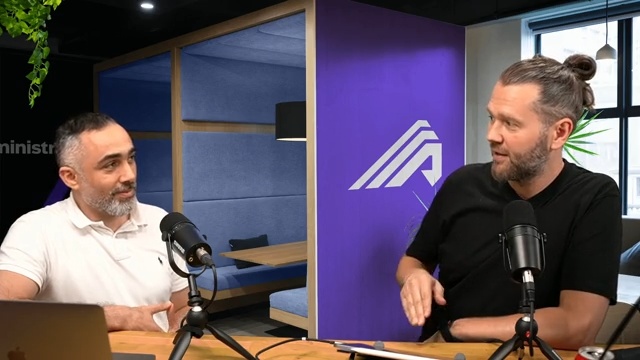
John Peebles, CEO, and product manager Hisham Arnaout demo Scheduler, the AI-powered planning canvas built for laying out hundreds of instructor-led events at once rather than one class at a time.
See how to build a plan in Scheduler, how to approve it, and how to publish the final plan. Scheduler is for training teams who manage ILT at scale, saving hundreds of hours of error-prone manual work.
1:09:03 watch · 12,360-word transcript
Auto-generated transcript — may contain errors. Tap a timestamp to jump the video.
Alright. Welcome, everybody, to very warm and sunny Edinburgh. My name is John, and I'm joined here with, my colleague and, partner in crime today whose name is Hisham. He's a product manager here at Administrate. And, it is so warm here in Edinburgh that, fun fact for those of you who have never been to Scotland or not spent a whole lot of time in the Northern Hemisphere, we're also on the same parallel as Southern Alaska, for example. We do not have air conditioning as standard here in Scotland. And so what that means is Hisham and I were dying getting ready for this stream, and so I have done a couple of, I've made a couple of executive decisions here. I've opened a window, which you cannot see, but you may be able to hear, and we've turned on a very large fan, which you may be able to hear.
And, that's just the price you're gonna have to pay today so that we don't, die during this very exciting stream. It is super hot here in Edinburgh, but we also have a super hot release that we wanna talk about. See what I did there? Hisham and a bunch of, his team and a bunch of folks here have been working for a long time on bringing together a new feature that we're really excited about in our platform called the scheduler. It helps folks plan and schedule training in, you know, en masse, large bulks of time, and, we're really, really excited about it. So today, we were gonna do we're gonna do a deep dive on a whole bunch of stuff around the scheduler. We're gonna talk about some theory and some philosophy.
Artificial intelligence will play in. Don't worry. It won't be LLMs or chat GBT, but, another type type of artificial intelligence. Hisham is gonna give us a bunch of demos, maybe even a live demo, I'm told. And, yeah, we're just gonna have fun. And don't worry. If you don't have enough time to watch this whole livestream here on the LinkedIn, we will be cutting this down, removing some of my terrible jokes, and, posting it on YouTube and on our website at getadministrate.com. So head over there if you missed the stream or you wanna catch up or rewind or or whatever, that'll be up in a couple of days. And, the other thing that we have, which we're going to be sending out and making available as a resource, is kind of a guide to how to think about planning training at scale.
We have software tools that we're gonna show you today, but we also have some practical tips and tricks and so forth. So that'll be a download. If you're interested in that, either comment in the chat and we'll make sure we get your details or, you know, hit up our website in the next couple of days, and it'll be available there. So with that, very lengthy intro, Hisham, why don't you introduce yourself, a little bit? I think this is your first LinkedIn live, first of many. I think we've got a couple more that we're gonna be doing. Tell us tell us about your background and kinda what you've been working on and and why you're why you're excited about this feature. Yeah. Hi, everybody. So my name is Hisham Arnaout, product manager at Administrate. Recently, I've been involved in the scheduler. Amazing, amazing feature. Really excited to go through that with you all today.
Yeah. So I I've been, working as a product manager for, well, seven, eight years And in the learning and development, so in previously, I've been working alongside, you know, teams working on, in the learning management systems, you know, university systems, and now in the training organizations and training management. And, I'm really excited about today to go through the scheduler and show you an amazing feature and how this will help streamline and help training organization scale. And why does this matter? So we get asked this all the time. People are like, look. Training is a solved problem. I've got an LMS, and I don't need any help in this area, but that's not really what we see, when we go out and talk to our multinational customers that are training that tens of thousands of people across the world.
Why what is scheduling why does it matter, And why is it so important? And why is it so difficult? Yep. So when when we look at today and and how training organizations go about, you know, plan. So you have right? You you're you're planning for a training. You're planning for a classroom. And, you know, classroom needs you you have your list of qualified instructors, need to have in some place, some time, and, you know, you're working with many many people to get that one classroom up and running. Right? Now think about if we multiply that at large scale, it gets really hard, it gets really complex. You'll then start looking for tools to help you manage all of that. Right? So you might be using spreadsheets or, you know, calendar systems to check instructors availabilities And you might check other systems maybe to have, you know, resources availabilities like rooms, equipments, labs, all of that that most likely to be shared amongst other teams and departments.
So it gets really really hard to manage all of that in place, not to mention all the things that might change, like an instructor getting ill, you know, a room is not available anymore, and you have to you know, working on the spreadsheet, you have to move things around and it gets really, really painful. And that's what we see today. So can we go to one of my favorite features of the live stream, which is the, the drawing segment? Because I think just to help visualize this, we want to, let's see, bring this up, and we're going to put us both on Surprised how you remember all these buttons, It's it's, you know, it's a it's a c it's a it's a sequence events. Let's see. There we go.
So we have not just a class, but we've got all the things that hang off of a class. So when we think about this conceptually, and I'll just start drawing here very badly, you've got kind of a class that we wanna run, but within that, there are different pieces of the puzzle. Right? And just conceptually, we might say, look, we need we need, instructors. Instructor. And that'll be a stick man, stick person. We might need a room. We might need some resources, and we might need different resources on different days. Mhmm. And then we also have, kind of a pattern of sessions. Mhmm. Right? And some of these might be full day sessions. Some of them might be, you know, part of a day.
Some of them might be blended and so forth. And all of this stuff and and there's even to dos. Right? So there's a little to dos that, you know, everybody's gotta make sure get done, things like cleaning the rooms and so forth. And we talk about this all the time, and we think about this all the time. And for years, I'm drawing right over your head here, Visham. I'm sorry. For years, we have, we've kind of taken this problem here that we're describing, and we've wrapped it up and we boiled it down into something that we call a course template. And, basically, it is kind of a way for us to say these are all the things that are required and the order that they're required and the pattern that they're required and so forth. And then when it comes time to schedule, we then say, alright.
What date? What location? Right? And, what else? What's the other thing? It's basically it. Right? There's a kinda two pieces information. Mhmm. And then that comes down and then we we have our scheduled event with all of the stuff lined up just how we would want it. And that means that I don't have to remember who's approved to teach this course, you know, what pattern it is. Is it Monday, Wednesday, Friday? Is it Tuesday, Thursday, whatever? And that earns us a big thumbs up. You can't even see that. Yeah. But, yeah, that earns us a big check mark from customers. And for years and years and years, this has been a huge time saver. Ninety percent of time gets taken away, and it was great, But we weren't satisfied, were we?
And we started thinking about this problem more deeply because that's great for next week. That's great for next month. That's great when I'm thinking about tens of courses. Yep. But if I'm trying to think about thousands of courses or hundreds of courses that span months of time, this doesn't work. Smarter. Yeah. And, really, that's more of a managing at the management level. Right? When we think about training, you know, there's the five, I think, stages, you know, you identify your training needs, you need to plan them. Right? And that's where today it happens on all these different tools. Right, then you you you schedule them. Right? You use Administrate to do that, and and, of course, templates comes into play really, really well because you could templatize all of that. And then you just run the events. Right?
And you you all need to change the date and time in place. And then you got the support, which I don't think we mentioned here is, like, having a communication plan to your event. Like, I got a bunch of communications that need to go before the training, and then maybe a reminder a few days before to make sure that they have what they need at the time and place that they need to be, and then, you know, probably post communications and and all of that. So And so we're not gonna belabor this. We've actually done an entire LinkedIn live. Myself and JJ, another one of our product, managers did, a couple of, LinkedIn lives on course templates and communication triggers and a whole bunch of these features. And you can check them out on our website. But I guess the point is the problem is not unsimilar to the problem that airlines have.
Right? They have Mhmm. Planes that are leaving. There's a whole bunch of things that need to go right at a certain time in the sequence so the planes can take off. And if the software is not working, then you have a situation like Delta Airlines found themselves in. Now we're not punching down and we're not making light of that really, and I'm a huge Delta flyer, but it's a very similar problem. And the reality is is that Delta and other airlines and so forth, many, you know, large logistics companies, they have dedicated software that is built just to handle this problem, but training teams do not and have not Yep. Forever. And, and just to kind of concrete the challenge and then we'll move on, imagine Hisham tells me, hey. We need to run this class, next week.
That's fine. I sit down and I start typing, and maybe I've got an LMS, and I'm typing into the LMS and trying to record that. Who's gonna teach it? Well, I need to go find a list of improved instructors. There might be ten of those people. There might be a hundred of those people. Okay. Of those people, who am I going to choose? Now I have to go and check Outlook calendar number one. Mhmm. And then, they're not available. Check Outlook calendar number two. Well, they are available. Mhmm. But, they've got a session that's maybe thirty minutes right before, and I don't know. Maybe we wanna give them a break. So I check Outlook calendar number three. And Yep. This already starts to take could be an hour, could be a couple hours, and it's a very laborious process. And then you multiply that times fifty, hundred, two hundred.
And, just the demand planning, just gathering the requirements that, you know, a training team wants to do for the next month or quarter. Some of our customers have over a hundred people that their sole job is to go around the large global multinational business, get those training requirements, bundle them all up, and then deliver them to the schedulers. Those poor people then lock themselves away in what? Use spreadsheets. Right? Yep. Yep. Locked themselves away for, like, a couple of days, could be weeks. And then using spreadsheets as you've outlined there is, like, okay. We got two hundred events that we need to plan out for the next quarter or so. Let's get working. Right? So you have the spreadsheets, columns, you know, dates, and then then months, and then you have a list of the instructors.
And you're looking at not just instructors. Right? You're looking at who's qualified to teach them. Right? Who is available? And the availability of instructors could be spread out through not just calendars, could be calendars. And then you might be working with contractors. You need to phone them up like, hey. We're planning to run this. Are you available? And then and this back and forth communication also takes a lot of time. Right? And then resources, which are shared, and then you have maybe a homegrown system where you could lock in that resource bookings, or you could be using any other tool like calendars as well. So all of this takes a lot of time. And now imagine that you've working on this on your spreadsheet and you're booking things and then you're getting close to a solution and then one of the instructors is no over available or a room is booked, you have to change things.
Could be minor, but a lot of times could be, oh, I need to redo this whole thing, and that's why I need to refone again, contact the people that you need to contact and all of that. So it's it's really painful. So it's like the world's worst game of Tetris. Right? Any little piece that gets or maybe it's Jenga, you know. You're we're we're slotting in all these different pieces of the schedule and you remove one. And everything falls apart. This happens all the time. Right? It's not just it's not just, oops, I'm not available next week or whatever. It's I forgot the instructor forgot to put their holidays in or they're getting married or they're somebody's having a baby or, like, there's these big outages and so forth. And then that means that the whole schedule Yeah. Needs to be changed. So okay. So that's kind of the problem. And the scale of this problem is a lot of our customers think about things in a maybe a quarter or six month time frame, maybe a year.
It depends. Right? Various customers plan very differently. Right? We have quarter quarter, half year, half year, and yearly. So, yeah, it it really depends on the training organization's size and and and their planning and how they do their cadence and the training management. Okay. And in terms of how folks are doing this today, what we have predominantly seen is very complicated spreadsheets. I mean, people are doing magic and spreadsheets. Like, as a former software engineer, it hurts my head, right, these formulas and so forth. So they're using spreadsheets. They might be using Airtable, which is kind of spreadsheets on steroids. Yep. Is there anything else that people are using? They might be using another scheduling tool that's out there, but that's also another tool that they have to pay for, one.
And two, once they're happy with their schedule, they have to import it back into whatever other system they're using as a training management system. So it's working with desperate systems, and that means you have to keep that data in sync and live. Right? And and all the customers I've spoken to, they all have some problems with the data, some errors, some like, a lot of work goes into that to to keep it maintained. Yeah. Okay. And so years ago, I don't know, four or five years ago, I think I don't even remember the origin story, but I I vaguely remember we were working on Administrate. We were having more and more very large customers that are trying to plan at scale and so forth. And, I was trying to book a plane ticket to go somewhere, and I'm famously bad at booking plane tickets.
I cannot tell you how many times where I have booked a ticket for the wrong month, for the wrong year. I just did it about eight weeks ago, and, you know, this happened. So I'm very, very I try to be very careful and double check everything and so forth. And I remember as I was going through and booking this plane ticket that it dawned on me that, this is sort of the same problem as scheduling training. I e I I want a result. I wanna run these ten classes. I want to get to New York City. I don't really care necessarily how I get there. Mhmm. I want options to be surfaced to me. Right? And it dawned on me that for years, we have been asking customers to basically sit down and say, I want a seven forty seven to fly at this time from this gate in the airport to this city to then connect to this other play, and we'd have to sketch all this way out.
And instead, we needed to get to the point where, actually, we could become a support mechanism for folks. We could help solve these complex scheduling challenges. And, and so that was the first kind of genesis of this idea. And we started talking to customers about it. We said, do you have this problem? And a hundred percent of them came back and said, oh, yes. Of course. And we said, have you ever thought about solving this? And they said, no. Right? Because it's too complicated and it's too involved. And so we got to work about when was it? Three or four years ago? And, a lot of the groundwork involved making sure that we had all these concepts that we were just sketching out on the whiteboard Mhmm.
Because we need to make sure that the scheduler has enough information to then build out a plan and make a decision. And we came up with a solution that we think is pretty good, we're pretty excited about, and we've, been testing this with some customers that, are big that my mom has heard of, which is always an important metric. And so I think now, Hisham, you're gonna take us through maybe a a bit of a demo, a live demo even. And so, yeah, while you're working on that, I'll I'll get you up on screen. But, yeah, is there anyone missing here? No. I think Maybe maybe take us to you wrote a blog post about the journey. Maybe take us through the the evolution of that. Different steps. Yep. Definitely, we could talk about that. So, and I think referring back to the course template that we've talked about.
Right? The course template gets you really up and running and easy to start scheduling events that you run over and over again, but didn't solve the large, large training. Right? Like, large scale training. So, I think going back in the history before my time at Administrate, but, you know, lived it with the team, We've had various different, you know, sketches and and mock ups where, okay, the scheduler needs to take a lot of different parameters to come up with suggestions on who can, you know, be the instructors on which courses and whatnot. Right? And that slowly morphed. And as we watched our customers, how they do it right? It's like, watch watch your customers instead of, like, and, we've seen how they, plan and and and the problems that they run into and things where, like, hey.
We could offer, like, a a decision support on this area. We have that information. We could just use it to help them plan and and schedule. And and one of the key things that we're talking about here is supporting decisions. Mhmm. I can't tell you how many times we've walked in and showed prospects and customers, you know, various prototypes and things we're working on, and people are like, you know, this will never work. We're too complicated. And, you know, that may be true. We may only get there eighty percent or ninety percent of the way, but that's that's a big part of the goal actually because that's still saving a ton of time. And then we'll show you we've got some mechanisms for you to then play around with things. So okay. Alright. Let's see. We have shrunk you down, and, you might need to Replug my speed.
Let's try that. There we go. There we go. Let's see. There we go. There we go. K. Do I need to zoom in a bit? Maybe. Yeah. Maybe. And maybe, full screen it. There you go. Alright.
Okay. That's good. Alright. So, before going on to the scheduler, I do wanna talk a little bit more about course templates. So let me open a course and talk a little bit about course templates because it goes a lot into what the scheduler and how the scheduler utilizes that information to build out to help you build out a plan. So in course templates, right, you have, your course title, you have the people who can teach the course, you know, and you got the schedule, which which where you could define, you could have a defined set of rules so that when you wanna start creating events or running events, it will utilize those rules so that you could build up your schedule.
So for example, we have a course template here. You have a default session and start time. You know, usually this event should run, you know, eight to four. It runs Monday through Friday. It's, ten sessions, and then you have a schedule. So when you start planning or running events, it will use those as a default, but you have the controls to go on and change them in any way, shape, or form. Right? So that definitely speed things up. Now this works great when planning, you know, single courses or, you know, planning for the next week or the next couple of days, but it doesn't help planning for the next quarter or year or planning to run hundreds and hundreds of events. And just to just to provide a little bit of clarification here, I feel like Aladdin when I pop in like that.
Cookie. It's very, very, very strange. Just for some clarification, what you're seeing here is all about the pattern that we want to run this course as. It's not we're not scheduling anything right now. We're simply laying out the pattern of what an ideal course would look like. And then when we go to schedule it, that's when that happens. Right? Putting the structure. So what I wanna start with is the scheduler. So when I first go into the scheduler, I'll see a bunch of filters that help me filter through maybe plans I have scheduled before or things that I've been working on right now. So things like in the draft mode right here.
So I do wanna share a couple of use cases that we've seen how training organizations and teams plan for events. So we have organizations who more or less run similar training quarter to quarter, year to year, and it's just on repeat. Right? There might be some changes here and there. Like, we don't wanna run bunch of these courses or or we wanna run an ad, maybe a few more sessions to this course, but it's repeatable training. Right? You have a plan that worked great in q quarter one twenty twenty four. Let's do the same, quarter two, and so on and so forth. So I wanna show you how that could be done using the scheduler. And then you have the other use case where it's not similar and you, you know, you run it maybe it's forecasted by sales. Like, hey. We imagine we got you know, a lot of people will be enrolling into the, you know, SkedX tool and we wanna provide that training.
So you got a team that will come up to the scheduler team and tell you, like, hey. You know, we've got this insights and we need to run twenty of this training, ten of this, five of that. Here are the instructors and resources, make up a plan, and and and find us a solution. Right? And then the scheduler team, that's where they yep. You you need to say something? Yeah. So no. Just a just a couple of examples of that, right, which is we have our normally planned training. Right? Maybe we do that the same way every year, but we see this all the time. Mhmm. A company buys another company. All of a sudden, there's a huge amount of training, not only for the the our employees, but also the employees of the company we just bought. Right? Mhmm. So that's an example. We're we're launching a new product.
There's a huge amount of training that has to happen for the Salesforce and the internal teams and so forth. And then you gotta have a customer training as well. So, there's a bunch of scenarios that are more common than you would think where you have to overlay kind of the standard plan of training, which is often compliance and, you know, refresher stuff and whatever with some entirely brand new program. And usually, there's a time constraint and you wanna get it done as quickly as possible and so forth and so forth and so on. And that's where these schedulers really start tearing their hair out sometimes. Right? Yep. So Oh, and and just because my eyes are so bad, Hisham, if you could do me a favor and zoom in a little bit more, that would yeah. That's that's great. Is that better? That's way better. And then maybe, hit the full screen.
And which shortcut is that? I'm not the green. Yeah. There Mac key. Oh, there you go. Oops. Whoops. There we go. Nice. So much better. Alright. Better. I'll, I'll get off the screen here. Alrighty. Okay. So for these two use cases, let's jump in onto the first use case. We have similar training, you know, quarter one was great. Let's try to, replicate that into the next year. So when I hit create schedule, I I I just give it a name. Like, let's plan for q one twenty twenty five, and we're running it for a certain location. Right? We have in Boston or somewhere. And we're planning for year twenty twenty five.
So January, maybe, start with the sixth. And that's for, like, a quarter. Set March thirty first. Right? So what I'm doing here is I'm creating a schedule for next year, quarter one, and hit create. And it doesn't have to be just a quarter. Right? It can be any time frame. It could be any time frame. You basically specify that. That's right. Another question we often get is you don't have to do this on, like, a global, like, scale either. You can say, look. North America does their planning. Europe does their planning and so forth. Right? Yes. Yes. Yes. Basically, we're providing a tool for you and you can you could, yep, configure it in any way and shape or form. So what we have here right now, what's happening is I have an empty canvas where now I could start adding my courses, adding the instructors, adding resources, and we're gonna go into that of having the freedom to do everything.
But in the first example that I wanna show is, hey, I already planned it before and I wanna use the plan that I did before into my new plan Right. And see how that works. Why why repeat or reinvent the wheel? Yes. Exactly. So, before jumping into all, I do wanna give a quick info on what we're looking at here. So we got a bunch of legends that will help me understand the different, you know, alerts and and colors and all of that to help us understand how we navigate. I got a bunch of issue issue alerts that will tell me if there's any issues with my schedule. Right now it shows two, obviously, because things are empty. And then excuse me. I have a list of courses, instructors, and resources that we need to add.
Right? But now again, back to our example, I'm gonna be importing from previous training that we already planned, booked and scheduled, and everything worked great. This is stuff that has happened in the past? In the past. Correct. So I could pick it it doesn't have to be from a previous schedule that we built. No. It anything that we've managed and created or scheduled in Administrate, so it could be events that you've planned maybe two years ago even before you use the schedule. So what actually happened, I can import it and maybe maybe the schedule that I had two years ago was completely changed, but we're importing what actually happened. That way, we can start from that standpoint. Right. Okay. So, let's see. What we said is, let's import, you know, q three twenty twenty four.
Let's pick that, and then I'll pick, yeah, I'll pick that date. Maybe September eleven. Okay. So I'm just specifying the date that I want to take that data, copy that data from. And then what the scheduler will do is try to capture all that information so that it will present me with, hey. This is what you've run during that time. Right? So what I'm seeing here is we've run during that time about eighteen courses and a couple of events per courses. Like, we've ran three events of core services training. We ran two events of regular object and compliance standards. So it's giving me a history of things and all the various instructors who who were a part of that plan and the resources that were used, during that time.
Now I could go in and say, like, okay, but we're not planning to run any of the, you know, SkedX Pro comprehensive service training. We're not planning any of that now. We just wanna go ahead with these courses for quarter one twenty twenty five. Now I'm gonna hit next, and now it's asking me, okay, I've got your things. Where do you want me to plot them on your campus? Like, I know I selected the correct date that I want, sixth, so I'm not gonna change that. I want it to be that, and I'll hit import. And and the the date that you're selecting right now is the starting point for this for this import to start. Exactly that. So that it will start plotting them on that date first. Right? Now what's being done right now is the plan that we've had in the past, you know, you had, maybe three events in the three quarter and it's evenly spread amongst that plan and there's certain gaps between instructors and workload and all of that.
It's taking all of that into consideration, planning it out into the future. Right. Excuse me. So that's saving a ton of time even if nothing else happened. Hundred percent. Yep. Yeah. Taking what we knew worked and, kinda replicating it. Exactly that. Exactly that. Now another thing that we will be seeing as well. Right? As you said, some things changed. Right? Maybe an instructor is no longer available, no longer, you know, apart. Maybe, you know, some of your teams are no longer there. Maybe, you know, there's also bookings that are happening next year already from various different teams. Like Somebody quit their job. Somebody is, you know, moved to a new job. They're just they're just not available for whatever reason.
Exactly. So what do we find? Let's look at that. One is the issue navigators telling me, hey. There's one blocking issue from allowing you to complete that schedule. Right? And there are three warnings that are just, like, things that you need to be aware of, but not necessarily blocking you from going ahead with that plan. Okay. So so a blocking issue means what? That the plan is not valid or it's not gonna be able to to run or Yeah. For example, if you have a classroom that needs an instructor and the instructor's not there Gotcha. Right? It's blocking. You can't run this event. Okay. But a warning could be, hey, you've got this instructor on two events happening in the same time. There's a conflict. But that may be intentional. Right? So some things like that happen.
We have values customers like, hey. I don't care about conflicts. This I could manage, but I need to see it happen. I need to see that working. Okay. So let's talk about that for a second. I know you're gonna come on to that in a in a minute or two. But when we talk about instructor conflicts, there are instructor conflicts, I e, I am scheduled to teach a class tomorrow at nine AM, and then you schedule me to teach another class at nine AM, and I can't be in two places at once. Right? So that's kind of the classic conflict that we see a lot. But there's another entire class there's class class. There's another entire category of conflicts Mhmm. That you're gonna touch on in a little bit, which is I am scheduled to teach this class tomorrow at nine AM, but I'm also scheduled to go see the dentist tomorrow at nine AM.
Mhmm. And so you're gonna walk us through both of those things. But while you're watching this, bear in mind, it could also be I've got a holiday booked. Yep. Or it could be the entire company has a problem because it's Christmas tomorrow. Mhmm. Right? And we're not open. Mhmm. So yeah, all of these types of things Hundred percent. Into the complexity that is involved in scheduling. That is correct. So let's see what the import did. Right? So what we're looking at here is this is the same plan that we've done in the past or really create, and we're running the same plan for next year. Right? It kept the same gaps as we're looking at right now. So we have the three months. We have this course, two events. It spread them out evenly across the months, and, this is where we see the conflicts. Right? So we have a session conflict right about here, and I see Jay Stratton is the person in conflict.
And clicking that will show me why. Right? So this is what we find here. Right? And there's this right here sorry to interrupt, Pajam. These little pills, each one of them is a session. Right? Mhmm. So when when they're kind of segmented out like that Yep. That's an entire class or event. Right? Exactly. Yeah. Maybe, yeah, let me let me go through that. Right? It's it's an important thing. So what we're looking at here is this is the course, the data management, and we're running two events of that course in this plan. Right? So we have two events. Event number one, we see it here, and all all these different pills, as you said, John, these are the independent sessions for that event. So it's like a ten session event, with the ten different sessions. Oh, I dragged it by mistake.
But, yeah, we could drag it back. And, what I wanna show is the conflicts that we were just checking. Now mind the, slow performance here. It's my staging instance. So So it's not production. It's not on production. Yeah. Okay.
So And so do you do you have any jokes you could tell while we're loading or anything like that? So okay. What what did you just do? You you by accident dragged the event, and that meant you moved it. Now that we're we're gonna show more about that I will show later on. Right? So so hold that hold that thought as we kind of reload this. Yep. So let's, go through that first issue. Right? So what we're looking at here at this event, it's a five session event, but I only see issues with the first three sessions. Right? There are no issues on the last two sessions. And those issues are the little, exclamation traffic, you know, warning things. Warning things. Right. Yep. And I see an issue with the instructor, probably a conflict.
So when I hit view, it will jump down to the instructor view showing me Jay Stratton right here and showing me why there's conflict. So in the first two sessions, there's a holiday as you see with the shaded marks. So if I go to the view legends, I would see, like, what's shaded? It's a non working day or a a day that's not available for the company for that person. So I see why it's there. And then there's another event happening here which is busy. So something the instructor might have put on his calendar or something that shows as busy, and we're gonna touch a little bit more on that as well. So I see that there's a conflict. Now I, since that is not a blocking issue, right, I can say like, oh, you know, they can come, they can work during that time.
It's not something urgent. But at the same time, if if that's an issue, I could easily now, you know, put it elsewhere. Now you see, as I'm dragging here, right, there's color indication showing where you could place it. Right? The yellow means, hey. It's gonna introduce a conflict if you place it here, but I could move it into the green things I know. If I place it here, everything's gonna work great. This is like one of my favorite features of all time. Right? So in real time, the system is bubbling up the calendar Mhmm. From this instructor. Yep. You're gonna talk about how they're synced in just a minute. And I can drag everything around on this Canvas to wherever I want. I I can even I don't know if we'll show this, but I can even split up the sessions and Mhmm.
Start deviating or whatever. And you talked about how an instructor conflict is not necessarily a blocking issue. Let's talk about that for thirty seconds. We get this question a lot, which is, well, why is it letting me build out basically a schedule that has conflicts? And the answer to that is, well, because we are reading an instructor's calendar, which you'll talk about, I might be able to I might just happen to know that I'm scheduling Hisham for a class tomorrow. He's got a conflict, but it's our staff meeting. Mhmm. Right? And I don't stand up or anything. Right? I don't I don't I just happen to know that I don't care. Right? And I can tell Hisham, send him an email, hey.
Skip staff meeting tomorrow. We've booked you in this class, and everything's fine. That's the type of thing that philosophically we're trying to go for here, which is this is a planning Canvas. We try to bake as much intelligence into the course templates, into our solver and so forth. But at the end of the day, the scheduler is in control. The scheduler knows best. This is their job. We're not trying to do your job for you. We're trying to help you do your job much much more quickly. Mhmm. Okay. Yep. Yep. And and and also to add to to what you're saying, John. Right? And we're gonna touch on the solver, the AI solver portion as well. Like, it doesn't, you know, book and introduce conflicts. It tries to avoid it as much as possible. Right? But it doesn't block from providing you a schedule to start with.
Right? Considering these conflicts are most likely or maybe due to, like, a staff meeting or or something like that. And even when you go ahead and start looking at things, you could see all these conflicts and unavailabilities already populated on your canvas. So if you have linked your calendar, for example, if you synced your calendar with the with the Administrate, all that bookings and and and and anything you have on your calendar is synced up to your system so that when you plan, you don't have to phone the instructor up and say, like, are you available next year or or something like that. Right? You have everything what you need right here to start planning. And and, actually, that's a use case that we have seen folks start to do, which is, look, they'll they'll build out a schedule and they'll know they've got kinda eighty, ninety percent instructor coverage, But they're like, you know what?
It's, it's November right now, and February will worry about February. Right? We we'll we'll deal with that in the next sixty to ninety days. We've got a schedule that's good enough. It's fit for purpose. Let's rock and roll, and we'll swap in. And, actually, we've got an entire LinkedIn live video that JJ and I did a month or so ago talking about our dashboard and the issues Mhmm. That it surfaces when that happens. Yep. Right? So some folks will just fire out a schedule. The Administrate will alert them that there are issues, and they can deal with them as they come up. And that's that's a perfectly acceptable way of living life as well. And right? And and sometimes when when you plan ahead, you might be running two different or two of the same events or two different events and have that instructor overlap because at that time, you might cancel one and keep on running due to full rates and whatnot.
So you might be doing this intentionally as you plan. Right. Alright. So where where where are we? So, yeah, we imported a schedule from the past. And right now, we're doing some final fixes so that we can get this approved and then going ahead and scheduling it. Right? So we fixed the first issue, which is a warning. Now we wanna fix the blocking issue, and let's find it. Oh, and I see it here. So it says, I don't know if you see it. Like, DL has left the company, so he's no longer working here. And okay. So all the trainings that they're on, we need to replace them with with a different instructor. So what we're And this this seems like a very simple thing, but as a scheduler, there may be thousands of instructors globally, and there's just no way that I'm gonna know necessarily that DL has left the company.
Right? Yep. And just being able to quit Brady within one within one click, say, here's the problem. Yeah. That's a that's a game changer. And and it's a common thing. Like, we've seen that a lot of times happen. So let's go ahead and replace. The first thing that I wanna do is one well, I know the l left. Right? So I wanna add in, an instructor who can teach, no, not Josh. I think Snow was his name. Yep. John Snow. John Snow. Very Yep. There we go. Very creative. So we got Josh Snow in. Now I'm gonna go in and replace or swap the instructor. Now I wanna talk about this a little bit and I think also you and JJ talked about this, model where it shows you who's available, who's not before you start going in and digging.
So we have d l, you know, who's no longer there. We have Joe Snow. And this calendar sync icon shows that Joe and Snow has connected their calendars. So their availability here is real time, and it's, like, almost very accurate whether or not they're available. Okay. So let's let's just walk everybody through that really quickly. This instructor has somehow linked their calendar with Administrate Mhmm. Securely, and Administrate is now reading in real time the availability. Now what if I'm what if I'm a little nervous about, you know, having every bit of my calendar, available to the company. Is that is that a problem? Have we seen that? So definitely, there is there is a concern. Right? But we provide the option to have it completely private.
Meaning, when you sync your calendar, it only pulls it dates and times, not looking at any other Just says busy. Exactly. Okay. Just says busy and that's it. So when I'm taking the day off to go, watch the new Game of Thrones It'll show you as busy and it could be a very important meeting. Right. And it's not embarrassing. Okay. Gotcha. Good. Right. So let's swap John Snow, after session. And now it's asking me, are you swapping for only the first session or all the other sessions? Right? So Because different instructors could teach Hundred percent. It could be like the last two sessions, could be a lab, different instructor, and sorry. And and while you're doing this, just maybe to to pause for one second, There is no way a traditional LMS can do any of this.
No one we've seen. No. Yeah. Not all. Right? Because and the reason is is they're not built for this. They're built for elearning. They are built for SCORM content and putting something out Mhmm. There where people can log in and Yeah. And they are not built for the complex problem of how do we fly all these training airplanes Yes. To the right destination. Okay. Okay. So one last event, DL is on. Also here, and as you can see, you know, Robert Barr is not available, and they have a proposed session. They're on on an event, so we can't put Robert, so we have to put John Snow as well. Let's add John Snow to the session and all sessions of the event. Now So this is checking not only the plan that we are building right now, but it is also checking any other Booking the system.
Right. Because maybe I've got some stuff that's already been planned out in the future Uh-huh. That's overlapping with what we're doing right now today. Yep. Okay. Very cool. So and and now we can, remove DL from this, plan, and let's see what we have.
Alright. Oh, so doing this now, we have, maybe one last warning, and I think I know why oh, it's John Snow. Adding John Snow to one of the sessions in this event shows a conflict, and let's see why. Oh, it's a booking conflict. It's John Snow's birthday. It's on his personal account. One of those people that takes their birthday off every year. Right. So, but too bad for John. We know that he must deliver that training, and maybe he could, you know, have his birthday on a Saturday or something. Alright. Yeah. So and the next steps here, right, the next steps that we wanna do is if if we're happy with it, now we can share it with other stakeholders. They can go into the scheduler and they they can have only view permissions if they, you know, not allowed to do any changes, get their approvals.
And then And and that's a really important thing. Right? Because what tends to happen is and and this is iterative. Right? We build the scheduling team builds out a schedule, and then, you know, they'll print it out or attach it to an email or whatever. And they'll send it out via email to hundreds of people sometimes. Mhmm. And then the emails start coming back, and everybody's like, oh, I forgot to put in my holidays, and I changed my contract. And I'm only working three days a week next year, not four, and all this stuff Mhmm. Starts coming back. And they have to then spend time to incorporate all of that, and then they have to go through and send it out again. Right? And so what we have seen is that by using by allowing people to log in to Administrate and see this kind of draft schedule, this plan, then folks can start saying, I forgot to book my holidays or whatever.
They can book them, and then they'll pop up as an issue. Yep. And then it's saved so much time. Yeah. Hundred percent. Okay. Hundred percent. And you're not using and keeping notes on the various different tools that you're taking. And I understand. Thirty five emails coming in from Together. Yep. Okay. Hundred percent. Now the next cool bit, right, and what we see customers do today, right, working on spreadsheets or other tools, is that now you you have a plan. Right? Consider this outside Administrate. You have a plan. You're happy with it. Okay. We need to reschedule it. It. Right? And you you might be using you might be using spreadsheets if you're doing managing training, which is also very, very hard, but you might be using another tools like Administrate. Right? And the next step would be, okay, I have a schedule outside Administrate.
I need to import all that data in. Right? I need to import all the data in into the system and that's another hard work and prone to error and you might, you know, risk having mistakes. And what we have And importing is maybe charitable. You might have to retype Yes. A lot of this. Yes. We we see large, very successful
customers, some of the biggest brands in the world, and the poor scheduling team is having to literally go in Mhmm. Log in, retype things, and that is Exactly. That makes us sad. Exactly. Yep. Okay. So in Administrate, once you're happy with the scheduler, you can create events and book. And it gives you a summary like, hey. You're planning thirty three events. You have a couple of instructors. These resources. Hit create. And once you hit create, what will happen is it will schedule everything in Administrate. And remember, we're using course templates, which means if you've built your task workflows, if you've built your communications plans, all of the stuff that you have built in that course template is ready to be, you know, kicked off, planned, scheduled, all of that.
You don't have to do anything there. Okay. So let me just rephrase. You're gonna hit that button, and it's gonna create thirty three events, which are classes that are draft. It's also gonna line up all the instructors and resources, and then it's also gonna build out a huge amount of to dos and assign them to the right people within the organization Mhmm. With the right dates, and all you've hit all you've done is hit Yep. Yep. One button. Oh, and if these people are have their calendars synced, they will also book it on their calendar so that nobody else could book something or, you know, have overbooking. So really, really cool stuff. So we've talked about one of the use cases.
Right? Similar training over and over, and we've seen how fast you can get this up and running. Right? So and that's that's the use case just to review of I wanna repeat broadly the same schedule that we do every quarter or in every six months or every year. Now you would think it would be just as easy as hitting a clone button, which is kinda what we did at the beginning. Mhmm. But it's not because, like, you just showed us, people leave the business. Schedules change, calendars are different, holidays fall on different days of the the week, and all that type of stuff. So by just being able to bubble up those problems, it's a huge game changer. And we haven't even really done anything new. We're just repeating. Yeah. Okay. Yep. Alright.
So for my next example, let's sit back. I would say I would go through the other use case where, we've said, like, you know, your team comes up and says, we we need to run a bunch of these trainings. Which run two hundred events. These are the instructors and resources. You already have them in your you know, somewhere in your system, and you need to come up with a plan for the next quarter. So I'll be doing more or less the same plan that we've seen here, and I'll, you know, shortcut to what we've built together. But I wanna show you what that means or how that happens in Administrate. So you click create schedule. Let's do the plan for q one twenty twenty five. It's all new. Gonna call it new.
Pick a location. And locations, by the way, are things that customers set up and define within the system. So we're just using building d, but that could be that could be It could be in New York, New York City, whatever. HQ somewhere. Yep. Eastern United States. It really, whatever however you think about the world. Yep. So I'm creating a schedule. We're planning for q one twenty twenty five and hit create, and I'm presented again with a blank screen. Now this is where it happens. Right? So I I would say, okay. We need to have, five maybe, events of core services training. So I will say core service training, five events, you know, add it to the canvas. And it it plots it into the canvas at the date that you've set it to through I I picked you know, plot it in this date.
And what we're looking at here see? What what we see here is that the core service training is a two session event. I have five events, and then I see these gray columns at the various different days and this is because at the course template level, it's defined and it's structured to be a two two day in a week, Thursdays and Fridays. That's how this event should be planned, Thursdays and Fridays, and that's why we see it here in the canvas. Okay. So the the gray days are the ones that ordinarily we would not choose to run it. Mhmm. And the the white ones are the ones that Yes. You know, we would normally the course template says Yeah. That's when we normally wanna run it. Yep. So if I go ahead and click course templates, let me
switch to another tab. Yep. So if I go to schedule here, I will see that it's designed to run Thursdays and Fridays. Right? And it start date should be Thursday, and we're gonna be talking a little bit more about how that's utilized. So going back here, full screen. And if I go ahead and add so we need, another course. Let's find maybe install services. Maybe two events of this course. So I'm just planning out all the events. I have a list of events that I need to run, and I'm just plotting them into the system. Right? And And we call this the planning canvas. Right? Because it's just a blank canvas. Yep. You start building out a plan. And actually, for a long time, for for months and months and months, customers are gonna need a ton of value just by having one spot to start planning from.
Right? We don't even need any AI or anything like that. Mhmm. Just this is this is great. Yes. Okay. And really cool thing is that this Canvas already has all the stuff that you have. Like, it has your instructors, who's qualified to teach, the resources, its availabilities, all of that is in already in the system. And you have the canvas there to help you build things, and it will help you by decision support, gives you the tool tips, warnings, you know, conflicts. All of that will be happening real time as you go. Now I could go ahead and use the scheduler to build this plan manually, meaning, you know, we have five events. I need to span them out as evenly as I want, you know, as I can, and then we can run this event here, maybe this event here.
And be because it's green as you're dragging, that means any of those are Is an open slot. Legal. Right. And then I could hit click, edit, and then I need to add instructors. Right? And then it could add instructors. So and I could follow the warnings and start building out my plan. Right? You could do this full control, everything, however you you wanna go ahead with it. But what I wanna show you is, well, you're running maybe two hundred fifty events. Right? And going that one by one and planning it manually, even though the decision support is great to help you, highlight those issues. Kinda boring. Yeah. But maybe you want something like, hey. Okay. I gave you what I want. Right? Plan it for me, and then I'll I'll fix the things that maybe requires my attention. So this is back to that origin story, which is I just wanna fly to New York.
Get me there. Yeah. I don't really care. And maybe get me there in the shortest amount of time. Only one connection from Edinburgh or or direct from Edinburgh. I help me build out a a route that gets there. I don't have to Mhmm. You know, deal with it. That's what you're saying right now. Exactly. Exactly that. So I'm just gonna fire up a schedule that we've, you know, built together just now, this one. And, let's imagine this is not planned. Right? Let's imagine everything here is, like, plotted whatever. So let me just go move something ahead here and and show you how all this will change. And what I wanna do here is really hit solve and, let the planner or scheduler do it for me.
And what the scheduler will do then is look at, you know, what we have here, who are the instructors defined in the course template, Staging environments. And then, it will look at, you know, availabilities. It will look at the course template settings. So if I say, like, if I define this data management should always start on a Monday, the solver will schedule it on a Monday. It will try to force that. Right? And then, let's see it in action. So I'm gonna hit solve. Okay. And while you're doing that, this is basically an AI solver. Mhmm. And it's gonna run tens of thousands of different permutations of what the schedule could look like while doing its best to respect the various rules that are embedded within the course template.
And so, if you can imagine playing Tetris, there's many different ways to fit those pieces together. We love video games here at Administrate. We love video game analogies, or Jenga. Right? You can fit the blocks together in a whole bunch of different ways. This is gonna do this tens of thousands of times over maybe a minute or two. And while it's doing that, it's gonna use some AI techniques. I think one of them is called simulated annealing. Right. As in, I think, from my metallurgy background, you heat up a sword, and then you stick it in the the cold water and it strengthens it. Is that is that what we're talking about? Mhmm. What it's doing is it's basically, making sure that it does not fall into a rabbit hole of a poorly optimized schedule.
Right. So it'll break out of various solutions. And and the idea is if we had ten thousand people all playing Tetris or all playing Django with this schedule, then, we would be at the point where we get a much better solve than if it was just me locked away in a room by myself. Yep. Yep. Because it it starts with a the the way it works is it start with a solution. It builds up a solution. It may not be great. Right? But the next bits is running through these values thousands of solutions and try to make it better and better. Right? So that's a that's an important two step process. Right? It's gonna it's gonna get a legal or a a valid solve Mhmm. But it's not gonna stop there. It's then going to try to optimize that as much as possible. Oh, did we get a no.
That one is running. This one yep. Let's see. And how long does this normally take? Okay. We're on a staging environment, and it's a live demo. It's solved. Right? Just so it's a fun story. Now it's done. That's what? That was what? Sixty seconds, ninety seconds, something like that? Pretty much. Right? And even if we, like, I this example we're running around maybe fifty events or something, maybe forty. But even if you run two hundred fifty, which is the the most cases, that's the number that we we will look at when looking at large scale training in a in a given, you know, three months, plan. But even if we're looking at two hundred fifty or three hundred events, the maximum time we we found that it took like three minutes. Okay. Maybe three and a half to come up with a solution. So it's super fast. Extremely fast. Right? And let's look at here.
So what are we find? One is it solved this with just one warning. Right? No blocking issues, nothing of that sort, just one warning, which we're gonna look at that in a minute. And then what we have here is that the events are evenly spaced out. So we see, like, two events. It's tried to spread them across, you know, you you your canvas or your time bounds as we go. Why is it doing that? Because in most cases, you don't wanna be running the same event in a single month. You're gonna span it out and get, you know, more learners who can make it on a January. Some people can make it on a, you know, March. So So so this is a question we get all the time talking to folks, and maybe we'll come back to it as you're as you finish explaining this.
But what does it mean when we say optimizing? Right? What does an optimization mean? So put a pin in that. We'll come back to that in a few minutes. Keep going. Sorry to interrupt. I just get excited. All good. All good. Same. Now let's look at this. Right? We look at this event and we see that it starts on a Friday, ends on a Tuesday, and there's a, you know, two day gap weekend. And this is not by mistake or random, this is intentional. So you have events that this reset an event, it has to run on a Friday, preparatory courses, and all of that, give folks two days, take that in, and then the actual hands on training, high value training starts working on, you know, big machinery equipment, and it has to.
If we look at the scheduler, the the course template and how that was designed, and we can find that here under the schedule. And we can see that this course, whenever you run events, it has to start on a Friday. That's the availability of, you know, whatever equipment or or so, and then it runs, it's a three session event. So you wouldn't find the solver come up with something like this. Right? You would say, like, oh, let me move it. So it wouldn't do that. It wouldn't schedule it like that. Okay. It will always schedule it the way that you designed it. And there's various various constraints that you can configure the scheduler to come up and start working towards your business requirements. It doesn't have to be the same from plan to plan or company to company.
It could be different. Right? And for example, what we're having here is a like, for example, it must adhere to the course template. This is like the, hard rules. This is how you define it because this is how you wanna run the training. Right? You could definitely override it as you plan manually. Because you just did that, actually. I just did that. You just you just dragged it and we're like, yeah. That we're just gonna do a special one. It's gonna start on Monday. Exactly. Exactly. But at least you could prime the solver to think how you think or how would you consider a good plan. Yeah. So eighty percent or ninety percent of the time do it that way Yep. And then the solver respects it. Hundred percent. Right. And then let's look at the warning using the issue navigator to pop me through it. Oh, it's John Snow's again. It's probably his birthday.
Yep. This guy again. Yep. So I'm there. Now, again, it takes you eighty, ninety percent along the way with large plans, and then you could tweak do the final tweaks. Right? And then finally, when you're happy with it, creative and some book. And as we said before, all the other comms, tasks, all of that will be, automatically set up for you. So in just a couple of minutes on a live demo in a staging environment, we have built out a very complex schedule Mhmm. Adhering to many different patterns from many different courses, lots of people, lots of to dos, all this stuff. Mhmm. And then in just a a couple of seconds, we can hit create, and the schedule's ready to go.
And then we can go and sit around for a few few months until the next time. Right? No. Just kidding. What what tends to happen, and this is real, is we we see customers take this enormous amount of time that has been saved, and they immediately start reinvesting back into their training operations, into their product, their product being their training, and, growth is the simple Mhmm. The simplest explanation for what happens. We see people doing a lot more training, with the same people and resources they have because they're spending less time on administrative work, and they're also optimizing their resources in a much better way.
So we talked and with this and then we'll wrap up. But we talked a little bit about optimization because the scheduler gets you a solve, and then it gets you an optimized solve. So in this example, I think we were going for kind of a level optimization strategy, right, which is we want let's say we have ten courses and we wanna run them over, you know, the next two or three months, it'll space them out evenly. Now we get this question all the time and, customers are like, look, sometimes I want it to be an even distribution. Mhmm. Sometimes I wanna train as many people as quickly as possible because we just bought that company like we were talking about before or we just launched we wanna launch this new product. Those types of optimizations, are coming, and we're really excited when we work with customers using the scheduler, that's one of the key questions, which is how do you think about optimization?
How what's your strategy? And and how are we gonna bake that into the solver? Because there are a bunch of parameters that we can do, and we've got some exciting stuff that we maybe we'll be showing, at some point in the next next month or two. Yep. Yeah. About that. Totally right. And, maybe we missed in the demo, we're talking about instructor utilization and and resource utilization. Do we wanna show that real quick? It's something that will help visualize and and really look at the, you know because when you use the solver as well, it does take that into consideration. It tries to even that workload and balance it out amongst your instructors at least so that you could see. And if there's if there's anything wrong here, like, why Jon Snow is taking, like, double the amount of work that they're doing, like, why is it being preferred?
Maybe it's something that you need to look into and and and and and alert. And also when looking at resources, and maybe you would rather have a balanced workload on instructors, but maybe an efficient workload on resources so you can tweak that out and when using the, you know, the solver. Right. One of the questions we get all the time is, look, I've got half my instructors are employed. You know, I pay them and and employ them full time. The other half are contractors. And so, actually, I want to load up my employees as much as I can because the contractors are overflow or they cost more or a whole bunch of reasons for that. But yeah. So we we get these questions and and, these are the these are the next challenges that we're that we're thinking about how to how to work through. Yep.
But you can at least see it right there, on the screen, hundred and twenty hours for John Snow and mister or miss Roon at forty hours, you know, maybe we wanna look at that and see why why that is. And that's not necessarily an indicator of a problem. Right? It could just be that the person whose last name is Rune, is not qualified to teach Exactly. These portions. Right? Exactly. It's it's not necessarily a problem. Exactly that. Okay. Alright. So, may is that it? That's the that's the demo? That's all we had? Alright. So we've been working on this problem for years. Hisham, you and the team have done a fantastic job with this, but you don't need me to tell you that.
You've been hearing that from customers, who are pretty excited about this, aren't they? Oh, oh, yeah. We've been testing this with some of the biggest brands in the world, and it has been super fulfilling to see, okay, we get revision one out. We get feedback. Mhmm. Revision two, feedback. Revision three, feedback. And, you know, I I, we're really excited about this at Administrate. Our customers are really excited about it. Our team has worked really hard. I'm super proud of everybody's hard work. So thanks a lot, and the team deserves all the credit. It's been fantastic. But this is just literally step one. Mhmm. And there's a lot more to come. A lot more to come. And we're gonna be doing these LinkedIn lives over the next kind of months and maybe years, who knows, at all the different features.
And, you know, stay tuned for for case studies. And, actually, there's some more screenshots and in-depth information out on our website right now this minute today. We're gonna be announcing this publicly, in the next, kind of few weeks, and there will be that asset that we talked about at the beginning. So we, Rob on our content team has put together an awesome guide about how to think about planning and how to think about the scheduling of events en masse and the challenges and the pitfalls and so forth. And this is all based on stuff that we have gleaned from talking with dozens and dozens of customers that have been trying to solve this problem for years and years and years. And, it's a it's a it's a great resource. So check it out.
It'll be on our website. Comment in the, in the chat. If you if you want. We'll follow-up with you, but we really appreciate your time today. We know this is a bit longer than maybe normal, but there's a lot of great stuff to go over and, like, it's hard to contain the excitement. Yeah. So any any final words, Hisham? No. I think you pretty much Wasn't so bad doing this live, was it? Nope. It was okay. Not nothing like doing a LinkedIn live in your third language. Right, Hisham? So, really, really appreciate all the work, and, you know, stay tuned. We'll, we'll be doing more of these, and, we can't wait to show you what's coming up. So my name is John. This is Hisham, and, have a great Thanksgiving. Tuning in.