
Get started
Administrate Automator: Deep Dive


Demo: See how Administrate Automator brings powerful automations to training, no IT resources or coding needed.
In this LinkedIn Live, we discuss how to use WebLink to sell training in Administrate.
In this video we demo WebLink, the tool inside of Administrate that lets you package and sell training. WebLink can grow with your team, so you don’t have to use all of its capabilities at once.
In this video you will learn: why you should consider selling training, different ways to set up and sell training, how Administrate can manage complex sales processes, and how WebLink grows as your business changes.
47:12 watch · 8,265-word transcript
Auto-generated transcript — may contain errors. Tap a timestamp to jump the video.
Welcome everybody to today's broadcast from our intergalactic headquarters here in Edinburgh. I am joined with Hisham, our product manager here at Administrate. My name is John. I'm the CEO here, and we are both really excited to get together today and nerd out a little bit. We're gonna talk about some high level stuff around e-commerce and training and what's the best strategy to get your training out there on the Internet for sale and for people to browse and all the things that you want. But we're also gonna get a little geeky in terms of some of the technical decisions that you can consider, things that you can achieve with the various solutions that we have. And so I'm personally very excited about this. It'll be a good mix of high level, but also we're gonna dive deep into some technical concepts that hopefully will be accessible to pretty much anybody and help you make some decisions as to how you might approach ecommerce and training on the web.
So, Hisham, where are we gonna start here? I think what would probably be best is if we kick this off by talking about how we think about e-commerce, the various challenges and problems that we see out there in terms of selling training, and then how we solve that, and then maybe dive deeper into those solutions. Yep. Sounds great. So what we see today right now with training organizations, we talked about in previous LinkedIn lives or and streams how training organizations use various tools to manage the different parts of their training operations. Right? So they have their training management system or maybe they're using spreadsheets or other tools to manage their training operations. And then for training companies who want to make this these trainings available publicly for customers and learners start buying them and registering onto events and whatnot, They might be using various different tools like building on their own websites or WordPress or any other web tool or storefront to help sell that training.
And we see the problems there with your you have your stuff on your training management system and you need to copy things over to that website or you might have some kind of integration going that you need to maintain and keep keep alive. So all of that poses challenges to maintain that data, make sure that's not duplicated or errors between the the information that you have in your training management system and on your website. Sometimes it go out of date. Right? So you want this to be more streamlined. You don't wanna waste time doing admin work and really be more efficient and streamlined. Yeah. And we've talked about this in other videos that we've done around the idea that training, particularly classroom training, is a constantly moving target. And so things are changing pretty quickly.
That means that if you've got lag or there's additional work that needs to be done to get that information out to your website where it's being sold or where people are making decisions on when where they wanna go to a class, that can be a problem. Mhmm. I'd it's probably worth mentioning too that we have an entirely separate video talking about different business models when it comes to selling your training. We're not gonna talk about that today. Instead, we're talking mainly about the tactical ways that organizations can get their training out there on the Internet in a efficient, safe, reliable, repeatable way that doesn't require tons and tons of manual effort and is very automated. So we're excited about that. One of the key concepts we want to get across today is that this is a journey.
There are various steps in this process, and most of our customers will evolve over the first year to three to four years that they are using Administrate Mhmm. In the strategy that they employ to get training out on the web. And I don't know. At some point, we should probably take you through a diagram. It's my favorite tool that we use, but we can maybe dive into that a little bit more. But it it's very important to understand customers tend to start using one strategy, and then they move into other strategies as they mature in their processes and operations and done their sophistication. You're gonna hear us talk a lot about a product of ours, a piece of our platform that we call WebLink.
And put very simply, it links your web to Administrate. Right? You see what we did there? Very creative. And the idea here is you have Administrate sitting out here, and it's a training management system. And this is where all your admin team lives and breathes. This is your back office system. We've got a ton tons of information about this, and this is the core system of record when it comes to your classroom training. And there are tons of integrations out to various other systems. You can check out other videos about LMS integration, for example. We did a huge in-depth dive into that. But today, we're gonna talk about how do you get your website linked to Administrate. And we see three different approaches here.
Again, all of which are valid, all of which are used usually by customers over the years that they get up and running with Administrate. And the reason for this is because we wanna be able to do this crawl, walk, run strategy. Right? We do not want to we wanna manage the change that's involved in getting a a platform like Administrate up and running. And we don't wanna change too much too quickly because that can be overwhelming. Mhmm. And so, what we tend to see is that many customers will already have their own website. Right? And this could be as simple as a WordPress site that's out there with content about the offerings and is may mainly a business card website. Mhmm. Or it could be something very complicated that is has tons of stuff for sale.
Maybe the majority of that is not even training related. We have many customers that are selling training, but their primary business might be some sort of medical device or some sort of, other products out there. CDW is a good example of this. They are one of the largest wholesalers in the world, and only a small fraction of what they sell is training related. And so almost a hundred percent of customers come to us already having a website. Mhmm. Okay? And maybe the training team knows who to call to deal with this, and maybe they don't. And right away, that's a question mark. How do we do this? And so our typical approach and our recommendation would be to start using an Administrate product like WebLink, get up and running, and then move through the different options, and eventually get to the point where maybe you've got some sort of customized experience that you've thought long and hard about, and you've worked with potentially a partner or your own technical staff, or maybe you've outsourced that to our professional service division, and that that could be your end goal.
But you don't have to do that approach. And so today, we're gonna talk about kind of two WebLinks. And Hisham is gonna dive into that in detail. We're gonna see some demos and so forth. But the first is what we call hosted WebLink. Okay? And what this is, this is a piece of software that is running within the Administrate infrastructure. You don't have to do any setup. You just couple of clicks and you're up and running. We take care of everything. And this includes not only some catalog functionality and so forth, but it includes a secure checkout, integrated payment providers, and we'll take you through that. Okay? So that's step one here that we tend to advocate. And you can get up and running this in minutes. Yep. Basically, a click and you have a website storefront running That's right.
With all the options. Think about it as like a Shopify for training. Right? But it's very specific to training and all the various complexities that that are involved there. Okay? So that's step one. Step two is people are like, that's great, but I would like this to be running on my own domain name. Maybe I've got branding that wanna wrap around it. I already like my website that's over here in this area right there. And so the good news is there's another very straightforward simple option to do that. And that is what we would call embedded WebLink. Alright? For lack of a better term, that's e. And then it's got another link over to Administrate. And what this is, this is embeddable snippets of code, some JavaScript that you can cut and paste into your existing website.
It'll work with almost any website out there. And if it doesn't, we'll usually be able to help you figure out why. And this is again a really great way to get up and running. It pulls data from Administrate. You don't have to worry about it. There's a lot of customization in terms of customization in terms of or configuration in terms of how it looks and so forth. And then what that does is that lets you control the important bits, which are the user experience and so forth. When it comes to checkout, you then get kicked so forth. When it comes to checkout, you then get kicked on to our checkout process. Mhmm. And that's nice and secure and away you go. Go. Right? So that's kind of option number two. Right? Right. Down the line, option three is really doing kind of the same thing between Administrate in your website, but that would be using an API connection.
Yeah. We're not gonna talk about that today because we're focused mainly on WebLink. But this is the one, two, three step plan that we advocate for with almost every customer regardless of size or complexity. Mhmm. And again, some of the smallest companies in the world have got up and running quickly using this, but some of the largest companies in the world have gotten up and running. It's been really satisfying to see. Okay? Quick recap on the various different options that you just mentioned here. John's, the hosted version is a really quick way to get you up and running. It offers branding options, customizations, all of that, by that limited customizability due to being hosted. If the customer would like a more branded option, customizable option, styling, all of that option, and then would like to build their own website, they could go the widget route.
And ultimately, a full tailored experience end to end full control is going through that API route. Yeah. I can start sharing my screen and And while you're doing that, it's probably worth pointing out that every month, tens of millions of dollars of business training sales Yep. And so forth are flowing Flowing through the WebLink. This infrastructure. Yep. Yeah. Hundred percent. So it's, it's pretty robust and it's up and running all over the world. And we're gonna dive into some of the the cool things that often tend to trip people up when they're thinking about selling things on the web like taxes and currencies. Finances, invoices, and all that. Pretty good thing like one of the statements to what we heard from one of our customers, like, now that they have all these integrations in place, they could grow from a two million to a twenty million, like, in the next five years.
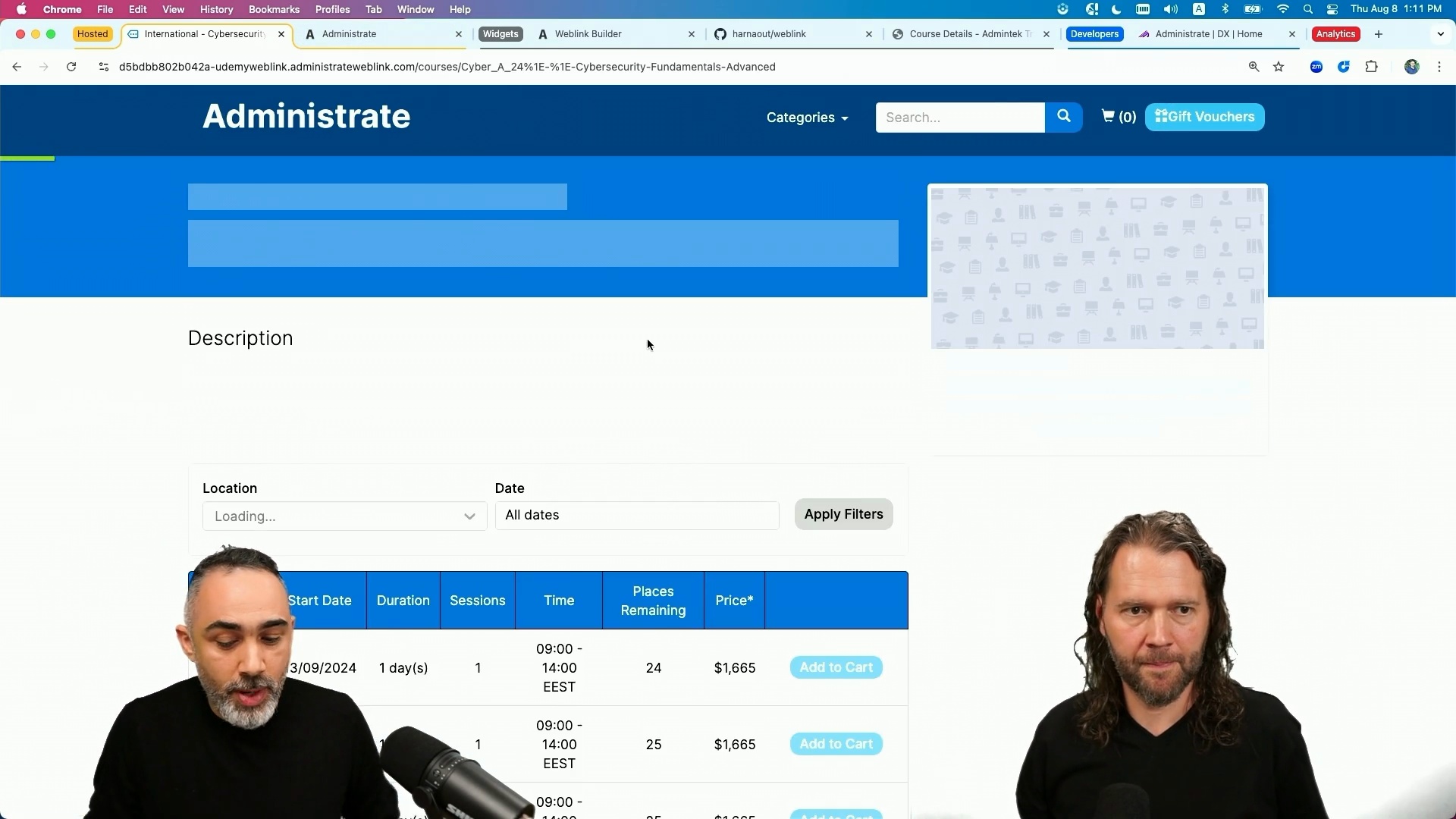
It's really cool to hear coming up from customers. Yeah. Okay. So let's let's dive in here. Oops. Dive in here now. There we go. Nope. There we go. There we go. There we go. There we go. Yeah. Now it looks better. Do you wanna zoom in a little bit? We can. There we go. Perfect. Is that better? That's better. Alright. So what we're looking at here is the hosted version of WebLink. It's really a storefront that have a catalog of your training, search capabilities, filter options, and a plate a portal so that your customers could go in, find the training that they need, and then buy it in, register, and see all that automation kickoff. So I'm gonna go through that workflow and and start talking about what we're seeing here.
And then we're gonna go off, okay. How can I then put more training on this portal and how can we make it available? And all of these cards and all of this information is pulling from Administrate in real time. Right. Yep. Actually, let's do that first and then go through the portal experience. Okay. So let's let's we wanna publish a new course. Right? There's a new course that the training organizations come up with maybe cybersecurity fundamentals advanced training, so let's go ahead and see how that happens in the Administrate portal. Right here I'm in my TMS or training management system in Administrate instance and what I would like to show you is going through, like, how we can add training and publish it to the website so that we can see all of that and how easy it is to get it up and running.
So the first things first is I already have my portal running, which is a few clicks to have that hosted version of WebLink running in your instance. Next bit is how can we now sell training on that portal? And a quick question for you. Can you have more than one portal linked to Administrate? Oh, definitely. So you have customers who sell in various different locations in different regions, different taxes, different currencies, and you could have that multiple region storefronts out there and and selling all these various different locations. So I could have a completely different brand running, selling in a completely different region, all the same stuff and it's all being managed centrally from Administrate. That's something we've also seen customers do where they might want to have a one of their customers has very specific requirements Yep.
And they wanna they wanna branded portal just for that customer, all of that's possible. Exactly. Yeah. And and maybe they capture additional information. It could be course specific. It could be, as we said, region specific information that needs to be captured. And all of that will flow into that single Administrate instance where you could then build your own workflow management systems and automations to help kick off things to the right team. Very cool.
Alright. So let's go ahead and publish a new training. So what we're looking for is we mentioned that we want that advanced advanced training for cybersecurity fundamentals. So what I'm gonna do here is I'm going to the course template, right, what we talked about that we build the standardization of your event trainings, and I'm gonna hit duplicate so that I could minimize that data entry stuff that I need to do. I'm just gonna call it advanced.
And then next bit is I could change the image that it will appear on the catalog. I could change that. I could change all the information, the pricing, and then I'll hit save. And the next bit is once I'm happy with all the information that I wanna put in the portal, I could just hit publish course. Right? Now it's published. I expect this to be updated with the latest courses information and it will be displayed right there. Okay. Wow. So in two or three seconds, you leveraged a course template which we talk about in other videos. That meant you only had to pick a date basically. Exactly. Now you could just worry about event management and and that's something that Administrate does a whole And then Yeah. Then you hit publish and within a second it was out there. It's out there. The website. To sell. Cool. Ready to sell. Yep.
So this is how easy it is to get, and you you might be running various different courses. Some that should be available to sell online, some that shouldn't be, but or maybe it doesn't sell in that region. That all can be configuration options offers. So we're glossing over a ton of additional controls that you can put in place. But that's cool because we've got limited time. Alright. So that's the hosted version. Now let's go in and see what the hosted version of Hublink looks like. So I have a bunch of courses which the customer or the learner can go in, search for the courses that they want or filter by category. Let's go ahead and select let's say I want to go and register into the cybersecurity basics. Now what we look here is, list of events. I have the information of the course out there.
Maybe I missed the part of adding the information in, but if I've added the information of the course and, actually, let's go ahead and do that. So I'm gonna go to the security fundamentals, and this part is where we can add the course, somebody, introduction, topics, anything that we wanna provide to the end user, it will then appear in there, right, to get to to know exactly what I need or what I will be learning attending that course. So it's all the the course metadata and and stuff that you want to make sure learners understand when they're they're booking all of this. Like, it's it's very similar to how all the Shopify, WordPress, all you have a complete content management for your website using administrative and WebLink. You have all that tool to help you manage all that. Now, what I have here is a list of events that are available to register on, in the various locations, dates, times, all of that is available here.
And you can also, for example, let's say you published an event and you want it to be published on the website, maybe to get that traction going, that people interested in all of that, but you don't wanna yet open the registration yet. So what you could do is you could go in let's go ahead and see how that works. So I'm gonna go to the events. Let's assume that this event happening in thirty September shouldn't be open to registration yet. Right? We're just, like, want it to be out there and get a a traction on who wants to attend. So let me go ahead and
actually search for it, really. And it's cybersecurity. Alright. I think this would be it. Okay. So what I could do here is I could do a bunch of options like let's hit edit and say, registration opens up
next maybe a week before. Do that. Okay. So what I'm doing is I'm blocking registration until two weeks before the event, and that's when users will be available to book. And some of the reasons that we see customers wanting to do this is because they wanna maybe guide folks into registering to things that are a little bit more close to today. Mhmm. Right? They would they don't want people maybe sporadically registering out into the calendar. There's a whole bunch of different reasons why you might see this. Maybe they wanna wait to market it and it doesn't really matter. The point is you got that flexibility. Yep. So as we see here, users can't add it to the cart, register and so on and so forth, but it tells them like, hey. It's coming up. So they can have it on their calendars. Now let's go add it to our cart and as you see WebLink offers like just standard e commerce stuff.
Right? So if you have certain promo codes or early bird pricing or whatnot, you could all have that, functionality embedded with it. Yeah. The origin story of Administrate was we started within a training company. And so selling training in Europe across many different currencies and regions and languages and so forth is really fundamental to our DNA. And so you are not gonna find a pricing strategy probably that we haven't either already handled or incorporated into the platform. And, that's a big differentiator from what tends to happen when you're trying to sell training online, which is, you know, there's plenty of good options out there, but the nuances and training delivery and and so forth become pretty difficult, particularly at scale.
So Mhmm. That's why we have this product or this piece of our platform and it's been very popular. So I'm gonna proceed to checkout. And here's where I enter my information. Go Hisham. Oh, that's my name. Oh, email. Oops. Hisham. Company, general notes. And as you see here, all of this is really configurable. So I have here, like, additional general notes, some options, and all this that you could configure per portal. So if you're selling the North America, selling Europe, you could have these different options available to capture that information. Super powerful. So I'm just gonna go ahead and oops. Bra.
It's quite in. And then agree to booking terms. It blocks the user, so unless they agree to the terms. So you could set up your own messaging here and could be terms and conditions, or it could be something related to your business, your training organization needs. Hey. You need to have, I don't know, certain criterias met before you can continue. Yeah. We see folks asking all kinds of information here. Things like, do you have a valid passport if you needed to travel? All kinds of stuff that can be captured. And maybe it's not a show stopper, but you just wanna know. And then you can resolve Yep. Whatever that issue is in the in once the order has come in. Mhmm. Mhmm. Now the first step is the booker. Right? Because you might be booking for your team, for different people. So that's the different steps that you see here is the booker information and then the learner information.
You could be booking for yourself. Right? So I could keep that checkbox checked in. Hey. It's it's I'm gonna be the learner and then continue to pay or you could like booking for some other colleague or team member you're managing so you could add their information. And what we see here is under the contact information include accommodation. Right? This could be course specific. So if a certain course requires you to be certain place, so you need to book a hotel WebLink. So it will you could configure that to ask depending on the course. So all of this is also configurable within the WebLink. So I'm gonna hit continue to payment method, and we're gonna see the various payment option that are available.
There we go. You could pay by credit card. We support various options, payment options to credit card. You could pay by check. You can invoice your company. All of this is already also configured. And then let's go ahead and as long as five. Go. You see your summary, all of that, and then complete payment.
And then the journey would finish here. User registered to the course. And what I would like to mention here is once I finish now, it's kicked off to the administrative system where you have built your own workflow automation. All of that's built into the system. So what happens here is the sales team or has been notified with this purchase. Right? Communications emails that need to be kicked off to the learner or to the booker. Hey. Thank you for buying this course. Here is the course information. And then you have all these different communication plans for this course and for this journey that's gonna be kicked off to the right stakeholder, and they'll be notified about all of that. Yeah. And that entire bit of workflow that happens after orders come in.
And an order could be a sale or it could be a request or there's a whole bunch of different ways to think about this. Mhmm. That's entirely outside of the scope of what we're talking about today and we'll do another video about that in the near future. It's super powerful. It's super exciting. But, that's pretty much a completely different discussion. One thing you mentioned there, John, is training requests. Right? So some of the events, like, you might have training that you haven't yet scheduled events for or maybe you've run it a couple of times last quarter, maybe it didn't hit success, maybe you're changing plans, but you could keep it there on your website so that you could capture interest. And what we have here is your customers could go in, find the course they need. If they couldn't find an event, either matches the time and place that they can be at or couldn't find the event at all, they can hit request training where they're presented with a certain form, which you can build.
Right? Capture the information you need so that you get that interest into your pipeline. So we talked about the first integration option, which is the hosted version that gets people up and running extremely quickly and have your storefront available. The second option that we're gonna be talking about just now is the embeddables, the widgets, how you can embed different widgets onto your own website that you currently have and start selling training. So what I would like to start first with is to start using widgets, we support various widgets depending on your needs. Right? It may be you have your website and you have a course page and you display it in an event list so people could pick from. You could choose a widget, display a cart so that people can, once you place an order, you could find it in your cart. So we can find all of that in our WebLink builder tool.
And I'm going to show you how all of that works. So the first thing you need is your WebLink URL and your paste your WebLink URL, and the WebLink URL is really your portal WebLink portal. And then hit connect. And then now you can pick the different widgets that you want to use on your website. So let's see. I'm going to show you what I've got going over here actually here. So I have a simple website template, and I have a course page that I manage either integrated through Administrate. And I have all the information here. And what I wanna do is I wanna display an event list widget that will automatically pull in from Administrate real time.
So if an event is canceled, if a new event is published, all of that will be going through that page live real time. I don't have to wait or have some lag or manage, manually. And this is a website that you've built. It's beautiful by the way. Thank you. I really love it. That that is just pretty simple. Right? It's just some HTML sitting out there in the Internet. It it is not dissimilar from a larger, more complicated website. It has probably no data database backing it. It's just out there. Yeah. We're talking some of the simplest deployments possible. You can embed this stuff in and also very complex websites. It'll work equally well. Exactly. Exactly. This is just a page to show you how all of that works. So how can I do that?
How can I achieve something like that where I have a page and I wanna start displaying this? I could use the WebLink builder. So I'm gonna go over here and what we're using here is an event list. Right? It's a list of events for a particular course. So I go to the event built to the WebLink builder. I pick the widget that I wanna use, event list, and then it's for a particular course. So cybersecurity, for example, fundamentals. And I have various options to control how the widget would display, what it should filter on, all of that. I have full control on how all of that looks like. I wanna show in this event list the title, the location. I could show the venue if I'd want to. I don't wanna display the time or time is important. And I could hit preview to see how it will look like.
And if I'm happy with it, this is exactly how it will look like. If I'm happy with it, I could just okay. I'm happy with it. I I wanna use it. So I'm gonna go click build. Right? And the builder will provide me with a snippet, a code, a piece of code, which I could then copy, right, and then go to whatever the website that I'm using and paste it in whatever I wanna use it on, which is what we have here. So I pasted it here so that it presents it. Right? And this is how easy it is to get integrated with Administrate. Okay. A couple of questions for you, Hisham. If you go back to the builder so if I'm following you and just for our viewers, what you're saying is that by checking those boxes or unchecking those boxes, you can change the display.
So you showed us a preview of what you did before, but maybe show us like removing a column or or something like that. Just a really concrete this concept. And And there's a lot of widgets there. So there's a lot of different options that you can use to embed. We're gonna go through some of them to show you, like, an end to end journey with widgets. So let's say we don't want all these filters on the event list. Let's say what we really care about is just the date and the location. Right? And then for the columns, we don't wanna show the places remaining column. We don't wanna show the duration. We wanna show the sessions, start date, location, and we don't wanna show the event title. Right? It doesn't matter.
Just a It's redundant. Yep. Redundant. So let's hit preview and see how that looks like. So I have my two filters now. Right? Location date. I have my location, start sessions, and the time and price. So I've hit all the rest of things that are, you know, not needed. And then I could build, copy, paste it in whatever page I wanna be using. Right, and it will work. Now you might have, okay, great, paste it in, but how, you know, how could I could go a little bit technical. Okay. How could I link it to my courses dynamically that I built somewhere else and whatnot? All of this code is right here documented. So if you need to change the code dynamically, you could do that and you could do whatever you want. Right? It's just So if I've got an engineer or I'm an engineer, then I can go in and tweak this even further apart from what we see on the screen today.
Exactly. Okay. So what does that mean? So I have the widget here. Right? And what I've done is I placed another widget. So let's add something to our cart. I've placed something to my cart. Now okay. I wanna go to the cart. Where's the cart? Right? I'm using widgets. Now what I've done is I already added a cart widget to my website, which is similar to how we've done with WebLink builder. I go in, select the cart widget, you know, pre build it, copy, paste, all of that. Right? And now I have a cart widget here where I click, it will go to the cart page. Super cool. And yeah. And and still, this is my website, and I'm using a cart basket widget or basket widget that displays the cart information right here.
So all of this is my website and this is the widget that I'm using. Now happy with that, I hit continue checkout and it will redirect me to the hosted checkout page and Administrate where I could go ahead and and proceed. So that's an important concept. Right? And two things I wanna point out. The first is Hisham's beautiful website was predominantly yellow. And yet when we were configuring the widget, that was all in the Administrate blue. What WebLink does is it inherits the styling as much as possible from the site that it's being embedded in. And if you can go ahead and change the styling a whole lot. As you see, the widgets here is in yellow. The fonts are taken from the website, so you have control to change the styling of the widgets, the fonts, all of that from, one, from Administrate.
Right? You can go to the portal configuration, change that branding from over there, and since the widget is on your website, you also have some even though we don't recommend that, we recommend you doing everything from the Administrate config. But you can basically do it from your own website as well. Right. So that's important concept number one. Important concept number two is the minute that you start the checkout process, we get a lot of questions about security and how does this work and I can't get my IT to get a SSL or TLS certificate. You don't have to worry about that. Because the minute that you start the checkout process, you are then pushed over to Mhmm. The Administrate infrastructure And that means that you get to control that entire experience, rev to the point of checkout, and then we take over, give give you a secure, highly audited way of getting the the payment and so forth in that checkout process.
Because from time to time, every now and then, let's say you update your website, maybe it interferes with something. We don't want anything to interfere with the checkout process. And that's another really key thing that checkout process is handled entirely by Administrate, and that's where those millions of dollars are flowing through every month. Yep. And you can rest assure that it's secure. It's robust. You don't have to worry about it. We take care of that for you. Yep. Alright. So this basically is our widget options and and what you could do. There's a whole lot of widgets that you could start testing with using all of that, all the necessary widgets that you need to get you up and running. Now And and another quick question while we're talking about this.
In your example, you constrained it down the widget to just showing the upcoming dates for one course. Mhmm. Right? Mhmm. You don't have to do that. You could have a catalog that encompasses you don't have to constrain down. That's important to understand. The second thing that customers tend to really get interested in that you might miss if you're going through this explanation at a kind of surface surface level is you can mix and match those strategies that we talked about. If going back to this diagram, we talked about the three strategies starting at starting at the hosted version, then moving on to the embedded, which we just talked about, and then going on to a full custom website. You do not have to exclusively use one of these strategies.
You could use all three at the same time. Now why would you wanna do that? A couple of reasons. One of the most common though is maybe you were doing some sort of test, some sort of new brand, some sort of new initiative. Maybe you want a landing page that you wanna market that is just limited down to one course and the dates that are coming up for that. You can do that with the embedded WebLink, the hosted WebLink, and so forth even if you have some amazing super duper fancy website. Yep. So just keep that in mind. All of these options are available to you and probably should be considered and used throughout the life cycle of your journey as a customer. Yep. And we've seen various examples from customers right now.
Right? So we have the catalog widget, which lets you build and control how the catalog one looks like and what kind of training it should include. Right? And these catalogs sometimes are are built as landing pages targeted for specific segments for training. Right? Because you don't wanna push training to a segment that might not be interested in. You're using WebLink, analytics, all of that, so you could send targeted specific training for the right folks.
Okay. We talked about the hosted version. We talked about widgets. Now we wanna talk a little bit more about one of the latest features that we released, which is supporting analytics in WebLink, which basically helps you capture, tap in, capture that event analytic data and from WebLink and then route it to whatever analytics tools that you use and supporting all this cool in the end to end journey of the user interacting with WebLink. So it's super common request, particularly in the sales process Mhmm. By marketing teams, which is great. You've got this new e commerce thing that'll solve all of our training problems. But we have a marketing team and we wanna know what the user journey looks like and we need to make sure it's instrumented and that is super super important.
So you're gonna you're gonna show us how we can do that. Yep. Okay. So we're gonna dive in to see how WebLink supports all of that. And it's really helpful, like, having an ecommerce store or selling training online without having that insights like walking in the dark. Right? You need to have that information so that one, you could optimize your training. Right? And sell more, provide to the right folks. You can understand how people are interacting with your website. Right? You're using widgets. You wanna see, okay, are why aren't we selling more of that training? Is it not appearing on that? Are they scrolling too far to see the training? Is it not? All of that information is something that you will need as marketing team to help you optimize, sell more, grow and all of that. We're gonna take a look at the Administrate Developer Experience, Administrate and okay...
Really quickly, walk us through really quickly, walk us through what the Administrate Developer Experience is and maybe yeah. Great. Yep. So one thing to to let everyone know is that everything we've built, Administrate, WebLink, all everything we've built is built on top of our GraphQL API. Our entire product runs on this API that's out here Exactly. Accessible to customers. Accessible to customers. So you're using the tools that we are using to build out our product. Right? So when we say, hey, WebLink does this and that, I was like, Okay. You could use our API to build something exactly similar to WebLink or even more features, something that maybe we don't have currently or anything. You have the tools to build out whatever journey that you need to help you grow.
And this developer experience is not just limited to e commerce. Right? It's our entire platform. So again, we're not gonna talk about it today. We'll talk about it probably in later videos. Yep. But customers have built apps that run on phones. They have embedded Administrate and the API within their own products. They have built entire built entire websites. Workflows. Yeah. All of that. All kinds of scripts and communications with their systems and you name it. Yes. One lots of customers will have double digit things that they have constructed using this. And again, you do not have to start with this. Mhmm. You can start simple and it's the crawl, walk, run, but it's here. And Hisham is gonna take us through where the documentation for some of this stuff like WebLink analytics and so forth is.
Yes. So, yeah, we're not gonna dive into all the APIs, but we support our core, LMS, and WebLink API. Just going to dive into the WebLink API in this session. But, yeah, our platform's built on top of all of this. So diving into the WebLink API and talking about the analytics documentation here to help you see what kind of events we support in WebLink, what kind of information that we also make available. And all of this really is to help you understand your customers' shopping behavior, experience throughout your website, what are they clicking on, and and all of that. Capture all that information to help feed it into your analytics tools and help understand what's coming there.
So, like, how are people searching through the website? What they're looking at? The product view. Okay. Are people more interested in that that line of products versus a different one? So all that information is available publicly on on our website. Okay. So just to clarify and recap. Okay. So just to recap. You're showing us various bits of data that will be sent and they're triggered based on specific things. So if I look at the documentation scrolling up Oh. Looking at the documentation scrolling up, the product scrolling up Oh. Looking at the documentation scrolling up, the product view is triggered by various different things or page views triggered by viewing a page. Whenever somebody views a page Exactly. That information will be sent and can be collected. Exactly. So if I'm searching for cybersecurity, then search, this is kicked off and then you could manage it to kick off wherever you want.
Okay. Another thing that I think is really important, if you go back to the documentation Yep. So another thing that I think is very important is this documentation is available online right now without authentication. You can just go to developer.getadministrate.com and it's all out there and you can read it and you can send it to your techies and they can read it. And this is one of our core values of transparency at Administrate is we don't want to be hiding this stuff from you and it's core to our strategy. Now we talked about what we support the various maybe it's we're looking at these snippets of codes right here. You're using hosted version of WebLink or widgets or whatnot, and how can you integrate? So what we offer here as well is an out of the box integration with Google Tag Manager.
So you could go to the administrative instance, portal configuration, and you can specify your Google Tag Manager ID. That's set. Then what I basically done here is I linked my WebLink portal, right, to my Google Tag manager account. And then everything that's happening here can then be routed there where the marketing team or whoever is taking over can then have that information, manipulate it, send it over to whatever analytics tools that they wanna use or go Yeah. We're not gonna go over what Google Tag Manager is in-depth. But put simply, it's a it's become somewhat of an industry standard particularly for marketing applications. It's a conduit for data to flow through to various different tools and and applications that the marketing team may be using.
Yep. Yep. And it's really that simple to get it up and running. Just specify it, set it here, and then boom, you have it running. All these events are supported, and you could build out the funnels. All that's up to you. Pretty cool. Yep. Yep. Pretty exciting stuff. Now I think we've talked about the various options. What we maybe not talking about today is the API route. But in general, all what we've seen here, customer can use our API to build their horror website so so that they get it integrated with Administrate and tapping into the really workflow task automation, communication, all of that training operations. And why would a customer want to build a custom website using the API? What are some of the drivers behind that? If you wanna have a fully tailored experience control on what's happening on your website.
Right? You wanna control also the checkout portion of the journey. Right? Because when we talked about the hosted and the widget route, the checkout is Administrate hosted. Right? You have some control, styling options, branding, all of that. That's fine. But if you're really into that tailored user experience and you wanna have that full control, no, like, leaning on, like, administrative support, hey. I wanna have this new functionality. No. You could build your own functionality. That's when it gets powerful. And we have various customers who went to that route to be able to get all that information and then and tailor it. Yeah. There's a couple of like core use cases that we see that drive customers towards this full API solution. I think the first is, if you've already got a robust e commerce solution and training is not the majority of your business Mhmm.
You probably want to use what already works for you and what already works for the majority of your business. And the nice thing about that is usually that does not entail having to build out a bunch of stuff. It simply entails getting the information from administrative about what's for sale over to the e commerce engine. So that's use case number one. Mhmm. Large multinationals, they tend to go down this route because they generally already got this figured out. The second use case is what you were talking about, which is they just want more control. Or within that, there's they want more visual control or branding control of the catalog and the displaying of the courses. Maybe they want some super advanced or very cool way of displaying this information.
Now, they could do that work and then hand off to the Administrate checkout, which a lot of customers will do because why bother building a checkout? They all look the same on the Internet. Right? But some customers like, I I wanna be special there too. So you've got those choices within that as well. And customers going down these different routes based on the the needs of their business. Yep. Okay. So some of the things that we talked very briefly about, but I think are important to cover quickly are around currencies. WebLink and this infrastructure supports multiple different currencies, multiple different prices. It support supports multiple different tax regimes Yep.
Including, we get this question a lot, the UK digital VAT Mhmm. Rule, if I'm saying that right. Digital goods Yeah. Or something. Including the EU digital goods tax, which is an interesting one for training because there are different rules based on e learning versus classroom and so forth. So that type of stuff is all baked in here and it's complexity that is handled for you and that's very popular with customers as well. And one thing also to touch on something that you mentioned, John, is that different price levels. Right? You could offer price levels for, like, employees different from your external customer base. Yeah. And I mean, we should probably do an entire video on pricing, selling techniques.
Things like vouchers and discount codes and early birds Yes. And specific prices for key customers and so forth. All of that stuff, we'll do that in a separate video. But today, we really wanted to just drive home. You've got a lot of options here. You can get up and running very quickly no matter what your posture is right now today with ecommerce and training. You can then grow over time and add features and complexity and so forth, and you can mix and match these strategies along that journey. So you're never locked in. And, ultimately, we wanna make sure that training that and, ultimately, we wanna make sure that selling training online is super automated, super easy, very straightforward for both the learner and the administrator.
Yeah. Reduce that admin work, like, hundreds and hundreds of hours reduced for various customers. Yeah. Yeah. It's super exciting. And like Hisham was saying earlier, we've seen customers grow from hundreds of thousands of dollars a year in sales to multiple millions to hundreds of millions, and that's what we're here for. So hope you enjoyed it today. And, if you've got any questions, feel free to to send us in some, comments and questions and hit us up on LinkedIn. And, definitely check out our other videos that we have just talking about the business of training and the infrastructure of training and how it all wraps up into a training management system.